
Real account connection
Your team's Telegram accounts connect to the panel by QR code. The customer writes to a real person, not a bot.
Stop opening a separate app for customers who write on Telegram. Your team's Telegram accounts connect to Bitrix24 and conversations are written to the same customer record.
At a glance
Because it is less widespread than WhatsApp, most setups never address it. The result:
Telegram connects to the same infrastructure as WhatsApp; no separate system is built.
Your team's Telegram accounts connect to the panel by QR code. The customer writes to a real person, not a bot.
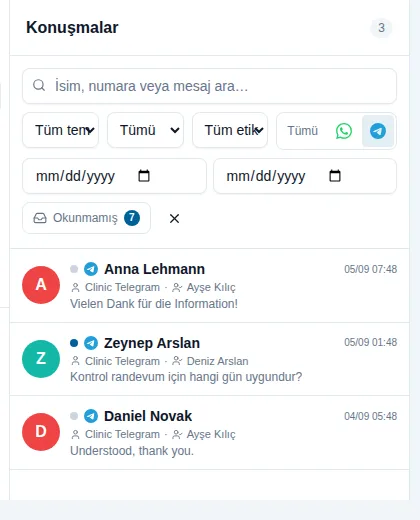
Telegram conversations sit in the same list as WhatsApp, with a channel filter to view Telegram only.
Conversations write to the Bitrix24 record; owner, stage, tags and notes work as they do for WhatsApp.
With no 24-hour window and no template approval, you can write to a customer directly whenever you need to.
If two-step verification is enabled on your Telegram account, the connection supports it ; you do not have to turn your security setting off.
Response time, reachability and volume reports are read from one place, broken down by channel.
Most Telegram integrations run through a bot and the customer notices immediately: no profile photo, a username ending in "…_bot", a conversation that starts formal and cold. What connects here is the team's own account, so on the other side there is a real person with a username and a photo. In businesses where trust drives the decision, such as health tourism, that difference affects the purchase directly.
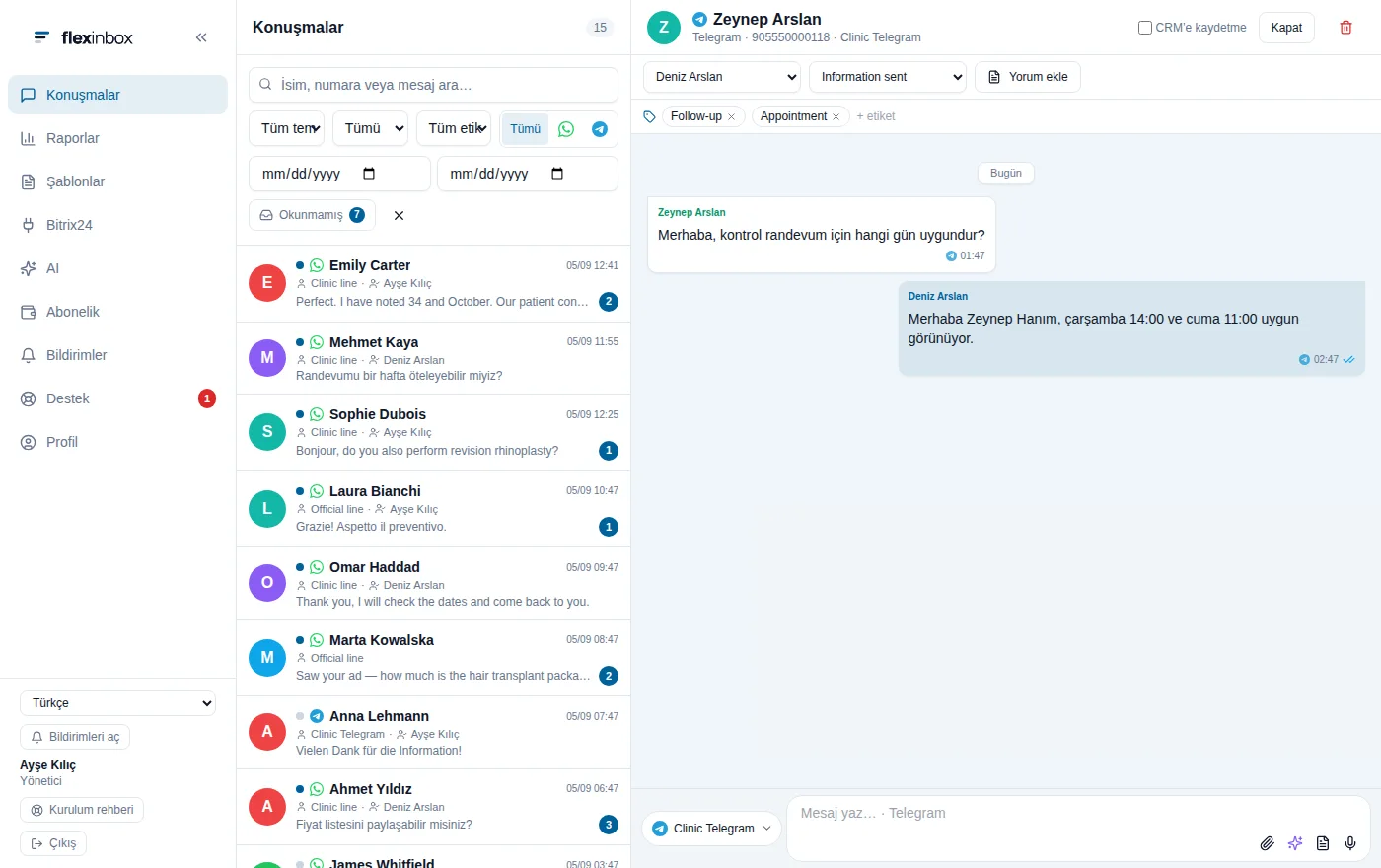
Telegram conversations sit in the same inbox as WhatsApp, so agents work from one screen through the day. When you want to look at Telegram only, the channel filter is enough. That separation also helps in reporting: how many enquiries came from each channel, where response time is longer, and which channel converts better can all be seen separately. In most of our clients Telegram converts better than WhatsApp; because customers who write there tend to be further along in their decision.
On WhatsApp, a 24-hour window opens after a customer writes to you; once it closes you can only re-open contact with an approved template. Telegram has no such restriction. That is a real advantage in businesses with long decision cycles: sending a price update or an appointment reminder weeks later does not require waiting for template approval. Follow-up flows are often more flexible to build on Telegram.
Telegram is not as widespread as WhatsApp across the general population in Turkey, but it is the primary channel for specific customer groups. For our health tourism clients, Russian-speaking patient flow comes largely through Telegram, and the same holds for enquiries from Central Asia, the Caucasus and Iran. In software, gaming and crypto, Telegram is already the default. If you receive enquiries from these groups, not connecting Telegram means leaving that line entirely outside measurement.
Both work in the same inbox, but their rules differ; the setup follows accordingly.
| Topic | Telegram | |
|---|---|---|
| Connection | QR code, within minutes | QR code or Meta approval process |
| 24-hour rule | Does not apply | Applies |
| Approved templates required | No | Outside the window, yes |
| Can you message first? | Yes, freely | On an official line, with templates |
| What the customer sees | A real account, not a bot | A personal number or your business name |
| Group chats | Supported | Supported on QR lines |
| Ad conversion reporting | No | Yes, on an official line |
| Monthly cost | USD 50 per line | USD 50–60 |
How would this work in your process?
In a free 30-minute call we listen to your workflow and map out how this would run in your company.
Telegram is usually added alongside a WhatsApp setup and does not need a separate project.
We identify the agents who receive Telegram enquiries; each account connects as its own line.
QR codes are scanned, and where two-step verification is on, that step is completed too.
Which Open Channel Telegram conversations land in, and how they are routed, is defined.
Because there is no template restriction, follow-up messages are designed and the team is trained.
Technical detail and the live demo are on the product's own site.
How the Telegram connection is built, the real-account model and panel features.
flexinbox.ioThe official account of the Open Channel flow and Bitrix24 setup steps.
flexinbox.ioA live demo of the real panel with sample data, no sign-up required.
flexinbox.ioThe modules we most often roll out alongside this one; they reinforce each other in the same setup.
Your customers are already on WhatsApp. When those chats stay on personal phones, the process cannot be measured. We connect your official WhatsApp Business number to Bitrix24 and attach every message to a customer record.
Collecting leads is the easy part. Responding quickly, assigning correctly and following up consistently is where deals are won. We build Bitrix24 around those three things.
If a rep's day goes to logging records, setting reminders and retyping the same email, that is revenue leaking. We move that work to robots and give your team back the conversations.
When a customer calls, your agent should already see past conversations, open tickets and active deals. We connect your telephony to Bitrix24 so the call and the data arrive together.
WhatsApp is the primary channel for customer communication in Turkey, yet in most setups it sits outside the CRM. We connect your team's own number to Bitrix24 Open Channels.
An assistant that gives the first answer to enquiries arriving out of hours, trained on your own price list. When it does not know, it hands off to the Bitrix24 queue rather than inventing an answer.
It is not enough for the form to reach your CRM; the ad it came from should reach it too. Otherwise the question "which ad brought sales" has no answer at the end of the month.
No. What connects is the team member's own Telegram account, so the other side sees a real person with a username and profile photo. With bot-based integrations customers notice immediately and trust weakens.
It is not. The connection supports two-step verification and you do not have to turn your security setting off; the verification step is completed during connection.
Technically possible since there is no template restriction, but it needs care: Telegram also applies account restrictions against bulk and unwanted sending. If you send commercial electronic messages in Turkey the IYS obligation applies too. We recommend targeted follow-up flows rather than bulk sending.
It is not, it runs through the same panel and the same Bitrix24 connection. A Telegram account connects as an additional line and no separate project is needed. It can usually go live the same day.
Book a free intro call and we'll walk through your process and show which settings fit you.