Features

A screen that knows the caller before you say hello

When a customer calls, your agent should already see past conversations, open tickets and active deals. We connect your telephony to Bitrix24 so the call and the data arrive together.

At a glance

  • Automatic screen pop
  • Rule-based routing
  • Recording and quality review
  • Works with your current PBX
  • Post-call automation
THE PROBLEM

An empty screen on an inbound call costs money every second

  • Agents interrogate the caller for identifying details while clicking between windows.
  • Customers explain the same story again on every call.
  • Missed calls go unreturned because nobody owns the callback.
  • Nothing is noted after the call, so the same issue resurfaces repeatedly.
  • Volume and answer rates sit in PBX reports that never reach the CRM.
THE FIX

Telephony and CRM behave like one system

The incoming number is matched in the CRM and the screen pops automatically, opening the contact card, related deals, orders, tickets and past correspondence on a single timeline.

  • We connect your existing SIP PBX or VoIP provider without replacing it.
  • Queues, IVR, business-hour rules and group ringing are designed together with your CRM data.
  • VIP callers reach a priority queue, and customers with an open deal go straight to their own rep.
  • Every missed call generates a callback task, so nobody slips through.
  • Recordings, outcome codes and agent notes attach to the relevant CRM record.
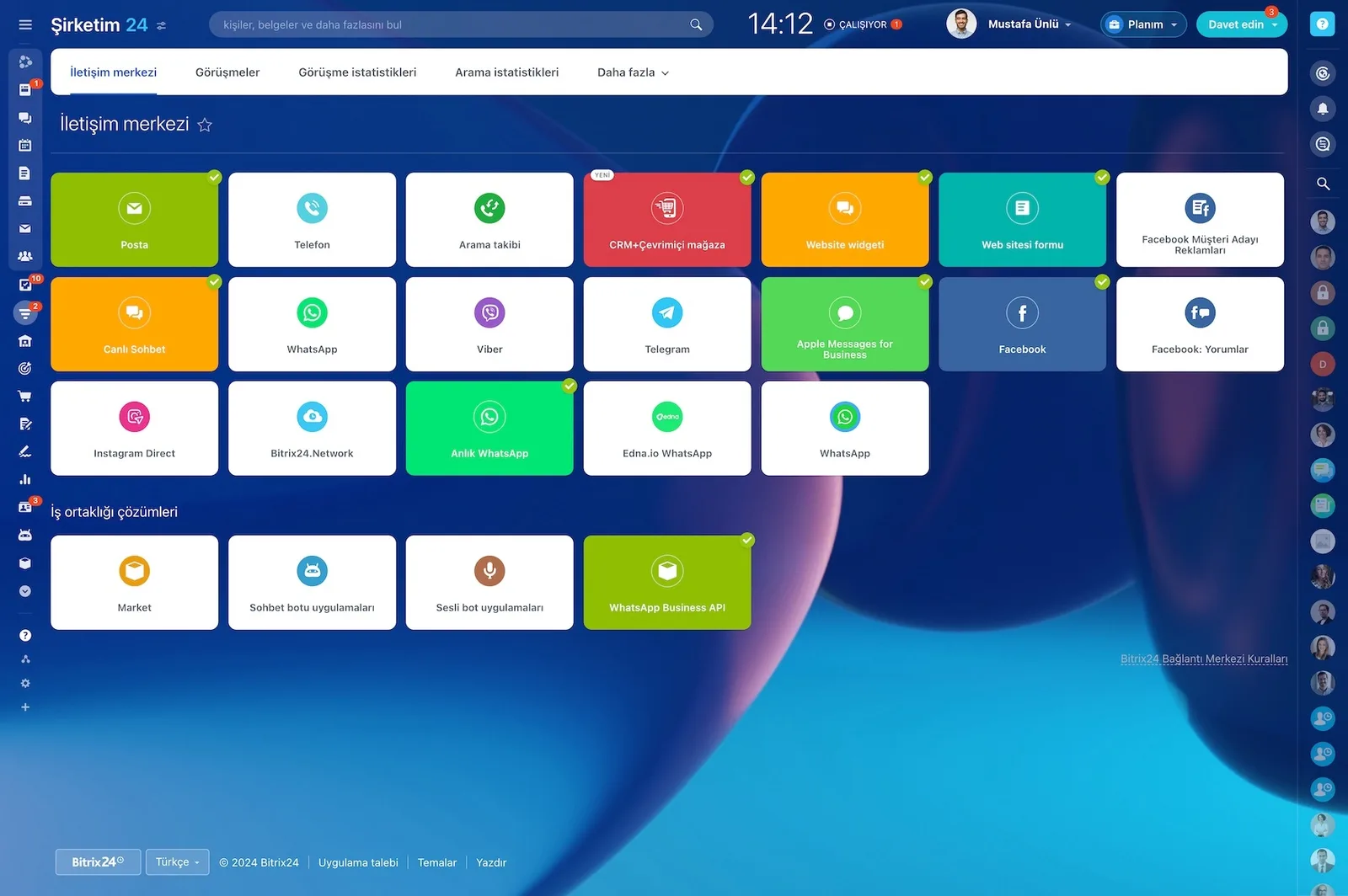
Bitrix24 Contact Center showing mail, telephony, WhatsApp, Telegram, Instagram and Facebook channel cards

Built-in telephony and CRM: one platform, one truth

Bitrix24 puts PBX capabilities at the heart of the CRM, so you never move data between separate systems. Core telephony features talk natively to the contacts, companies, deals, and support tickets in your CRM. Reports and records converge on a single source of truth.

  • Queues, IVR, and hold music are managed from inside the CRM.
  • Time-based rules separate business-hours and after-hours flows.
  • Call recording, call transfer, and group ringing come as standard.
  • Every call is linked to the relevant contact, company, or deal record.
  • Telephony reporting and CRM reporting draw on the same data.
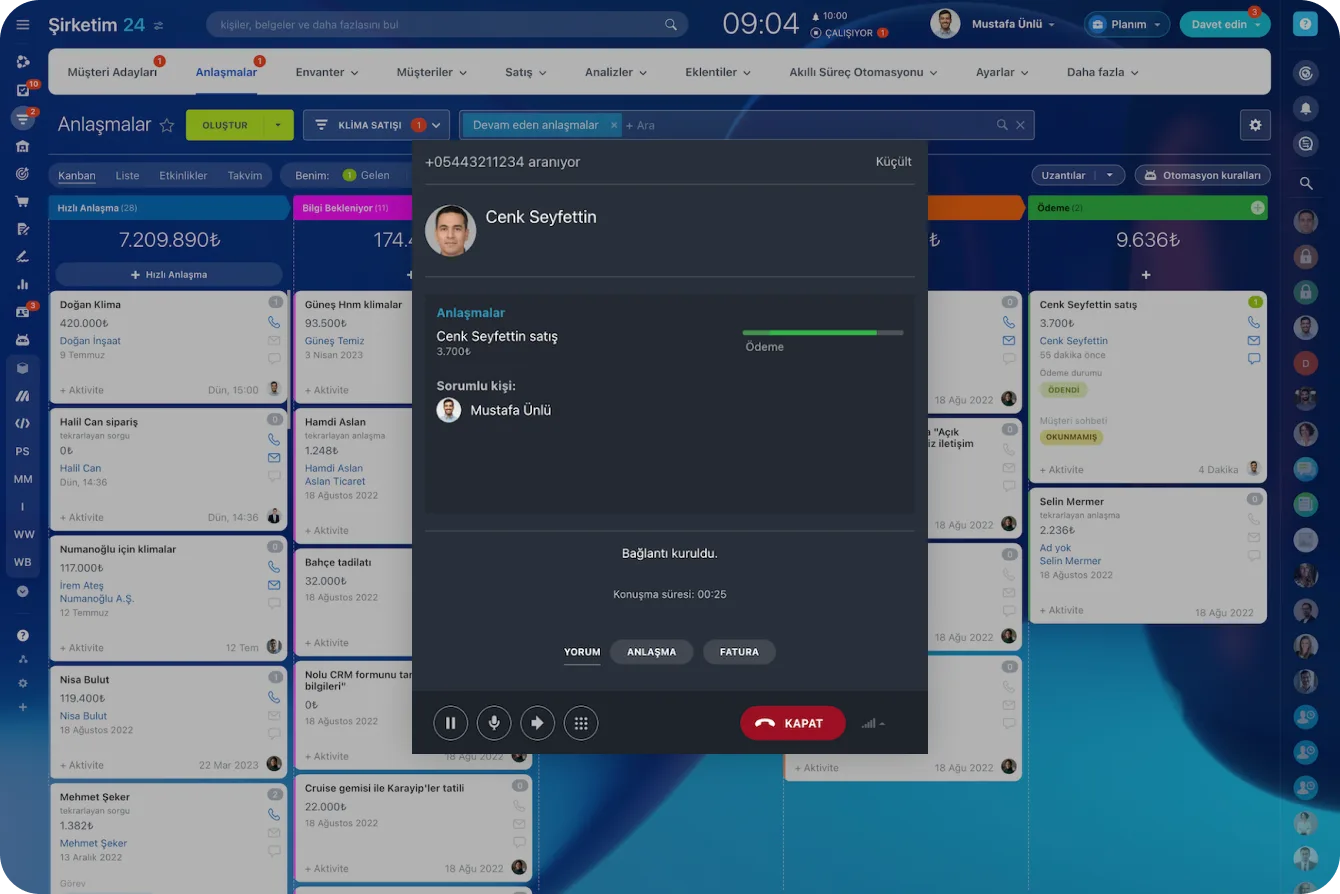
Incoming call window opening over the deals board with caller, duration and quick action buttons

Screen pop and the 360-degree customer card

The moment the phone rings, the automatic screen pop fires. The incoming number matches a CRM record and the customer's full history opens on a single timeline. The agent stops hunting through windows to verify identity and opens the call by name.

  • The contact and company card, linked deals, and orders are visible.
  • Support tickets and sent emails appear on the same timeline.
  • Live chat history and campaign participation are listed.
  • Notes and internal mentions can be read during the call.
  • Average handling time drops and the customer stops repeating themselves.
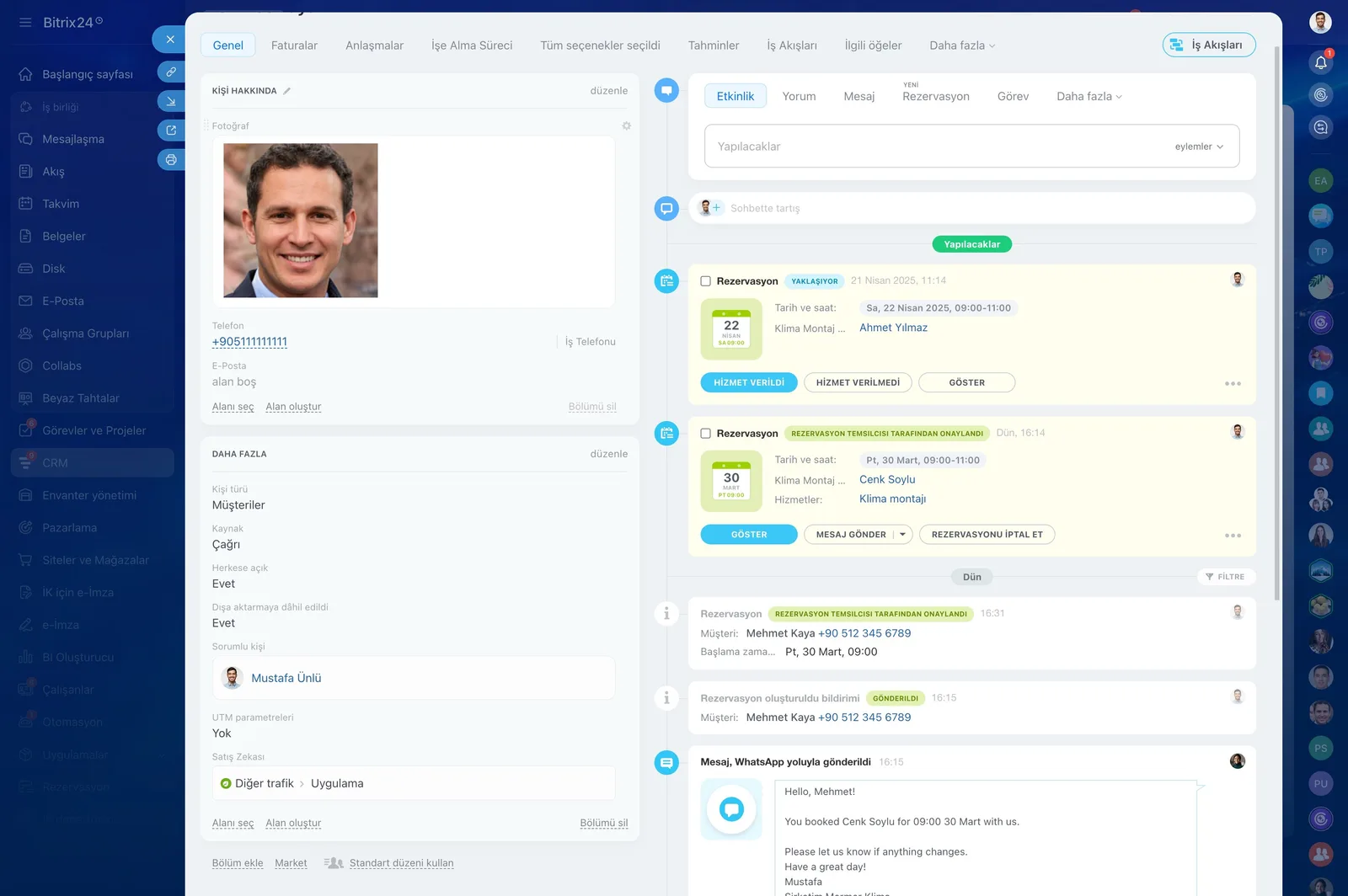
CRM contact card timeline with upcoming bookings, confirmation states and a WhatsApp reminder that was sent

Connect your existing PBX

If you already run a SIP PBX, a VoIP provider, or an office exchange, there is no need to throw that investment away. We define your lines over SIP trunk and registrar and run screen pop and call control from inside the CRM through CTI. Events flow to your other systems via the REST API and webhooks.

  • Line definition over SIP trunk or registrar.
  • CTI for screen pop and in-CRM call control.
  • Call started and call ended events are exported.
  • Entering a disposition code can trigger other systems.
  • IVR selections are reported as data and exposed to integrations.
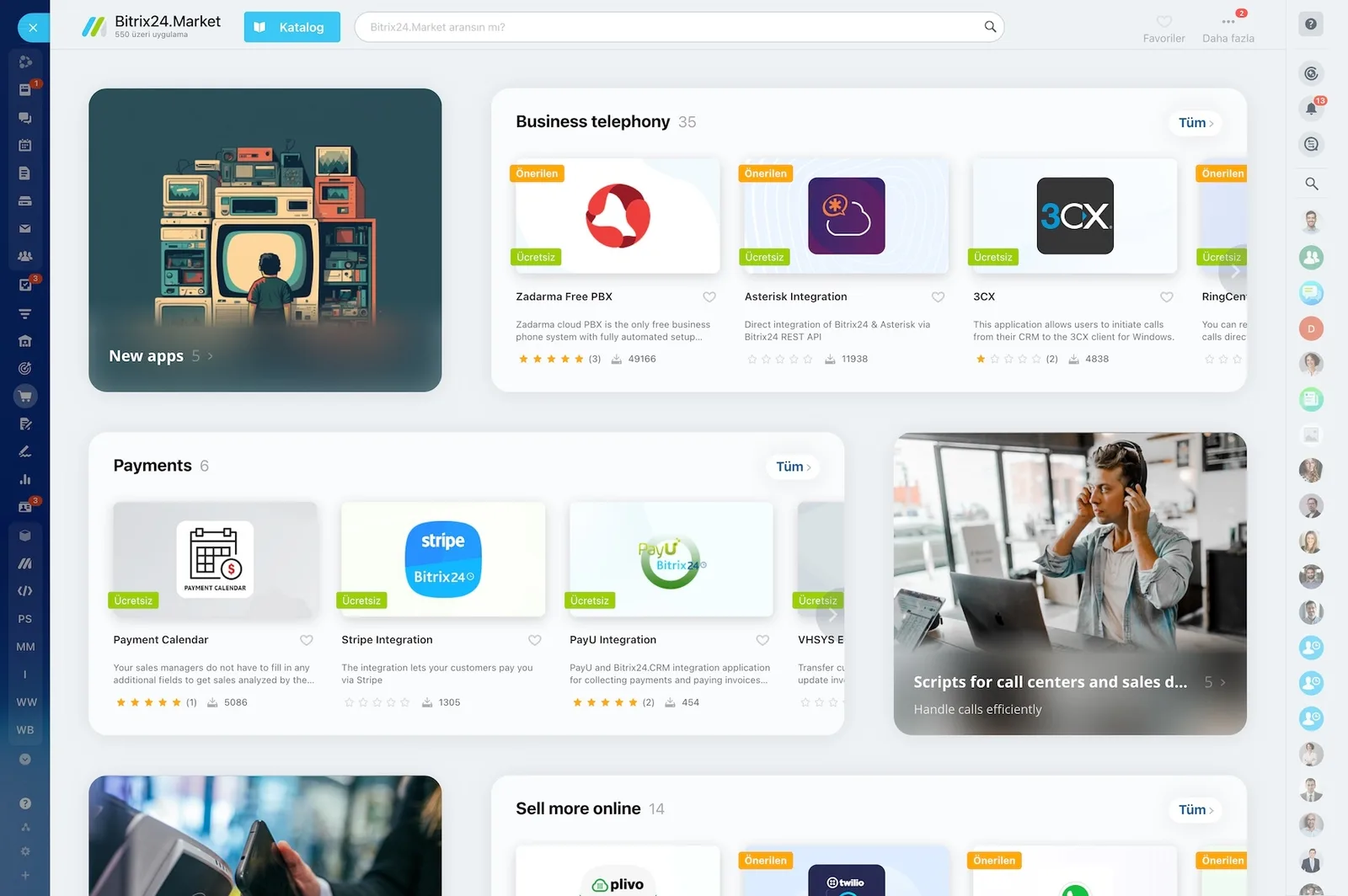
Bitrix24.Market catalog listing ready-made business telephony, payment and e-commerce integration apps

Smart routing and automation

We route calls by rule rather than at random. Queues and working hours determine which team covers which lines and when. Customer segment, topic, and open deal status all shape the routing.

  • Customers tagged VIP land on the priority line.
  • A customer with an active deal sticks to their account owner.
  • Collection calls go to the finance queue.
  • Return topics are routed to the logistics team.
  • Every missed call opens an automatic callback task.
Sales automation screen with automation rules and triggers attached to each pipeline stage

Recording, quality, and data protection

Every call recording is linked automatically to the relevant CRM entity and can be played back, downloaded, and shared. The disposition code, tags, agent notes, and call duration stay with the recording in one place. We define access, trail, retention, and deletion processes to match your data protection requirements.

  • Disposition code, tags, and agent notes are stored with the recording.
  • Quality reviews are done against real recordings.
  • Role-based access and field-level visibility are defined.
  • Retention periods and deletion rules are documented.
  • Calls waiting, answer time, and abandonment rate are monitored live.
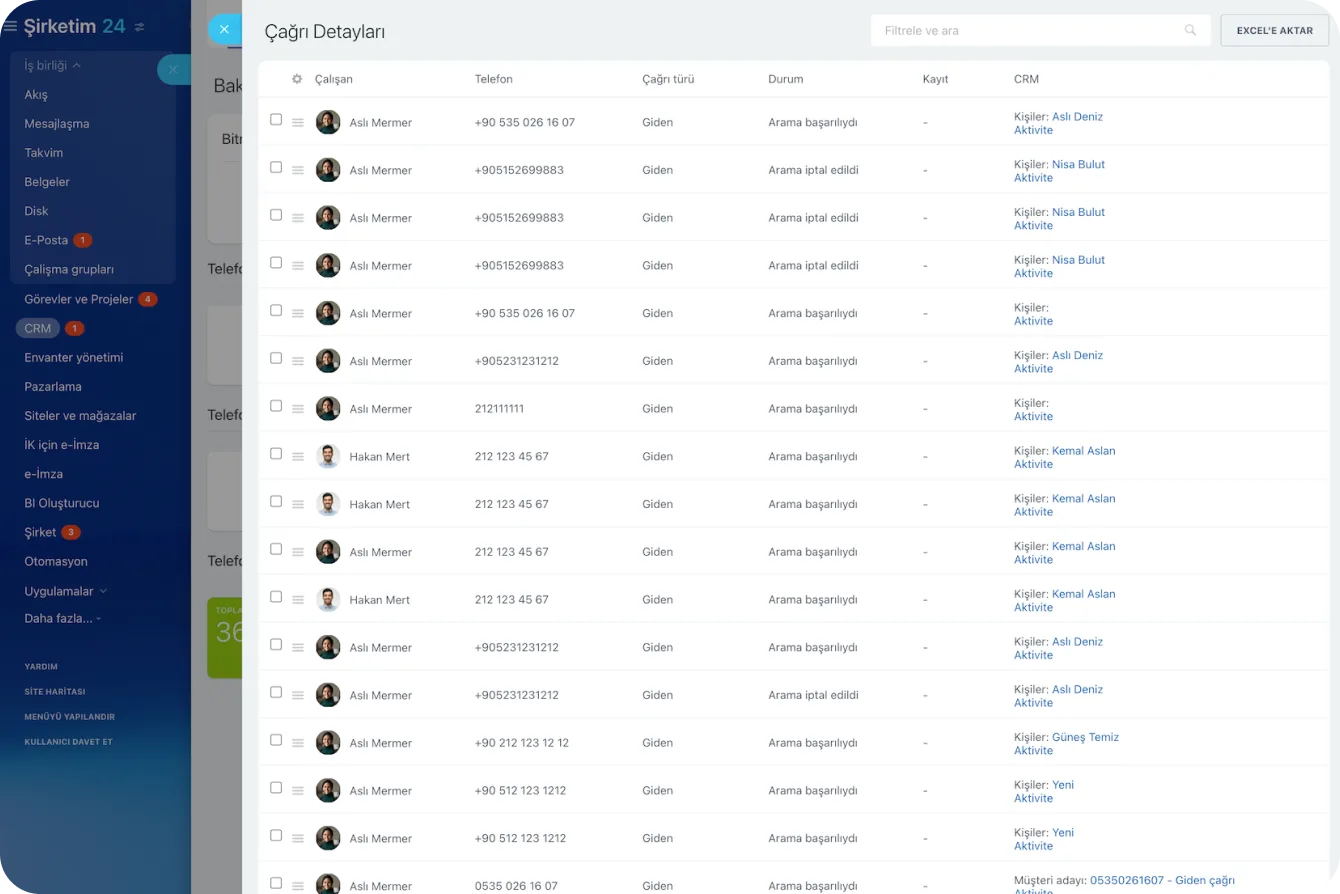
Call Details report listing agent, number, direction, status and the related CRM record for each call
CAPABILITIES

What you get

Automatic screen pop

The customer card opens as the phone rings, so agents greet by name and verification takes seconds.

Rule-based routing

Calls reach the right queue based on topic, language, customer segment and time of day; collections to finance, returns to logistics.

Recording and quality review

Recordings link to the record and can be played, downloaded and shared, making coaching concrete rather than anecdotal.

Works with your current PBX

We register your lines over SIP trunking so you keep your investment and still dial from inside the CRM.

Post-call automation

Outcome codes open tasks, send quotes or schedule follow-up calls, so the next step is never left to memory.

Live dashboards

Calls waiting, average answer time, abandonment rate and per-agent performance update in real time, so staffing decisions rest on data.

BEST FIT

Who is this for?

These are the teams we deploy this module with most often. If your scenario is not listed, let's talk it through anyway.

  • High-volume inbound sales and support desks
  • Healthcare providers managing appointments by phone
  • E-commerce operations running order and complaint lines
  • Finance teams making collection and reminder calls

How would this work in your process?

In a free 30-minute call we listen to your workflow and map out how this would run in your company.

Book a free consultation
SETUP

How we roll it out

We handle the setup; you just walk us through your process.

  1. 01

    Line inventory and connectivity analysis

    We review your existing PBX, lines, and provider contracts. We share a connectivity report before setup begins.

  2. 02

    Connection and number configuration

    We set up the SIP trunk or VoIP provider connection and define numbers and extensions. Test calls confirm voice quality.

  3. 03

    Queues, IVR, and routing rules

    We build queues, the IVR menu, working-hours rules, and VIP priorities. We switch on the automatic callback flow for missed calls.

  4. 04

    Training and go-live

    We teach agents the screen pop, disposition codes, and note-taking discipline. We read the first week's call reports together and fine-tune the queue rules.

Works together with

CRMContact CenterSIP PBX and VoIP ProvidersAutomation RulesTasks and ProjectsReports and DashboardsREST API and WebhooksMobile App

Frequently Asked Questions

Do we have to replace our PBX?

No. Most SIP-capable PBX systems and VoIP providers connect to Bitrix24. We review your current setup and share a compatibility assessment before the project starts.

Where are call recordings stored?

Inside your Bitrix24 account, attached to the related customer record. Retention period, access rights and deletion rules are defined with you to match your compliance requirements.

Can remote agents use it?

Yes. Calls can be made and answered from the browser, desktop app or mobile, with the same recording and reporting rules applying outside the office.

Let's configure this around your business

Book a free intro call and we'll walk through your process and show which settings fit you.