
Your customer is on WhatsApp. The conversation should stay with the company
Your team keeps writing from its own number; the message lands in a Bitrix24 Open Channel conversation and matches the right customer record. When a consultant leaves, the history stays, and response time becomes measurable.
Implementation, line connection and team training come from us as a Gold Partner.
What you can measure afterwards
First response time
Between arrival and reply
Reachability rate
How many enquiries were answered
Consultant performance
Whose enquiries go cold
Conversion per channel
Whether WhatsApp actually produces sales
- Minutes
- to open a line by QR
- One inbox
- every line in the same list
- 2 robots
- in the Bitrix24 automation designer
- Per line
- not per user
What happens when WhatsApp sits outside the CRM
The channel is not the problem; where it lives is. What follows:
- Conversations staying on a consultant's personal phone, and the history leaving when they do
- Two people writing to the same customer with nobody knowing what was promised
- Response time never being measured, so late replies go unnoticed
- Managers unable to see where a conversation stands
- Losing which campaign an advertising enquiry came from
- The company not owning the conversation with its own customer
Three pillars of the implementation
We do not put a second chat application next to Bitrix24; this runs on top of the Open Channels mechanism.
QR line or official line?
The line type is the decision that drives both the cost and the working model. A QR line opens within minutes on the team's own number with no approval process; the customer sees a personal number and you cannot freely message first. On an official line the number belongs to the company, the customer sees your business name and you can open contact with approved templates. Most of our clients use both: consultants write from their own numbers while campaigns and reminders go out from the official line.
- QR line: fast start, no approval, limited first contact
- Official line: business name visible, templated first message, ad conversion reporting
- The 24-hour rule applies to both; on an official line it is bypassed with approved templates
- Both can run together in the same portal
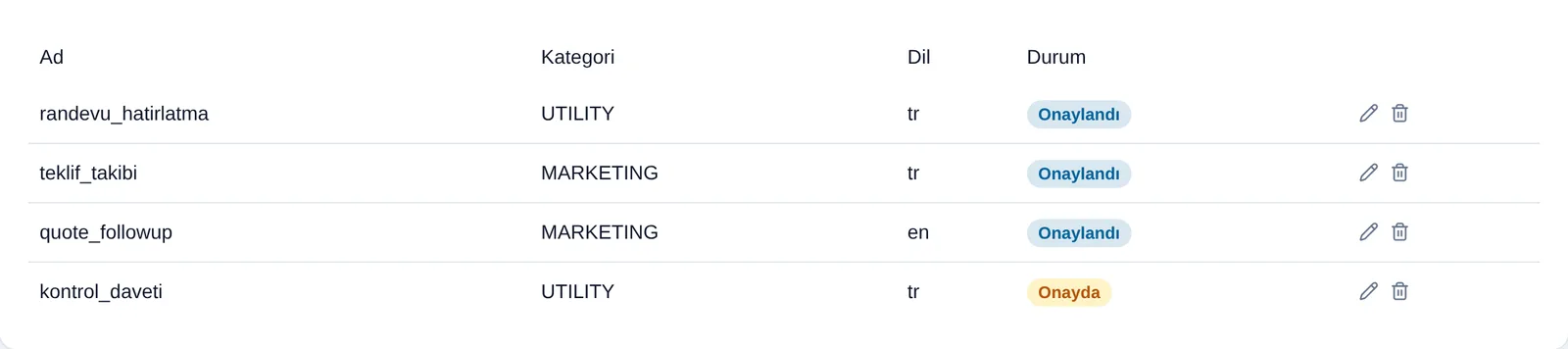
No more hunting for who wrote from which phone
The team works from a single screen with every line in the same list. Asking "did anyone see this message" and hunting for who wrote from which phone both disappear. Unread conversations are counted separately, a channel filter shows WhatsApp only, and when a conversation opens the customer's Bitrix24 record sits beside it. While replying, an agent can change the stage, add a note and create a task.
- Every line in one list, with unread counted separately
- The customer's CRM record stays open next to the conversation
- Stage changes, notes and tasks happen on the same screen
- WhatsApp groups land in the same inbox
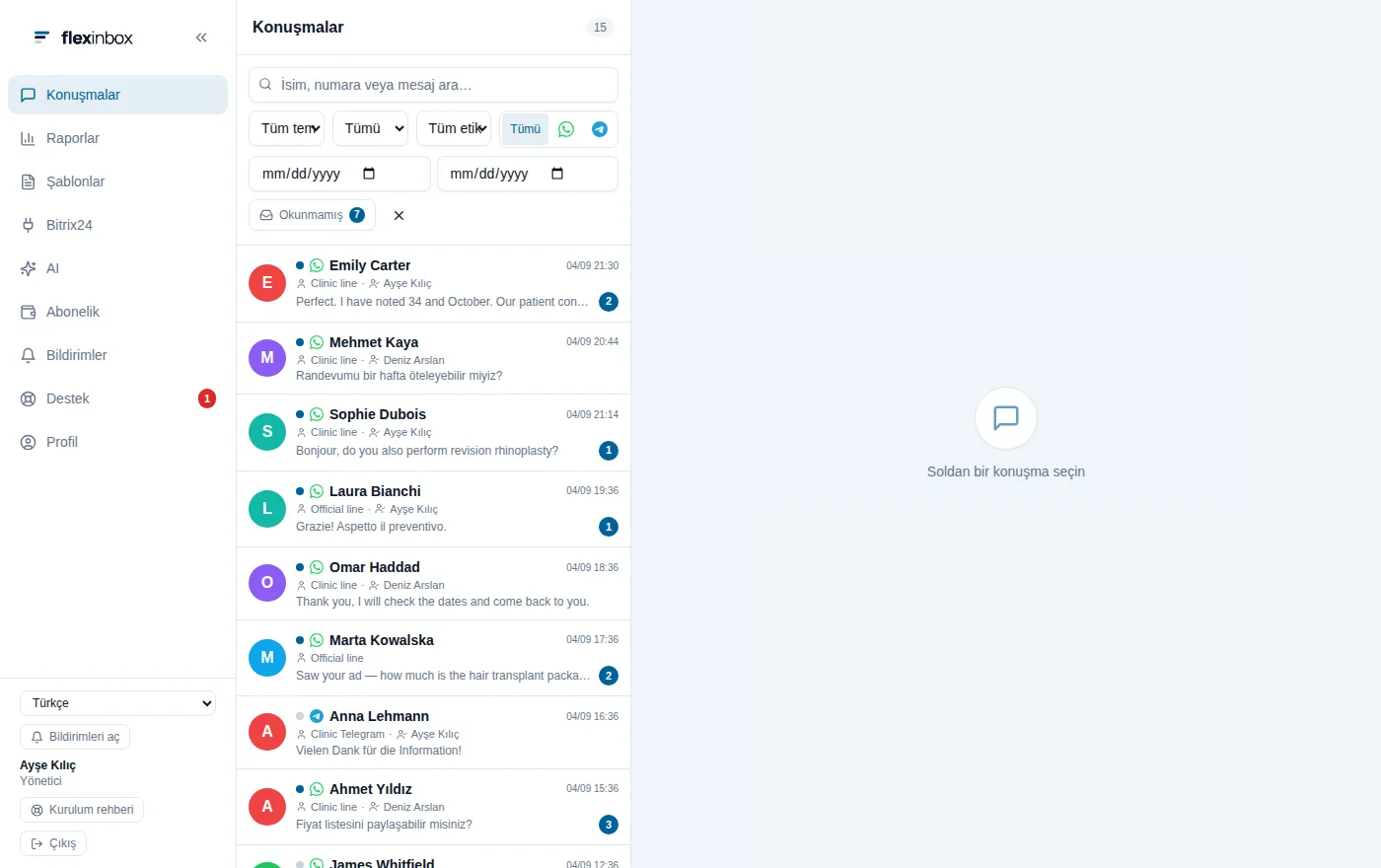
Let the message go out when the stage changes
Two robots are added to the Bitrix24 automation designer: one sends free-form text, the other an approved template. You build the rule where you already know it, in Bitrix24's own robot screen. The most used scenarios: a welcome message the moment a lead lands, a notification when a quote is sent, a follow-up after a period of silence, and a reminder the day before an appointment. Sending the welcome from the consultant's own number measurably improves reply rates.
- Robots run inside the Bitrix24 automation designer
- Separate robots for free-form text and approved templates
- Welcome, follow-up, reminder and status notification scenarios
- Messages go out from the consultant's line, not as a corporate notification
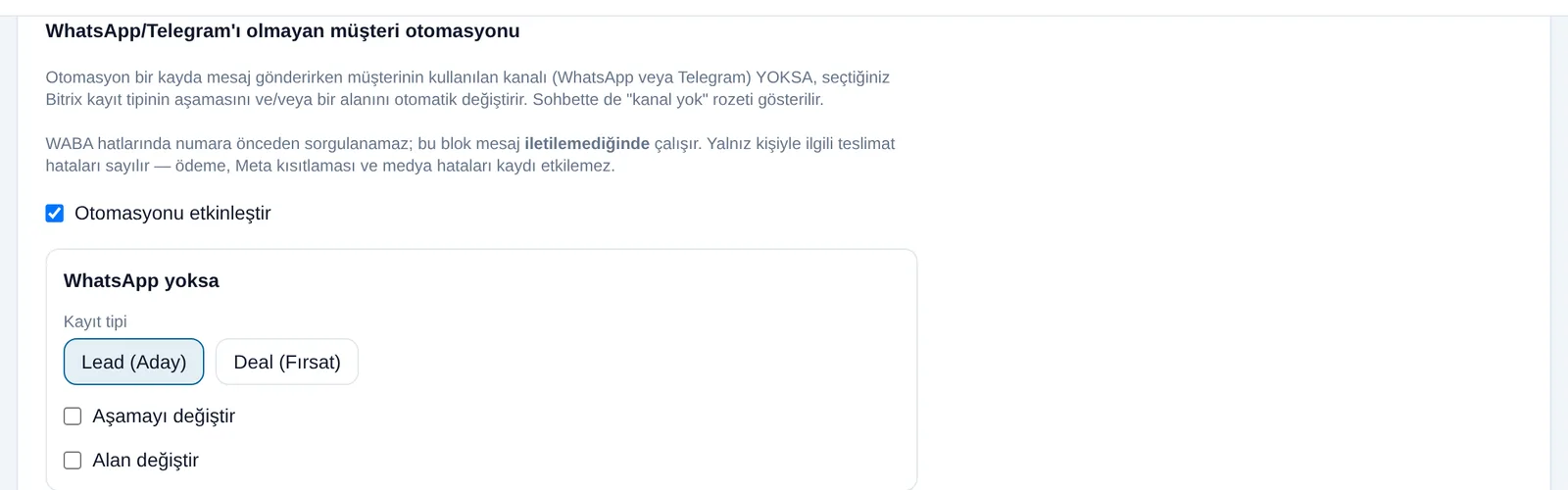
Scope of the implementation
Connecting a line is the small part; the scope covers these.
QR line
A team member scans a QR code from their own phone and the line is live within minutes. The phone app keeps working.
Official line (WABA)
A Meta-approved business number. Customers see your business name and the number belongs to the company.
Approved templates
Campaigns, appointment reminders and status updates go out with approved templates.
Record matching
The incoming number is looked up in Bitrix24 to find the right record and owner, and a conversation tab opens inside the record.
Automation robots
Two robots send a free-form message or an approved template when a stage changes.
Meta ad attribution
Facebook and Instagram lead forms arrive with campaign breakdown; when the sale closes the result is reported back to Meta.
Bringing the conversation back into the company
A conversation on a consultant's personal phone is the person's asset, not the company's. When they leave, nobody knows what price was quoted or what was promised. Writing the conversation to the customer record removes that risk.
History stays on the record
Even after a staff change the conversation history is accessible, so the customer does not have to repeat themselves.
Response time becomes measurable
For many of our clients this measurement is the first time it becomes clear the real loss is in late replies.
Multiple users
Several consultants can work from the same number, so nobody waits on someone else's phone.
Media is recorded too
Voice notes, photos and documents are written to the customer record as well.
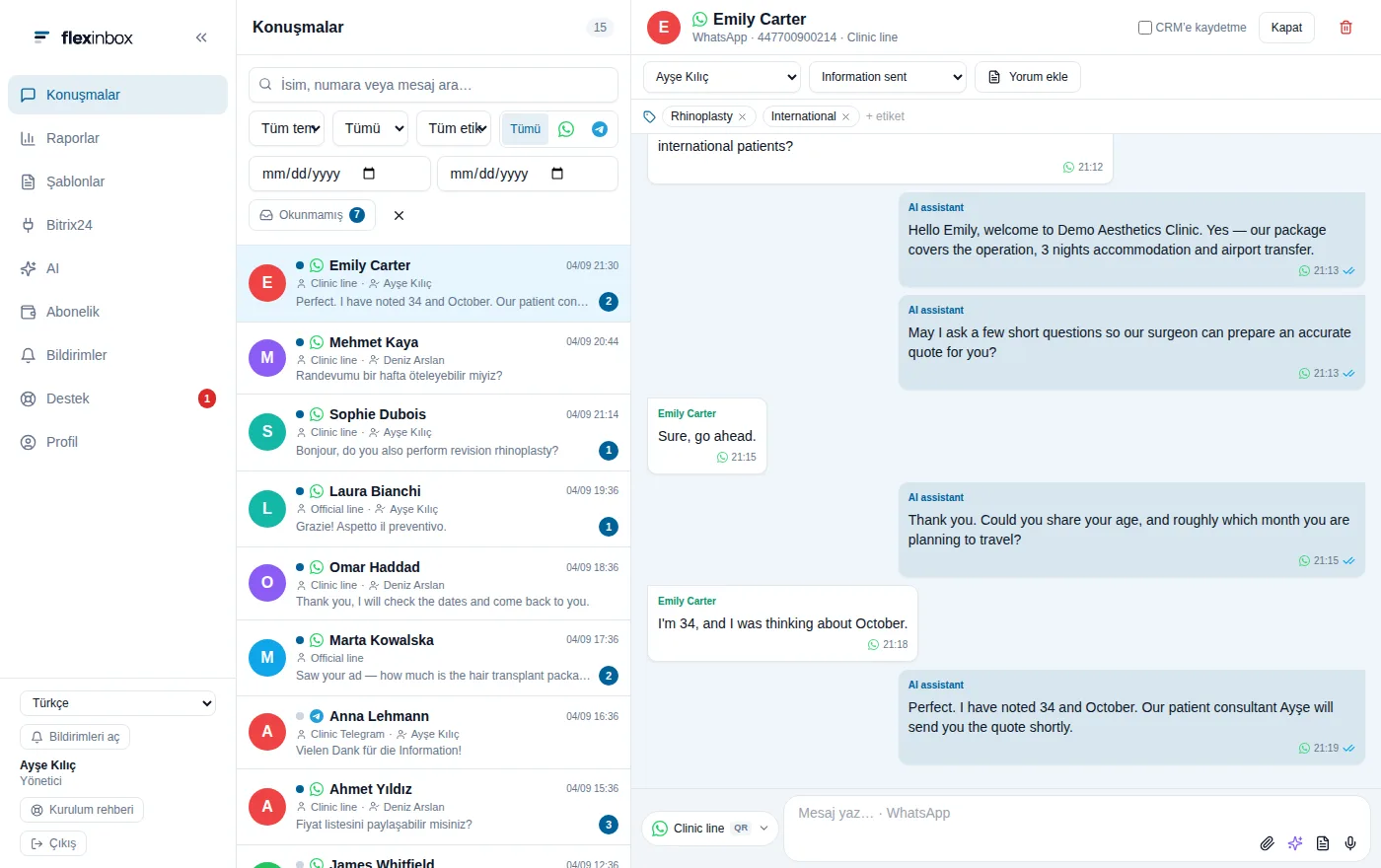
How we work
Connecting the product is quick; the weight of the work is in the Open Channel design.
- 1
Line type and count
How many lines, which type and whose number; cost and working model follow from this.
- 2
Configuring the Bitrix24 side
Open Channel structure, user mappings, queue rules and record matching are set up.
- 3
Connecting the lines
QR codes are scanned; for an official line the WABA application and template approvals are handled.
- 4
Automation and training
Stage-based message robots are built, the team is trained and response time reporting goes live.
What you end up with
It does not end when the line opens; it ends when the team works from one screen.
- WhatsApp lines connected to Bitrix24 Open Channels
- Conversations matched to the right record, with history staying in the company
- Approved templates and stage-based automatic message robots
- Meta campaign breakdown and conversion reporting
- Response time and first-reply speed reports
- Recorded training for the team
QR line versus official line
They are not alternatives; most setups use both.
| Topic | QR line | Official line (WABA) |
|---|---|---|
| Time to connect | Minutes | Meta approval process |
| Number ownership | Team member's number | Belongs to the company |
| What the customer sees | A personal number | Your business name |
| Can you message first? | Limited | Yes, with approved templates |
| 24-hour rule | Applies | Applies, bypassed by templates |
| Bulk campaigns | Not suitable | Suitable |
| Ad conversion reporting | No | Yes |
| Monthly cost | USD 50 per line | USD 60 per number |
Frequently Asked Questions
Do we have to change our number?
No. On a QR line your team keeps writing from its existing number and the phone app keeps working. Moving to an official line makes the number company-owned; that is a separate decision and both can run in the same portal.
What is the 24-hour rule and how does it affect us?
After a customer writes to you, WhatsApp allows free messaging for 24 hours; once that window closes you can only re-open contact with an approved template. The rule applies to both line types, but template sending is only possible on an official line. If you want to send follow-ups or reminders, you need an official line.
Can we send bulk campaign messages?
On an official line, with templates approved by Meta. A QR line is not suitable and forcing it can get the line blocked. If you send commercial electronic messages in Turkey the IYS consent registry also applies; we configure that distinction explicitly.
How is it priced?
Per line, not per user. A QR line is USD 50 a month and a Meta-approved official line is USD 60 per number. The cost does not change however many people you add. The trial is 14 days with no card required. Our implementation and training are separate service items.
What if our Bitrix24 plan does not include Open Channels?
Open Channels belongs to the Bitrix24 plan and cannot be enabled from outside. If your plan does not include it, an upgrade on the Bitrix24 side is needed first; our pricing page compares what each plan covers and we can handle the upgrade.
How long does implementation take?
On a QR line the technical connection can be completed the same day. An official line goes through Meta's approval process, which can take a few days. The real time goes into Open Channel design, queue rules and team training; we typically go live within a week.
Who holds the conversation with your customer?
If it is on a consultant's phone, that customer is not the company's. In a free introductory call we map your current flow and decide which line type fits you.