Bitrix24

Every channel in one inbox

Whichever channel a customer writes from, the message lands on the same screen and on the same customer record. Agents do not switch apps to switch channels.

Open channels: an inbox organised around customers, not channels

An open channel is the structure that gathers different messaging sources into one queue. An agent does not check WhatsApp, Instagram and live chat separately; they all queue in the same list.

Each conversation attaches to a CRM record. When the same person writes from another channel the record is deduplicated rather than duplicated.

  • One queue, many channels
  • Automatic deduplication
  • Conversations written to the CRM record
  • Handover between agents with internal notes
Open Channel agent workspace with incoming chats and the lead created automatically

Telephony: built in or bring your own

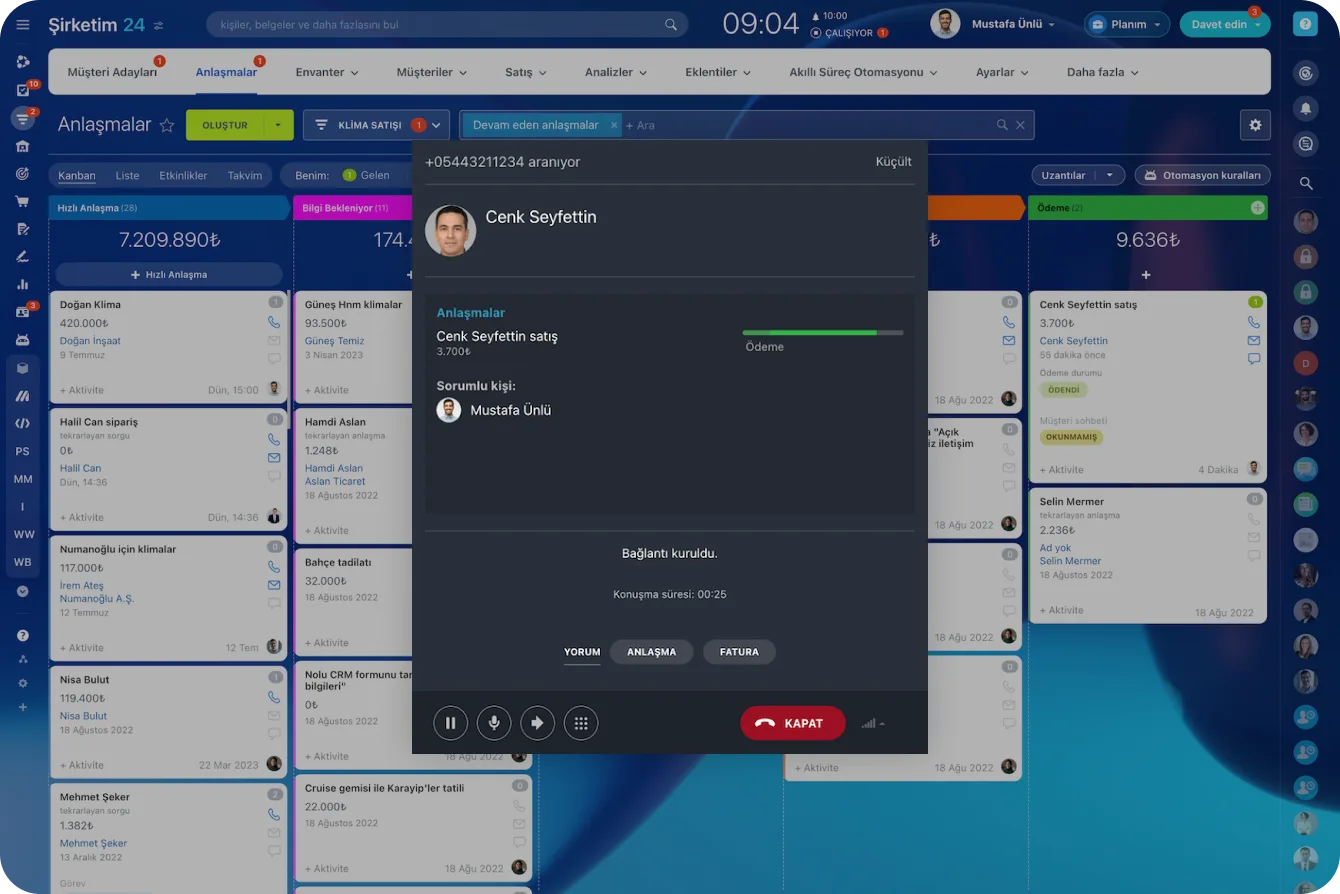
Bitrix24 offers its own cloud telephony, but you can connect an existing phone system instead. Either way, an incoming call pops the customer record on screen.

Calls are recorded, their duration and outcome reported. A missed call can raise an automatic callback task.

  • Cloud telephony or your existing system over SIP
  • Screen pop on incoming calls
  • Call recording and call reports
  • Automatic task for missed calls
Incoming call card opening over the deals board with customer details

Routing and working hours

Who an incoming message lands with is not left to chance. Rules are defined on channel, language, topic and availability.

Outside working hours an auto-reply goes out and the message queues, landing with the next agent first thing in the morning.

  • Routing by channel and language
  • Round-robin or load-balanced distribution
  • Working hours and out-of-hours behaviour
  • Response time (SLA) tracking
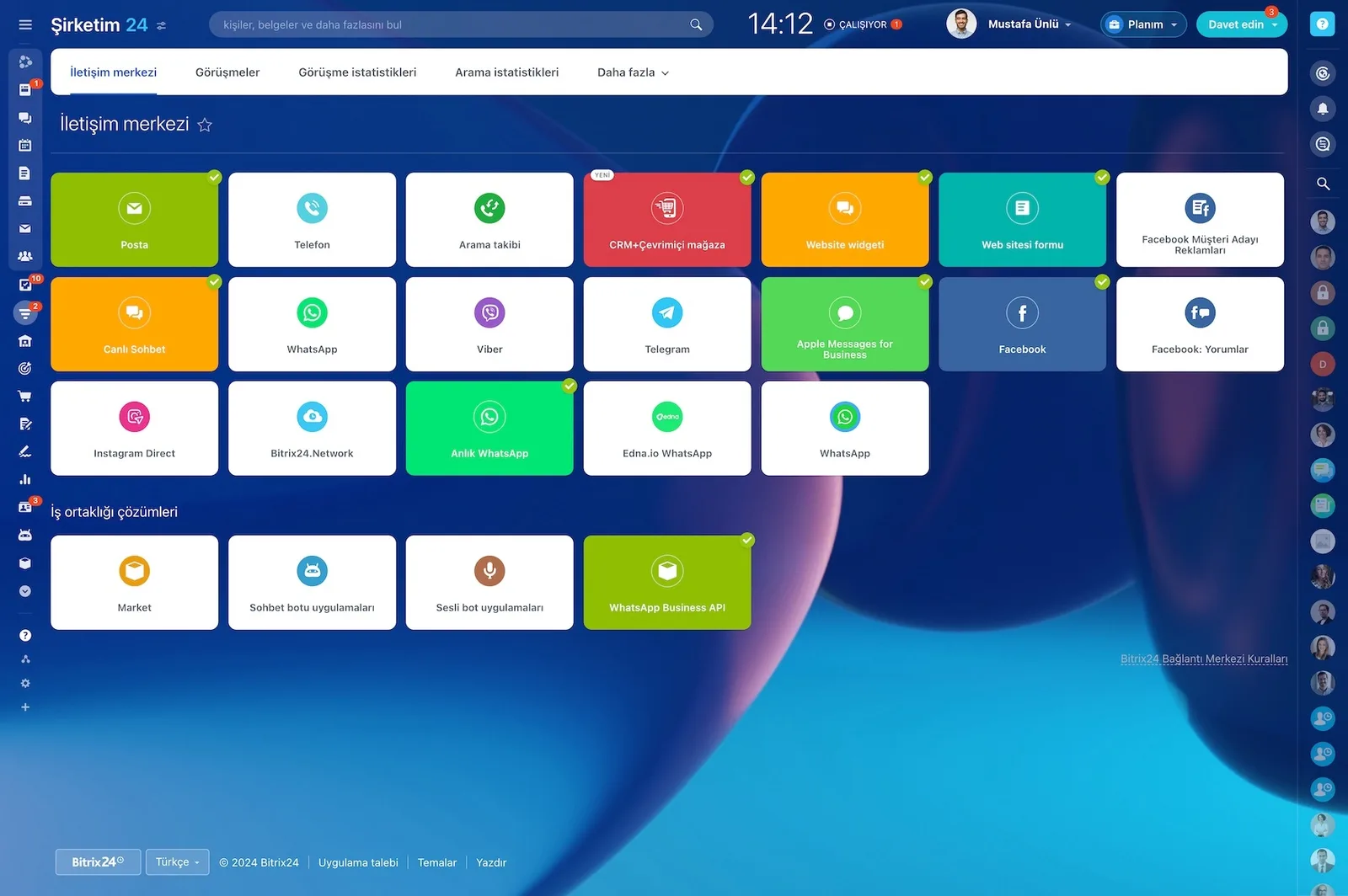
Bitrix24 Contact Center showing the channels available to connect

What the module covers

WhatsApp Business

Official WhatsApp connection through an authorised provider.

Instagram and Facebook

Direct messages, Messenger and comments in one queue.

Live chat

A site widget with customisable design and canned replies.

Telephony

Cloud telephony or your existing system, with call recording.

Email

Two-way mailbox synchronisation.

Reporting

Volume, response time and agent performance per channel.

How would this work in your process?

In a free 30-minute call we listen to your workflow and map out how this would run in your company.

Book a free consultation

Frequently Asked Questions

Is the WhatsApp connection official?

Yes, it is built on the WhatsApp Business API through an authorised provider. We handle number verification and template approval. We do not use workarounds that connect a personal WhatsApp account.

Can we connect our existing phone system?

Yes, most systems supporting SIP can be connected. Once connected, incoming calls pop the customer record and calls are logged to the CRM.

How many agents can work one queue?

There is no limit beyond the user count on your plan. Distribution can be round-robin, load-balanced or skill-based.

Can we report on which channel customers use?

Yes. Volume, response time and conversion are reported per channel, which is how you see which channel actually brings customers.

Let's configure this around your business

Book a free intro call and we'll walk through your process and show which settings fit you.