Features

Keep WhatsApp conversations in your CRM, not on personal phones

Your customers are already on WhatsApp. When those chats stay on personal phones, the process cannot be measured. We connect your official WhatsApp Business number to Bitrix24 and attach every message to a customer record.

At a glance

  • Official WhatsApp Business line
  • Shared team inbox
  • Linked to CRM records
  • Trigger-based messaging
  • Response time analytics
THE PROBLEM

The hidden cost of selling from personal accounts

  • Verbal agreements survive only as screenshots, so institutional memory never forms.
  • When someone leaves the company, their customer conversations leave with them.
  • There is no way to measure who answered how many messages, or how fast.
  • Messages that arrive after hours are forgotten by morning.
  • Customer data sitting on personal devices creates real compliance exposure.
THE FIX

One number, a shared inbox, a permanent record

Every conversation on your company number lands in the Bitrix24 Contact Center and is matched to an existing customer or opens a new record.

  • Several agents answer from the same number without stepping on each other.
  • Smart routing assigns chats by skill, language, campaign source or current workload.
  • Canned responses let the team answer common questions in seconds.
  • Triggers such as stage changes, pending payments or upcoming appointments send templated messages automatically.
  • After-hours auto-replies go out and a follow-up task is created for the next morning.
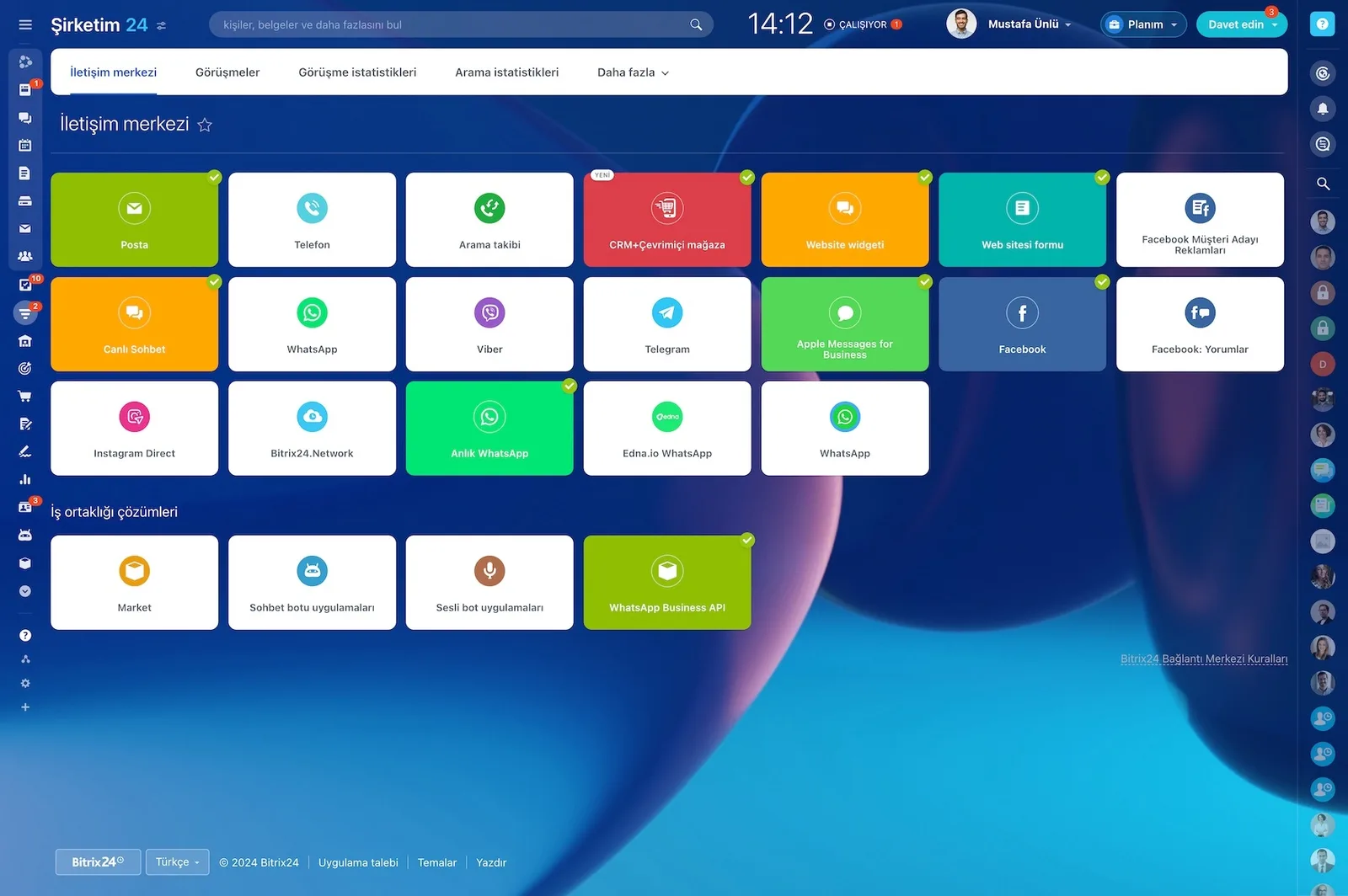
Bitrix24 Contact Center showing mail, telephony, WhatsApp, Telegram, Instagram and Facebook channel cards

Automation: every trigger, the right message at the right moment

Well-designed automation is what makes WhatsApp scale. In Bitrix24 you work with triggers and define rules for each situation without writing code. We set the message templates, sending windows, and exceptions with you during setup.

  • Lead created: a welcome message and first briefing go out.
  • Deal stage changed: a quote or contract notification is triggered.
  • No reply for 15 minutes: the rep is alerted and the customer gets a holding message.
  • Meeting approaching: the appointment reminder is sent automatically.
  • Payment pending or delivery delayed: a status message reaches the customer.
Sales automation screen with automation rules and triggers attached to each pipeline stage

A native channel, no third-party connector headaches

In WhatsApp-CRM integrations, external connectors are usually the weak link: version mismatches, unexpected outages, separate admin panels, and extra subscriptions on top. Every update costs you time wondering whether the channel is still connected. With the native Bitrix24 channel, conversations live inside the CRM.

  • No separate admin panel and no extra subscription.
  • Less risk of outages caused by version mismatches.
  • The official line is set up through a Meta-approved provider.
  • As a Gold Partner we run the number migration process for you.
  • Channel settings are managed in one place by your CRM administrator.
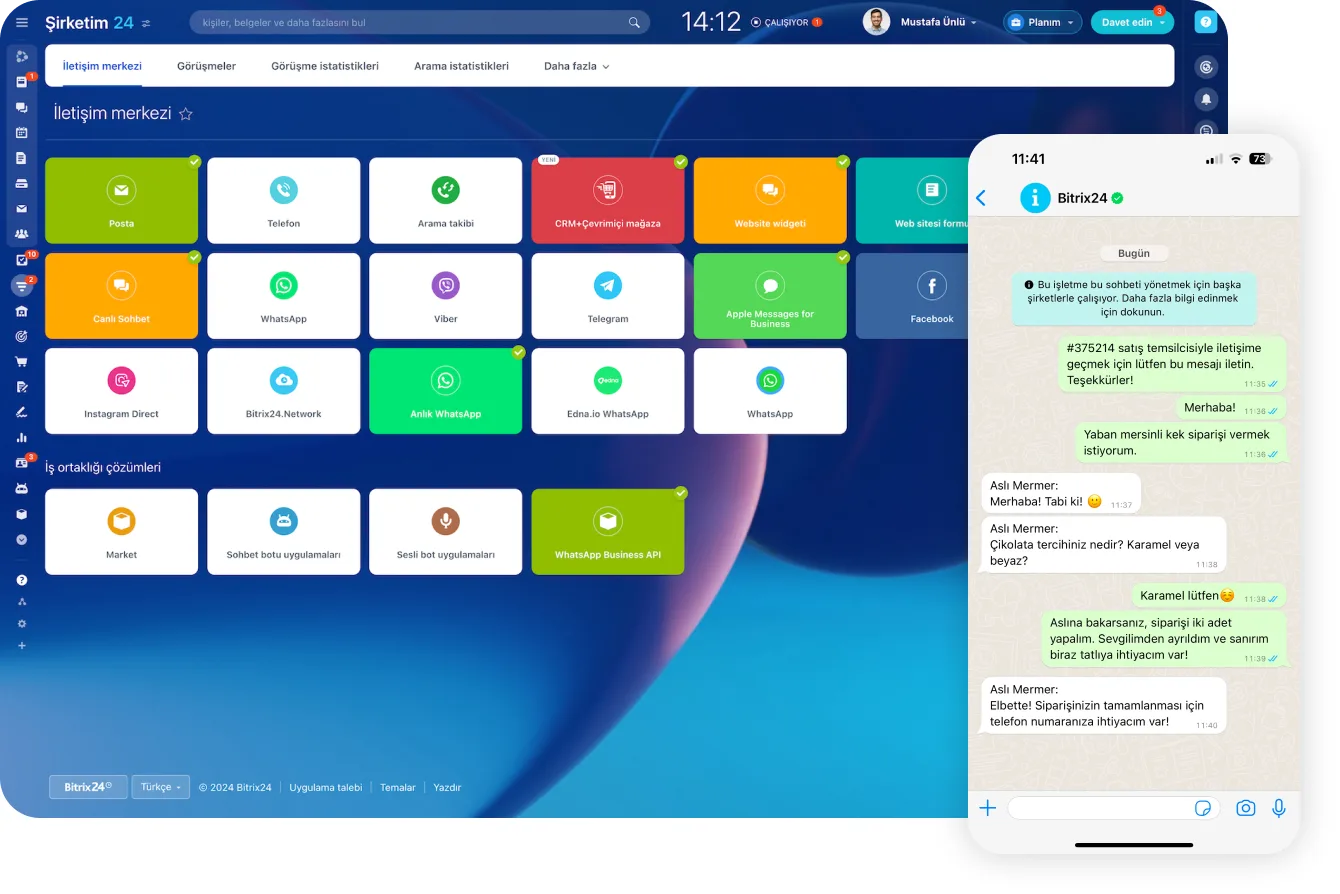
Contact Center channels next to a WhatsApp order conversation with a customer

Shared inbox and smart routing

Speed is how you win on WhatsApp. A shared inbox and smart routing deliver the right message to the right person automatically. We route by skill, language, campaign source, or current workload, and define priority rules for VIP customers.

  • Routing rules based on skill and language.
  • Routing by campaign source.
  • Balanced assignment based on current workload.
  • Priority rules for VIP customers.
  • Canned reply templates answer common questions in seconds.
Open Channel agent workspace with incoming chats, a CRM form that was sent and the lead created from it

Reporting: now everything is measurable

You cannot improve what you cannot see. Bitrix24 dashboards let you watch the WhatsApp channel in real time. We configure those dashboards around your targets during setup.

  • First response time and average resolution time.
  • Messages per session.
  • Missed chats and repeat contact rate.
  • Active conversations per agent.
  • Channel conversion: how many conversations became deals and sales.
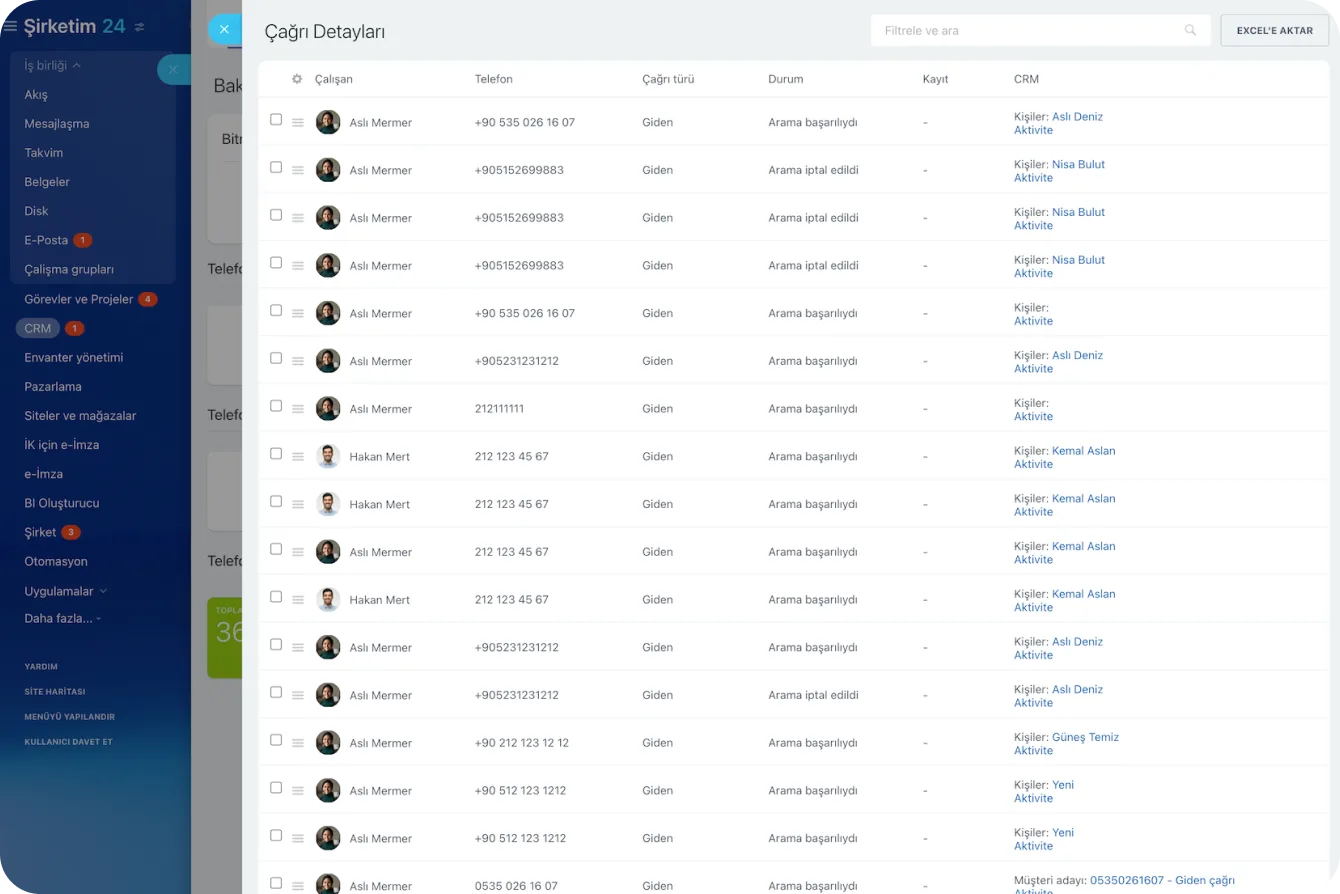
Call Details report listing agent, number, direction, status and the related CRM record for each call

Security, permissions, and compliance

Customer data kept on personal devices is one of the easiest targets for a leak. With Bitrix24, every WhatsApp conversation is stored in your company account and on CRM records. Agents can only reach the chats and records they are authorized for.

  • Conversations live in the company account, with nothing left on personal devices.
  • Role-based permissions define who can see which conversation.
  • When an employee leaves, the conversation history stays with the company.
  • Approved templates and consent records keep bulk messaging compliant.
  • Access and activity trails are kept in auditable form.
Access Permissions screen assigning full access, limited access or administrator roles to users and groups
CAPABILITIES

What you get

Official WhatsApp Business line

An official number through a Meta-approved provider, which removes the ban and downtime risk of unofficial connectors. We run the migration for you.

Shared team inbox

All chats on one screen, with clear ownership. Handovers carry a note, so customers never repeat themselves.

Linked to CRM records

Each conversation attaches to the right contact, company, deal or support ticket. Opening a card shows the complete message history.

Trigger-based messaging

Appointment reminders, quote follow-ups, payment notices and delivery updates go out as approved templates without manual work.

Response time analytics

First response time, resolution time, missed chats and active conversations per agent are all reported, so coaching rests on data.

Permissions and data security

Agents see only the chats they are authorized for, and conversations are stored under your company account rather than on personal devices.

BEST FIT

Who is this for?

These are the teams we deploy this module with most often. If your scenario is not listed, let's talk it through anyway.

  • Sales teams whose customers mainly write rather than call
  • Clinics, salons and schools handling heavy appointment traffic
  • E-commerce brands answering order and shipping questions
  • Medical tourism and export teams working with international customers

How would this work in your process?

In a free 30-minute call we listen to your workflow and map out how this would run in your company.

Book a free consultation
SETUP

How we roll it out

We handle the setup; you just walk us through your process.

  1. 01

    Verify the number and the provider

    We verify your WhatsApp Business number and provider. We make sure your Meta Business account is verified and prepare your brand name and display profile. If you are porting an existing line, we run the short verification process with the official provider.

  2. 02

    Configure the channel and the rules

    We connect the channel to the Contact Center and define routing rules, working hours, out-of-hours greetings, and canned replies. We file the approval requests for message templates that require them.

  3. 03

    Turn on automation, train the team, go live

    We activate the trigger-based message flows, build the dashboards, and run live training for your team. We read the first week's response-time reports together and fine-tune the rules.

Works together with

CRMContact CenterOpen ChannelsAutomation RulesTasks and ProjectsReports and DashboardsInvoices and Payment LinksMobile App

Frequently Asked Questions

Can we keep our current WhatsApp number?

In most cases yes. The number has to migrate to the WhatsApp Business API, which takes it out of the consumer app for a short window. We plan the switch to keep that downtime minimal.

Are there messaging costs?

The official API uses Meta's conversation-based pricing. Customer-initiated service windows are usually the most economical route, and we estimate your likely volume before go-live.

Can we send bulk messages?

You can, using approved templates and only to people who opted in. We manage the template approval process and set up a compliant consent structure inside the CRM.

Does our chat history transfer?

WhatsApp history cannot technically be migrated to the API. Everything from go-live onward is recorded, and for key accounts we add summary notes to the CRM cards during setup.

Let's configure this around your business

Book a free intro call and we'll walk through your process and show which settings fit you.