Bitrix24

It is always clear whose desk it is on

The task module works without the CRM, but its real value shows when they are connected: a task opens straight from a deal, with nothing copied between two systems.

Four views, one dataset

The same task list appears as a flow in Kanban, a timeline in Gantt, day by day in the calendar and as a filterable table in list view. Whichever view the team works in, the data is the same.

That lets different roles see the same work from their own angle: the field team uses Kanban, the project manager Gantt, management the reports.

  • Kanban: stage-based flow
  • Gantt: dependencies and scheduling
  • Calendar: day and week views
  • List: filtering, grouping and bulk actions
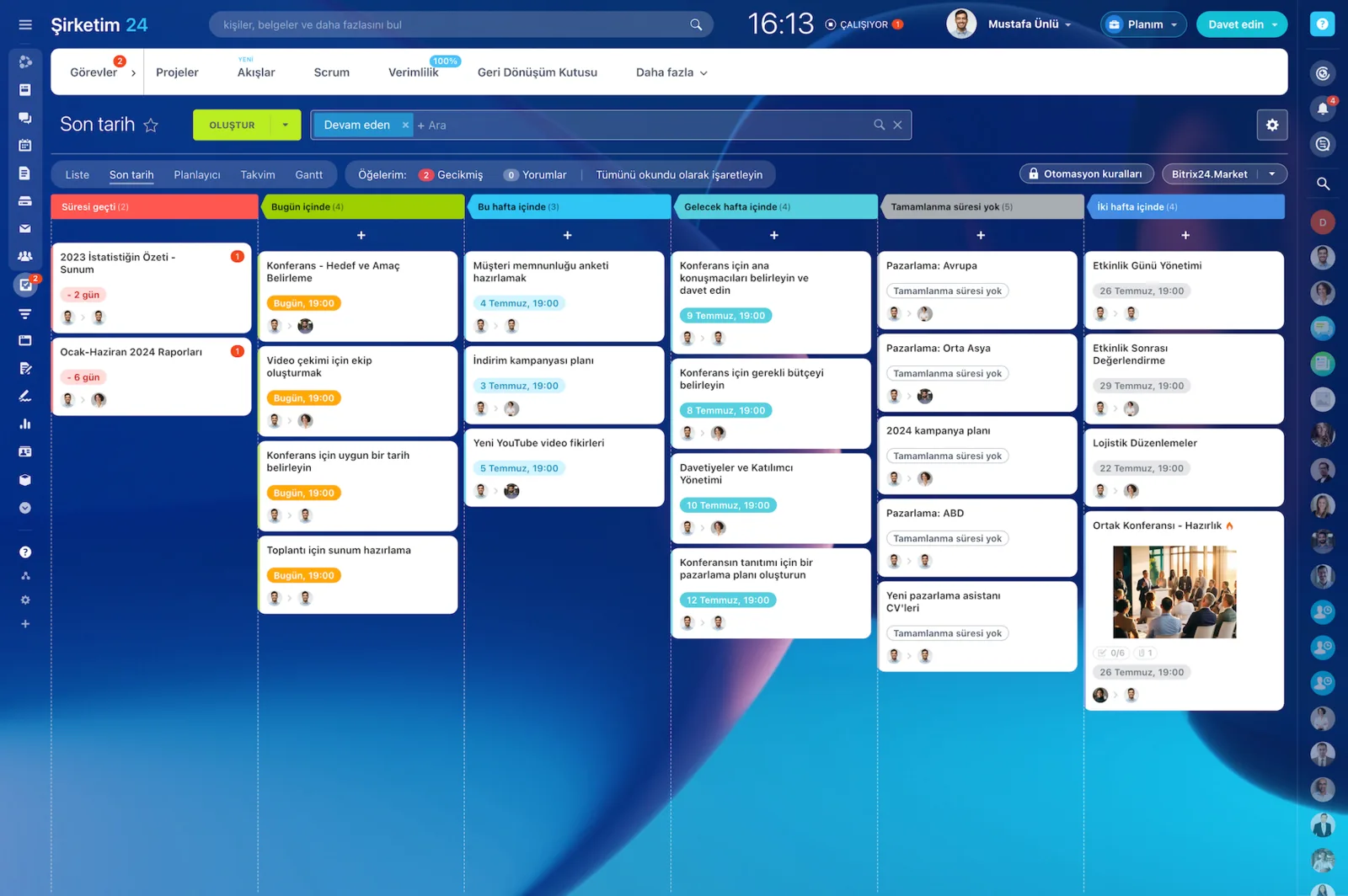
Bitrix24 Tasks Kanban board with task cards arranged by deadline

Templates for repeating work

Opening the same ten tasks by hand for every new customer wastes time and risks omissions. Task and project templates take that over.

A template can hang off a trigger: an implementation project when a deal is won, an onboarding task set when a new employee is added.

  • Task and project templates
  • Trigger-based automatic task creation
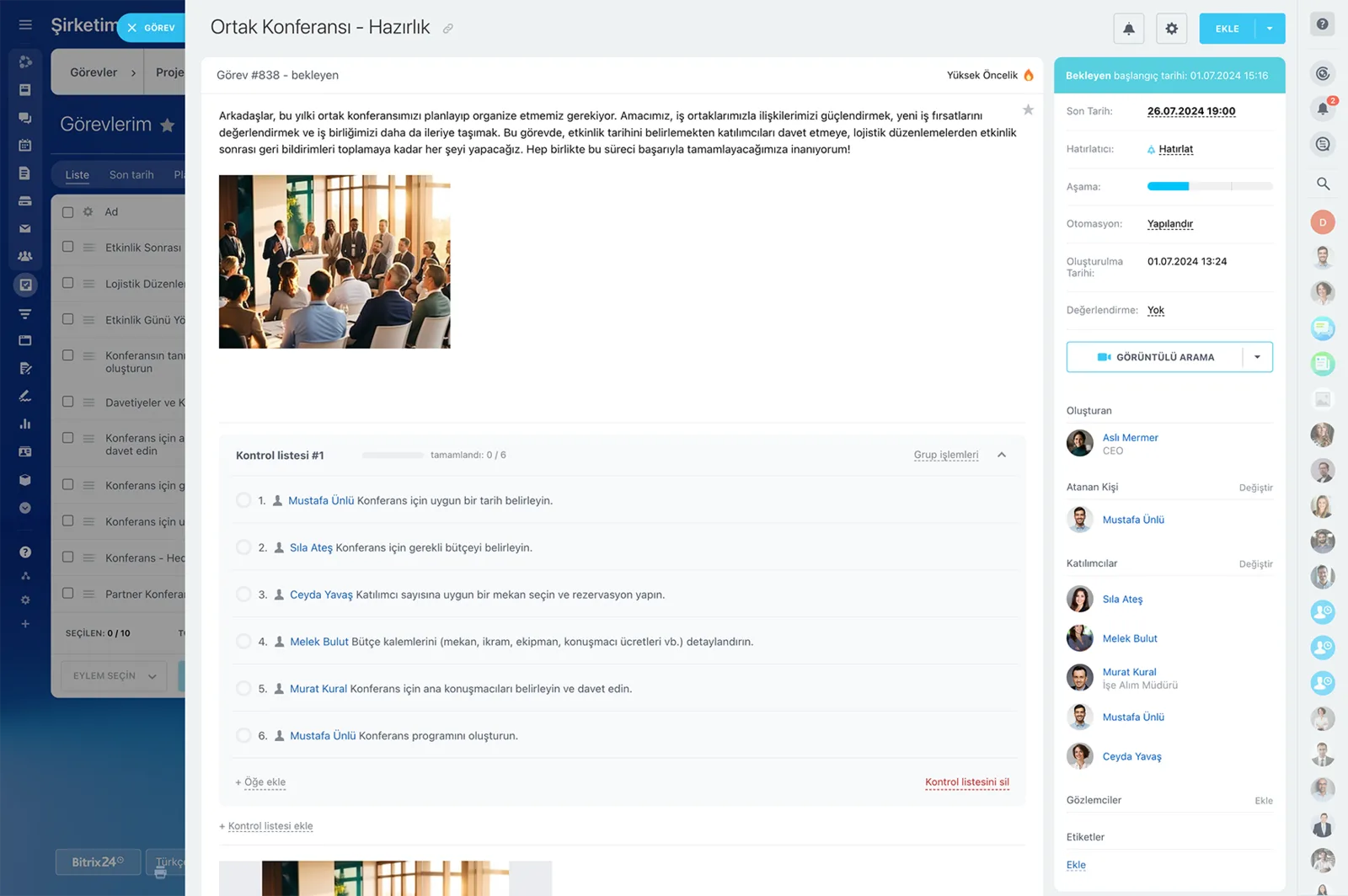
  • Subtasks and checklists
  • Automation of owner, observer and deadline
A Bitrix24 task card with description, checklist, participants and deadline fields

Workload and time

Seeing who is loaded with what, from data rather than guesswork, is the precondition for distributing work properly. The workload report compares planned time against time actually spent.

For teams billing by the hour that same data also underpins invoicing.

  • Planned versus spent time compared
  • Workload by department and person
  • Task time tracking and time entries
  • Efficiency and supervision reports
Resource monitoring report comparing planned labour cost against time spent

What the module covers

Kanban and Gantt

Flow and timeline views of the same data.

Scrum

Sprint planning, story points and a backlog.

Task templates

Repeating task sets opened in one click.

Time tracking

Recording and reporting time spent on tasks.

Workload management

Seeing who is loaded with what, on a chart.

CRM connection

Opening a task from a deal without losing context.

How would this work in your process?

In a free 30-minute call we listen to your workflow and map out how this would run in your company.

Book a free consultation

Frequently Asked Questions

Can we use tasks without the CRM?

Yes. Tasks and projects work independently; some teams use them purely for internal work. Used with the CRM you also get things like opening a task straight from a deal.

How many projects and tasks can we create?

Projects are unlimited from Standard upwards. The free and Basic plans have limits; current details are on the pricing page.

Can we set dependencies in Gantt?

Yes. Finish-to-start dependencies can be defined between tasks, so when one slips the dependent ones move with it.

Is time tracking part of this module?

Working-time and task-time tracking come with the Professional plan. Details are on the time tracking page.

Let's configure this around your business

Book a free intro call and we'll walk through your process and show which settings fit you.