Features

Turn Instagram DMs into tracked sales opportunities

You spend real money to be visible on Instagram, yet interest that lands in the DM inbox cools within hours. The official Instagram connection turns every message into a record you can follow.

At a glance

  • Official Instagram connection
  • Automatic lead creation
  • Team inbox and routing
  • Canned replies and product links
  • Channel reporting
THE PROBLEM

Opportunities lost in the DM inbox

  • Messages get answered from a phone with nothing written down.
  • The next day, nobody remembers who asked for what without scrolling screenshots.
  • Social media and sales work from different information.
  • There is no way to tell which post or ad actually produced a sale.
  • During busy campaigns, a share of messages is never seen at all.
THE FIX

A clear path from DM to sale

We connect your Instagram Business account to the Bitrix24 Contact Center. Every new Direct message either opens a lead or matches an existing contact.

  • Username, message content and timestamp are written to the record automatically.
  • Canned replies with dynamic fields bring first response down to seconds.
  • Post comments are handled too, and interested commenters can be pulled into a DM sequence.
  • When a chat turns commercial, a deal opens in one click and the quote goes out from the same screen.
  • Reporting by campaign and post shows which content actually generates revenue.
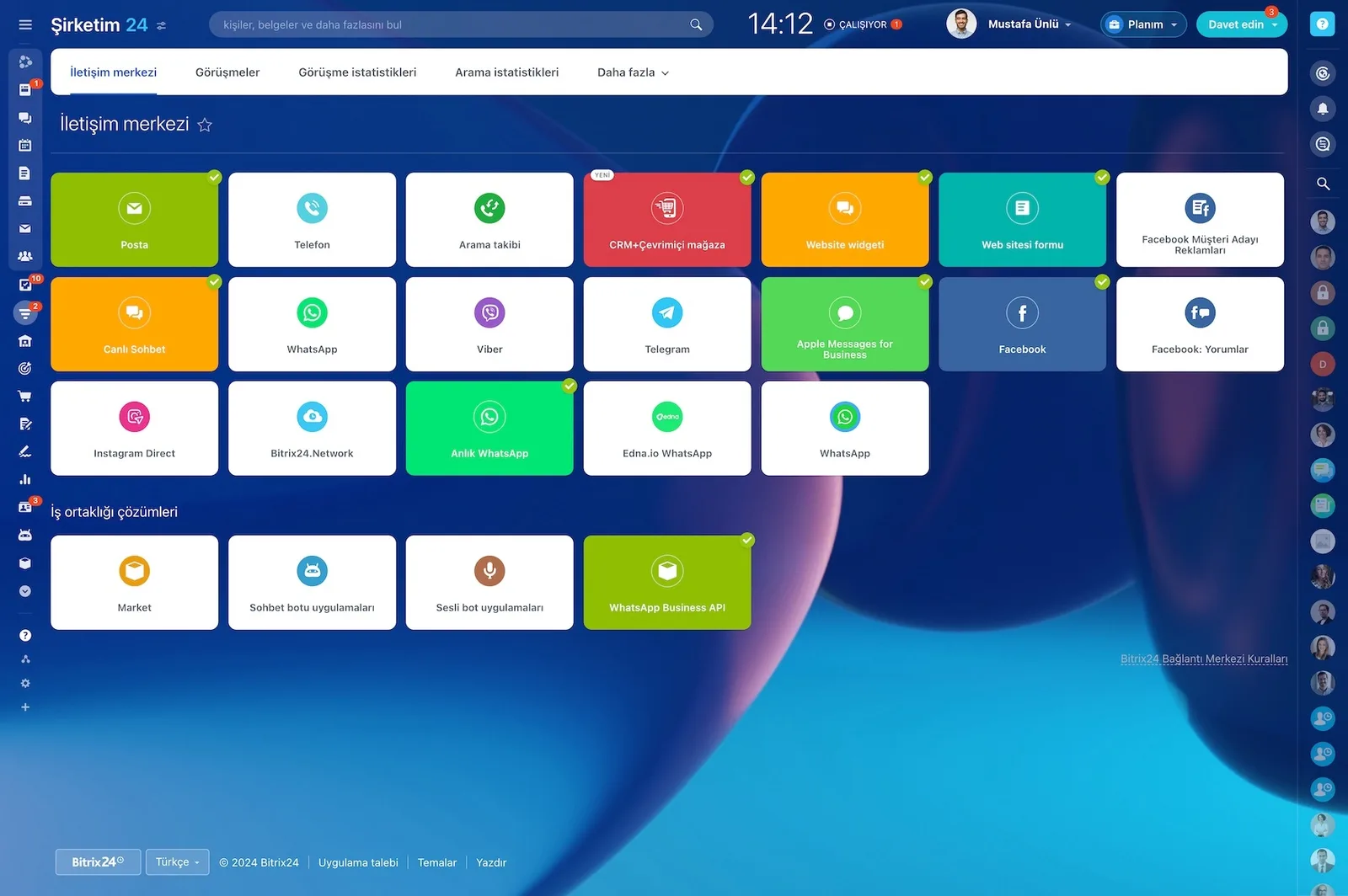
Bitrix24 Contact Center showing mail, telephony, WhatsApp, Telegram, Instagram and Facebook channel cards

Turning DMs into leads automatically

Through the official Instagram API connection, every new Direct message opens as a lead in Bitrix24 CRM or matches an existing contact. Name, username, message content, and timestamp land on the card. Because the conversation history is stored, nobody has to reconstruct yesterday from screenshots.

  • A new DM opens a lead automatically or matches an existing contact.
  • Username and message content are written to the card.
  • The timestamp records the exact moment of first contact.
  • When the same user writes again, the thread continues on the existing card.
  • Post comments are visible and answerable in the Contact Center too.
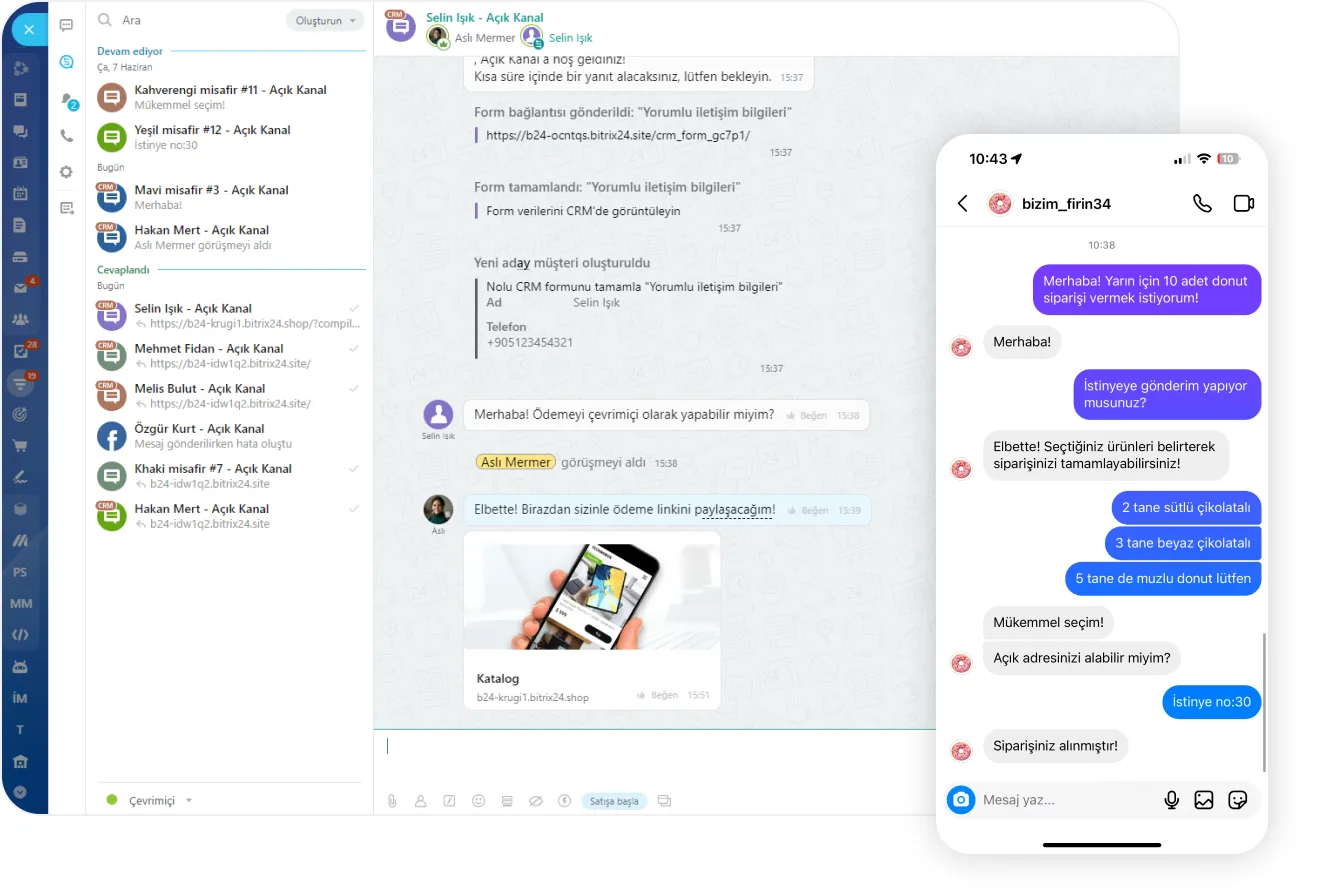
Open Channel agent workspace next to an order conversation received through Instagram Direct

Instant replies, planned follow-up, zero copy-paste

The most effective way to gain speed is to standardize the first reply and personalize it. We build canned reply templates in Bitrix24 and fill fields such as customer name, product of interest, and campaign code with dynamic variables. The team picks a shortcut instead of retyping the same text.

  • Canned reply templates are called up with a shortcut.
  • Customer name, product of interest, and campaign code fill dynamically.
  • Unanswered conversations do not sit in the queue; they raise an alert.
  • Follow-up tasks open from the chat in one click.
  • When the chat gets close to a sale, a deal opens and the quote goes from the same screen.
Open Channel agent workspace with incoming chats, a CRM form that was sent and the lead created from it

D2C and small business scenarios

The boutique fashion example is concrete: a customer asks about size and color in a DM, and you answer instantly with the Size guide and Stock status shortcuts. You send the exact product link from the catalog and switch on the back-in-stock notification automation at the same time. The same setup works for appointment, price, and campaign questions.

  • Instant answers through size guide and stock status shortcuts.
  • Direct product links shared from the product catalog.
  • A back-in-stock notification automation keeps the demand from being lost.
  • Payment links are sent from the same conversation.
  • An appointment request is written to the calendar and the CRM in one click.
A website next to a mobile Open Channel chat showing the form link sent and the lead it created

Reports: which DM turned into a sale?

Bitrix24 makes every step from DM to order visible. Dashboards, funnels, and charts show first response time, queue backlog, stage-by-stage conversion, and total sales value on one screen. Which post or ad actually pays off stops being a matter of opinion.

  • First response time and queue backlog are measured.
  • Stage-by-stage conversion rates are reported.
  • Total sales value is aggregated by channel.
  • Contribution is broken out by campaign and by post.
  • Workload and performance are tracked per agent.
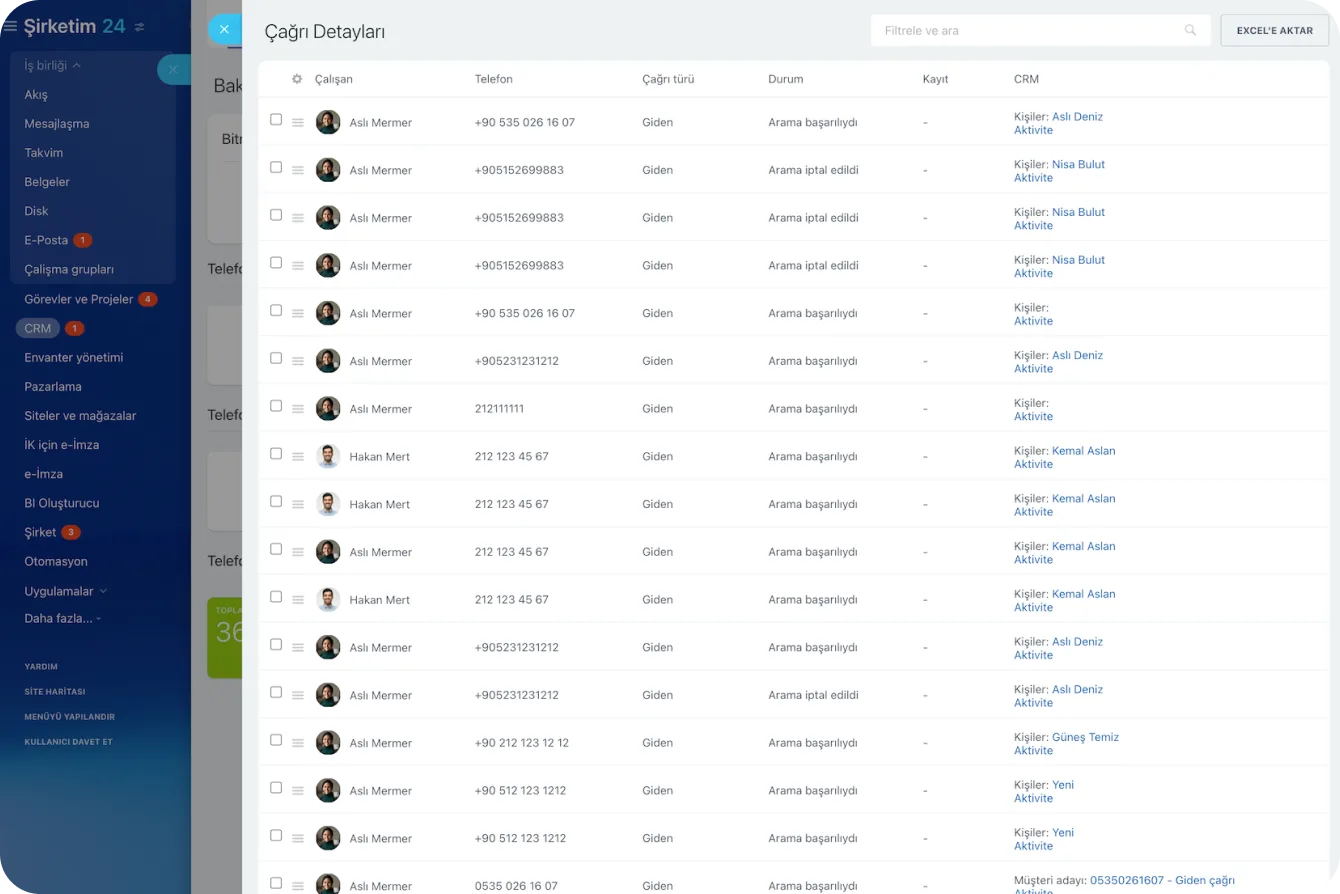
Call Details report listing agent, number, direction, status and the related CRM record for each call

One roof: run what comes after the DM in the same place

Bitrix24 combines CRM, Contact Center, task and project management, automation, and site and form modules in a single tool. Handling Instagram DMs well matters, but so does carrying everything that follows under the same roof. Role-based permissions set clear limits on who can see and do what.

  • Quote preparation and approval tracking run from the same record.
  • Order notes and delivery coordination are tied to tasks.
  • Internal tasks open from the chat, so nothing gets forgotten.
  • Social, sales, and support teams get separate field visibility.
  • Customer contact details never circulate through personal accounts.
CRM Deals Kanban board with deal cards arranged by stage and per-stage totals
CAPABILITIES

What you get

Official Instagram connection

Authorization runs through your Instagram Business account and its linked Facebook Page, so there is no dependency on third-party tools.

Automatic lead creation

Every new conversation creates a record, and returning users continue on their existing card instead of generating duplicates.

Team inbox and routing

Messages queue and route to an available agent. Unanswered chats raise an alert instead of sitting idle.

Canned replies and product links

Answer size, stock and price questions with shortcuts, and send catalog links or a payment link from the same chat.

Channel reporting

First response time, queue depth, stage-by-stage conversion, and total sales value in one dashboard. A campaign and post breakdown shows exactly which content turned into sales.

Role-based access

Social, sales and support teams each see what they should. Customer data never circulates through personal accounts.

BEST FIT

Who is this for?

These are the teams we deploy this module with most often. If your scenario is not listed, let's talk it through anyway.

  • Boutique fashion and accessory brands taking orders through DMs
  • Clinics, salons and studios collecting appointment requests
  • Marketing teams running Instagram ads who need conversion visibility
  • Service businesses where social is the first point of contact

How would this work in your process?

In a free 30-minute call we listen to your workflow and map out how this would run in your company.

Book a free consultation
SETUP

How we roll it out

We handle the setup; you just walk us through your process.

  1. 01

    Prepare the prerequisites

    The requirements are simple: an Instagram Business Account, a Facebook Page connected to it, and admin access to both. If anything is missing, we handle the account conversion with you.

  2. 02

    Connect the channel

    We open the Contact Center in your Bitrix24 account, select the Instagram Direct channel, and complete the authorization flow. Multiple accounts can be defined as separate channels.

  3. 03

    Map the fields and test

    We map which CRM field receives the username, message content, and campaign source. Then we verify the flow end to end with a test message.

  4. 04

    Train the team and go live

    We walk your team through canned replies, routing rules, and reports. After the first week we fine-tune the rules using response-time data.

Works together with

CRMContact CenterOpen ChannelsAutomation RulesTasks and ProjectsSites and CRM FormsProduct Catalog and PaymentsMobile App

Frequently Asked Questions

What do we need for the connection?

An Instagram Business account, a linked Facebook Page and admin access to both. We complete the authorization together and verify the setup with a test message.

Are comments captured too?

Yes, post comments appear in the Contact Center and can be answered there. Comments showing purchase intent can trigger an automated direct message.

Can we connect more than one account?

You can. Each account becomes its own channel, keeping routing rules and reporting separate per brand or location.

Let's configure this around your business

Book a free intro call and we'll walk through your process and show which settings fit you.