Features

Collect every support request in one queue and drop none

Whichever channel a service request arrives through, it should land in the same queue with an owner and a deadline. That is exactly how we configure the Bitrix24 Contact Center.

At a glance

  • Many channels, one queue
  • Routing and handover
  • SLAs and priority
  • Canned response library
  • Satisfaction ratings
THE PROBLEM

Plenty of requests, no queue

  • Fault reports come in by phone, by WhatsApp and by email, and no shared list exists anywhere.
  • Nobody owns the request, so the customer explains the whole story again on every call.
  • A critical issue waits in the same line as a routine question; prioritization is left to instinct.
  • Resolution time is never measured, so nobody knows which issue type consumes the team.
  • The same fault recurs again and again, but nobody can show it with data.
THE FIX

We bring support into a single control panel

Every channel connects to the Contact Center, and each incoming request becomes a record with an owner and a clock. The team works one queue, the manager reads one screen.

  • Web forms, the site widget, live chat, WhatsApp, Telegram, Instagram, phone and email feed one center.
  • Every form, call or message either creates a new record or attaches to the existing one.
  • Routing rules send the request to the right team or specialist, and conversations can be transferred.
  • Priority and SLA targets are defined; breaches trigger notifications and escalation.
  • Canned responses turn common questions from a minutes-long task into a seconds-long one.
  • On closure the customer is asked to rate the interaction; scores roll up in Contact Center reports.
Bitrix24 live chat window open on a website corner, showing an 'We're online' header and two agent avatars

Every channel in one Contact Center

The Bitrix24 Contact Center brings web forms, the site widget, live chat, WhatsApp, Telegram, Instagram Direct, telephony and email into a single panel.

Any submitted form, inbound call, message or request automatically becomes a new lead or deal, or attaches to the existing record. Agents stop bouncing between applications.

  • Live chat, CRM forms and a callback option combine in one site widget.
  • You choose the hours and pages where the widget appears.
  • Every request lands in one queue; the channel does not fracture the workflow.
  • Each visitor is treated as a potential record, so nothing is lost.
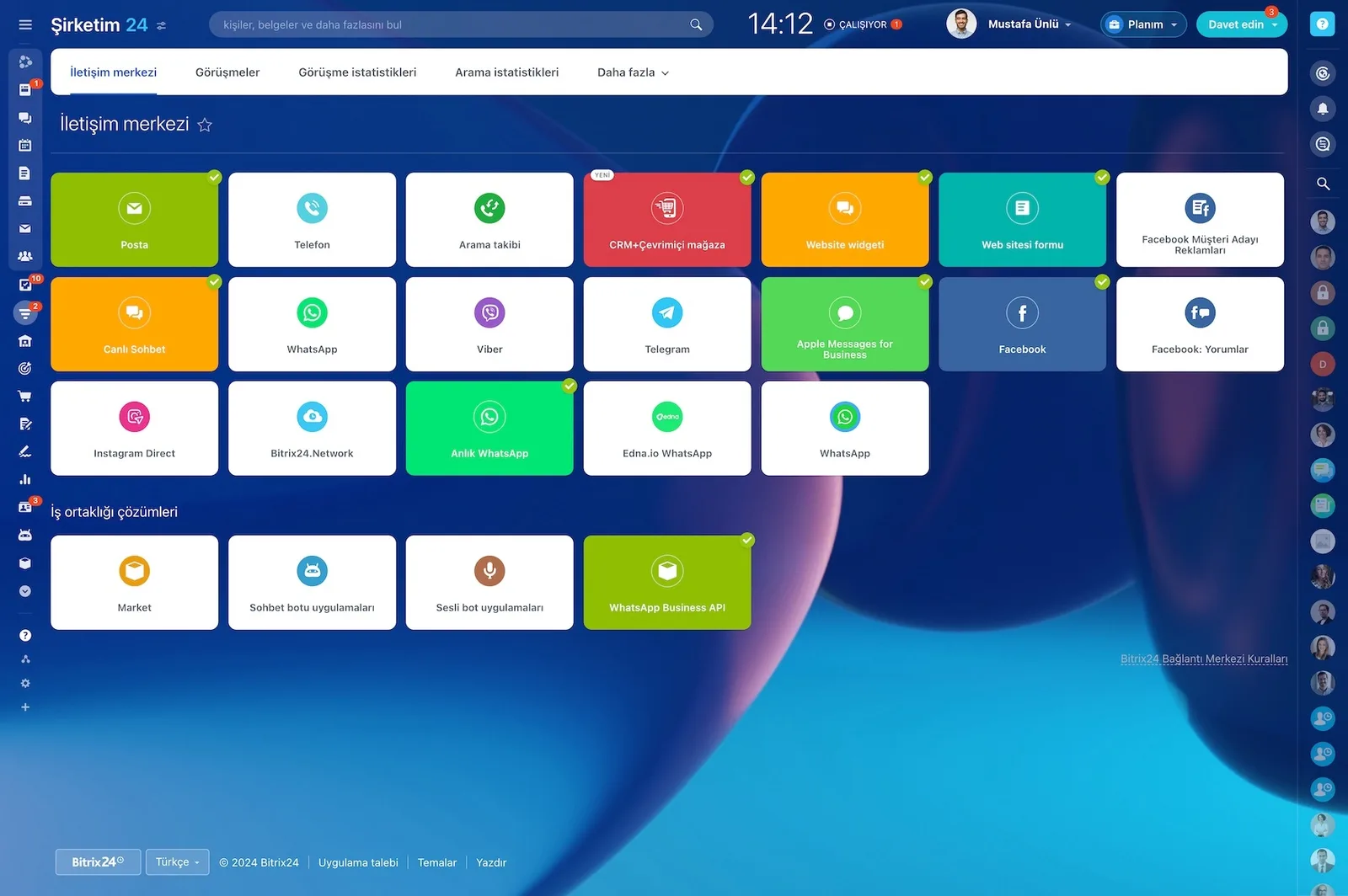
Bitrix24 Contact Center showing mail, telephony, WhatsApp, Telegram, Instagram and Facebook channel cards

Live chat, routing and canned replies

Live chat lets you handle visitor conversations quickly, give online consultations and process customer service requests.

Nearly every parameter is customizable: color scheme, placement on the site, greeting and away messages, access permissions and more. All incoming messages are processed in the Contact Center panel.

  • Greeting and away messages are defined up front.
  • Default or custom rules distribute chats across your team.
  • A canned reply library keeps customers informed even when the team is busy.
  • An incoming chat can create a lead or deal automatically.
  • Third-party chatbot solutions from Market answer routine questions on their own.
Open Channel agent workspace with incoming chats, a CRM form that was sent and the lead created from it

Support over WhatsApp, Telegram and Instagram

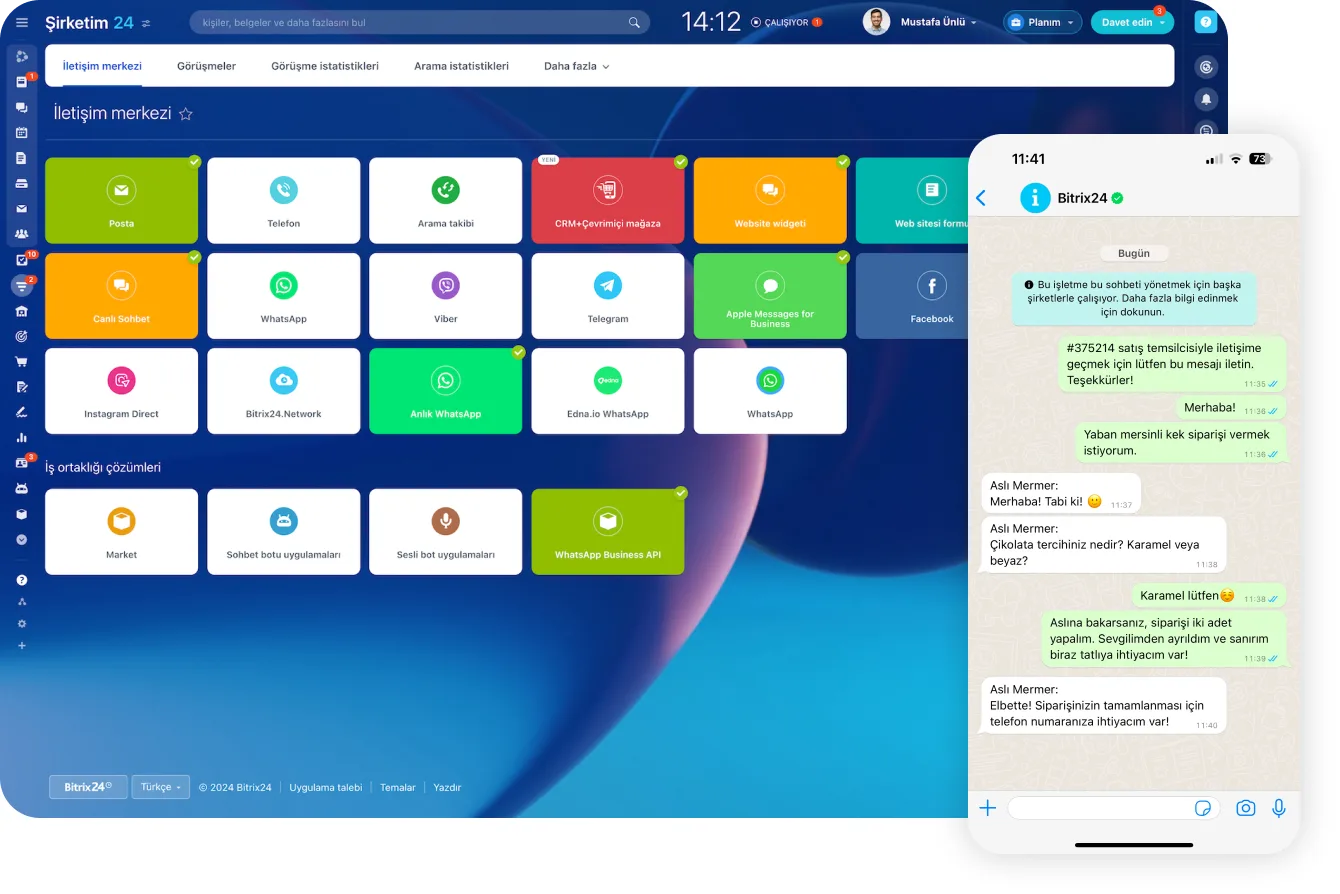
Connect your WhatsApp and Telegram accounts and message customers directly from the Contact Center. On WhatsApp the customer just sees a normal WhatsApp chat, while your side never has to switch between apps.

Once Telegram is connected, every chat becomes a CRM record with the customer's name, phone number and chat history.

  • Incoming messages add leads and deals to CRM automatically.
  • Chat history accumulates on the customer card, so nobody repeats themselves.
  • The Instagram integration answers direct messages from the same panel.
  • Product images and payment links are shared right inside the conversation.
  • The whole conversation is saved to the related CRM deal.
Contact Center channels next to a WhatsApp order conversation with a customer

Telephony: queues, routing and recording

Bitrix24 telephony lets you rent local numbers, create extensions for employees, and set up call queues and routing.

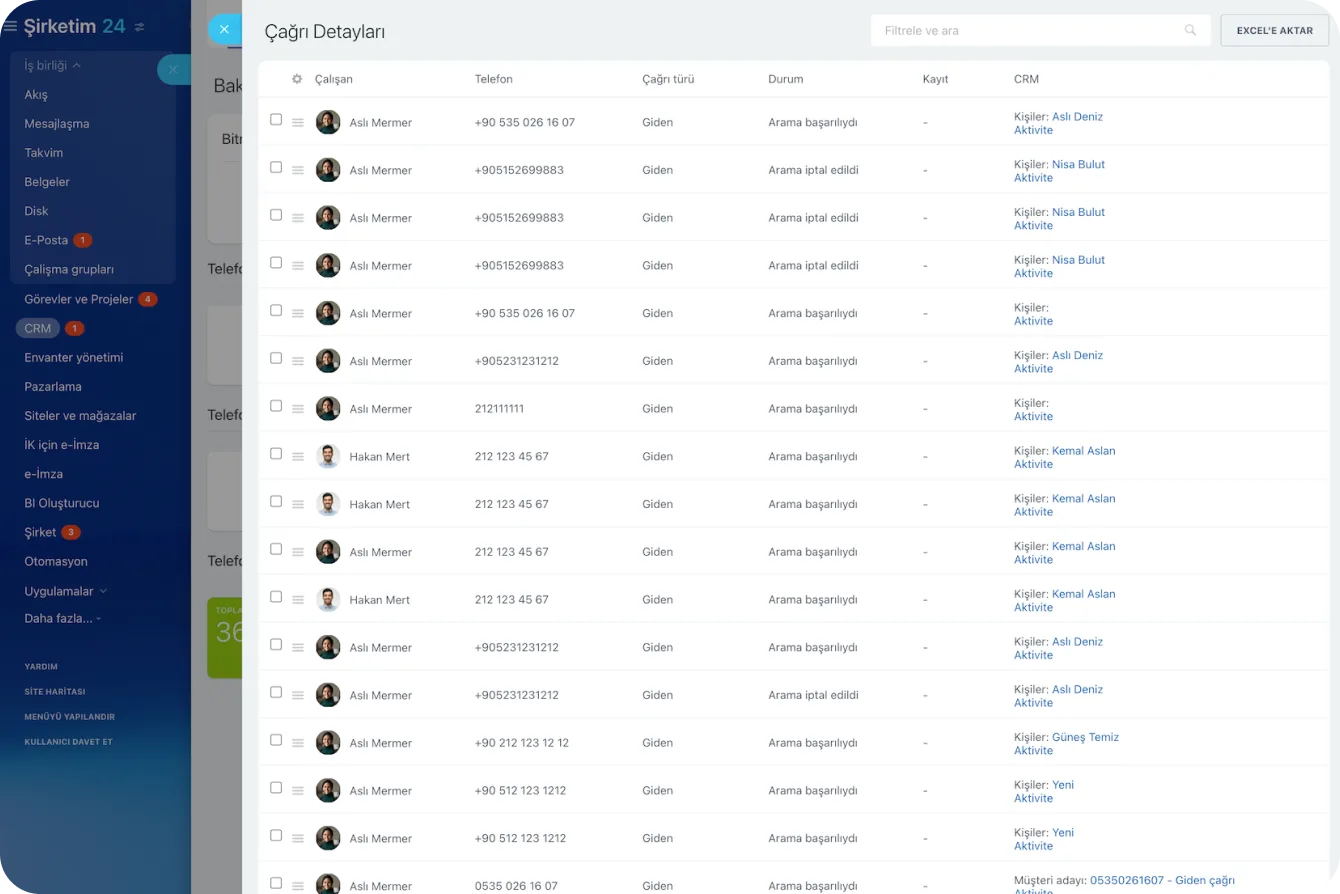
Call tracking, forwarding, transcription and recording come as standard. Inbound calls are routed to the rep responsible for that lead, and calls are logged against the CRM deal.

  • Call queues and routing rules are built around your service team.
  • Calls are recorded and transcribed when you need the text.
  • An inbound call goes straight to the record's owner.
  • A callback widget captures requests you would otherwise miss.
  • Auto-dialer, voice broadcasts and SMS cover bulk notifications.
Call Details report listing agent, number, direction, status and the related CRM record for each call

Email requests wired into CRM

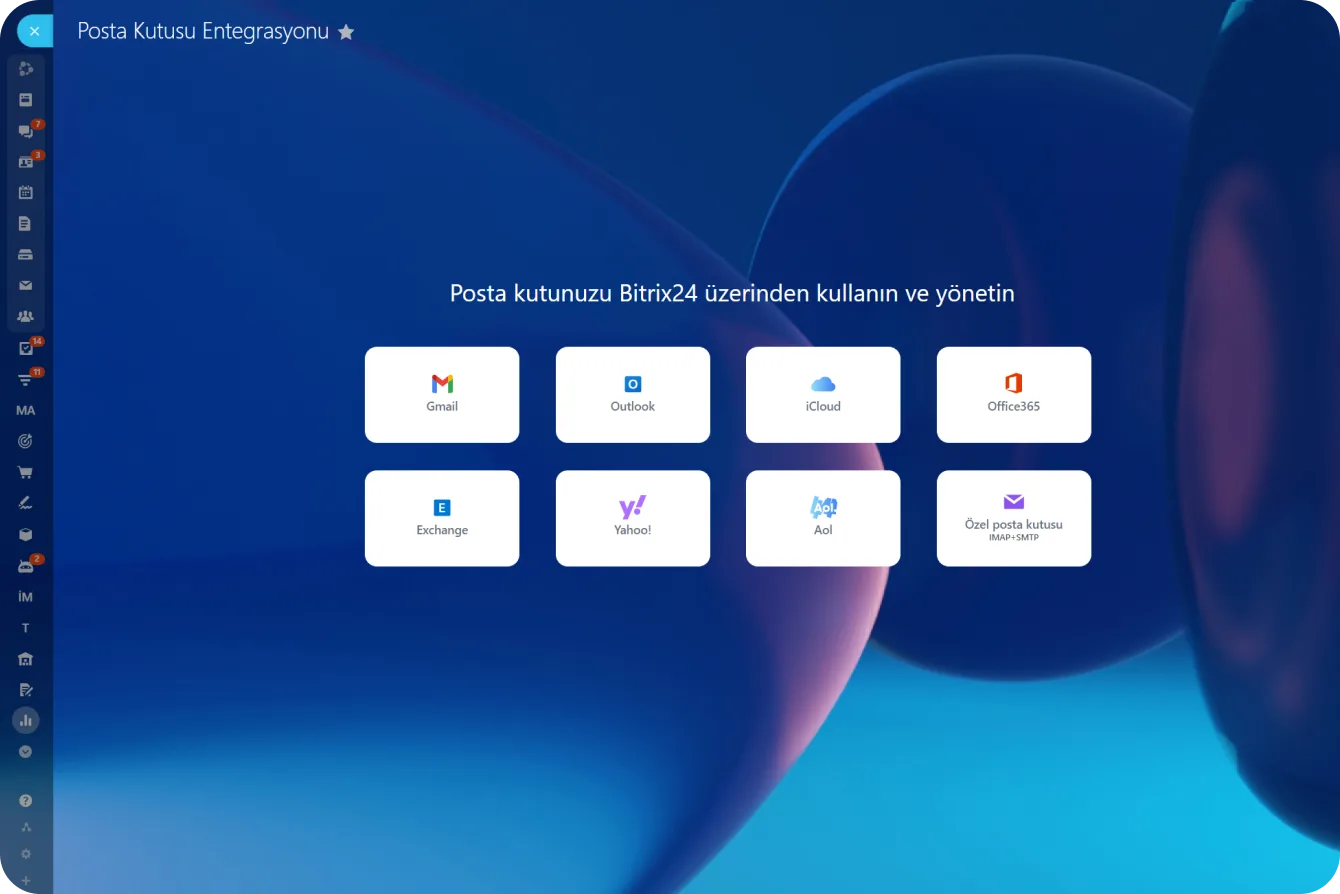
Connect your existing inbox and send and receive email inside Bitrix24; up to 10 mailboxes per user.

Every email you receive can become a lead, deal or contact and be added to CRM. For an existing customer you email from inside the deal and read the reply in the same place.

  • Up to 10 mailboxes can be connected per user.
  • An incoming email converts to a record or attaches to an existing one.
  • Each connected mailbox gets its own access permission.
  • Status-driven notifications and reminders are built with rules and triggers.
Mailbox Integration screen offering Gmail, Outlook, iCloud, Office 365, Exchange and IMAP/SMTP

Collecting requests with CRM forms

Collecting service requests through a standard form is the easiest way to keep the queue tidy.

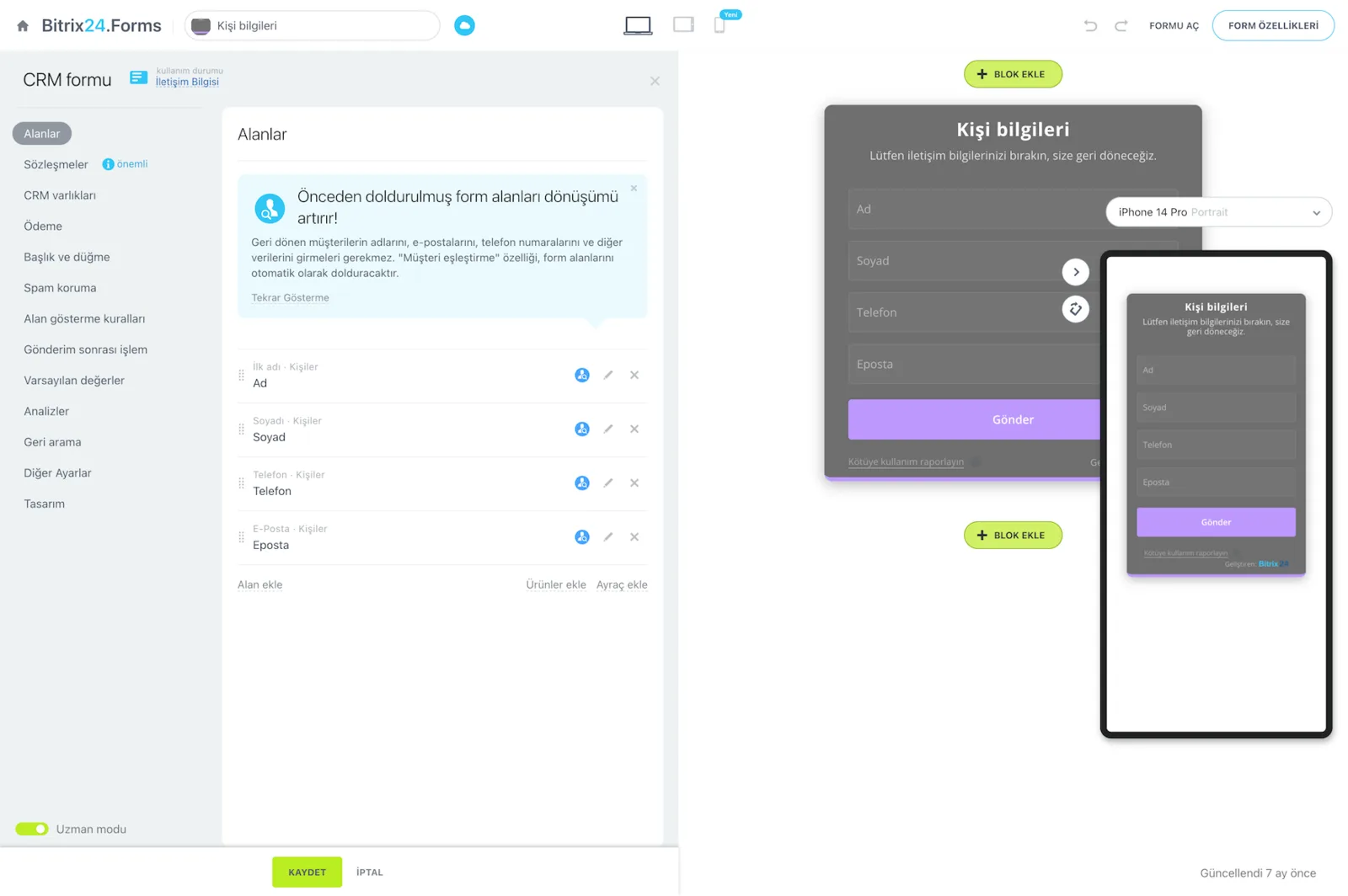
Pick a ready template and add or remove fields, or build a fully custom CRM form in the block-based editor. All forms are integrated with CRM and the site builder by default.

  • Create unlimited forms; the most common types ship as templates.
  • Fields, size, colors, fonts, images and buttons are edited visually.
  • Every submission produces a lead, contact or deal.
  • Forms embed in the site or live inside the widget.
Bitrix24.Forms form builder with the field list and desktop and mobile form previews
CAPABILITIES

What you get

Many channels, one queue

A widget chat, a WhatsApp message, a phone call and an email all queue in the same panel. Agents stop jumping between applications to find work.

Routing and handover

Use the default distribution rules or write your own. When a topic needs a specialist, the conversation transfers with its full history attached.

SLAs and priority

First response and resolution targets are set per request type. A warning fires before the clock runs out and escalation to a manager fires after it does.

Canned response library

We build ready answers for recurring topics. Even when the team is busy the customer gets an acknowledgment, so waiting never feels like silence.

Satisfaction ratings

Every conversation can be rated by the customer or by a supervisor. Results surface in the Contact Center, and low scores open a follow-up task.

Service history on one record

All of a customer's requests, conversations and resolutions sit on the same CRM record, which makes recurring faults reportable rather than anecdotal.

BEST FIT

Who is this for?

These are the teams we deploy this module with most often. If your scenario is not listed, let's talk it through anyway.

  • Technical service and field teams working under installation or maintenance contracts
  • Companies providing user support for software and hardware products
  • Facility, logistics and property management operations collecting fault reports
  • Brands handling technical requests from a dealer network centrally
  • Managers who want to size the support load and plan capacity from data

How would this work in your process?

In a free 30-minute call we listen to your workflow and map out how this would run in your company.

Book a free consultation
SETUP

How we roll it out

We handle the setup; you just walk us through your process.

  1. 01

    Request types and SLA workshop

    We write down which request types exist, who owns them, and what first response and resolution times should be for each.

  2. 02

    Connecting the channels

    We connect web forms, the site widget, live chat, WhatsApp, Telegram, Instagram, telephony and email accounts to the Contact Center.

  3. 03

    Queue, routing and automation

    We build the request pipeline with its stages and define distribution rules, breach warnings and escalation steps.

  4. 04

    Canned replies and knowledge base

    We prepare the canned reply library for frequent topics and make internal resolution documents reachable inside the portal.

  5. 05

    Training and reporting

    We train the support team and build the manager dashboard covering workload, resolution time and satisfaction scores.

Works together with

Contact Center and omnichannel queueLive chat and site widgetWhatsApp, Telegram and Instagram DirectBitrix24 Telephony and call recordingsEmail accounts and email marketingCRM forms and site builderCoPilot summaries and reply draftsBitrix24 Market chatbot solutions

Frequently Asked Questions

Can Bitrix24 work like a classic ticketing system?

It can. We build requests as a Smart Process or a dedicated pipeline with stages such as New, In review, Waiting for parts and Resolved. Time in each stage is measured and the whole queue is visible on a kanban board.

Can our customers see the status of their request?

Yes. The quickest route is an automatic status message to the customer. If you need something richer, we build a tracking form or portal on a Bitrix24 site where they can look the request up by number.

Can we change SLA targets ourselves?

You can. The targets are edited from the admin screen without writing code. If you need different targets per contract type, we will configure those rules too; your support package covers it.

Can AI pre-screen incoming requests?

It can. CoPilot summarizes long messages and drafts replies. On top of that, chatbot solutions from Bitrix24 Market answer routine questions automatically, so only genuine service issues reach the team.

Let's configure this around your business

Book a free intro call and we'll walk through your process and show which settings fit you.