Features

Hold meetings where the work actually lives

When meetings happen in a separate app, the decisions stay there too. Bitrix24 video runs inside your CRM, tasks and calendar, so what you discuss becomes a task on the same screen.

At a glance

  • Meetings inside the platform
  • External guests
  • Screen sharing and presentations
  • Recording and archive
  • CoPilot meeting summary
THE PROBLEM

The meeting ended: where did the work go?

  • The call is in one app, the notes in another and the tasks in a third list.
  • Who committed to what is unclear afterward, so action items go untracked.
  • Customer call recordings never reach the CRM card, so whoever picks it up lacks context.
  • A separate video subscription adds both cost and another system to administer.
  • Getting an external participant into a call is a small project every time.
THE FIX

How we set up your meeting routine

We wire video meetings into the same structure as your calendar, tasks and CRM. The moment a call ends, a summary and an action list are produced and filed on the right record.

  • Meetings run in HD audio and video over an SSL-encrypted connection.
  • External participants join through a link, with no account to create.
  • Screen sharing puts the presentation, spreadsheet or document in front of everyone.
  • Recordings are stored on Bitrix24 Drive so customer context is never lost.
  • CoPilot transcribes the call and produces a summary with suggested next steps.
  • Suggested actions convert to assigned tasks in a single click.
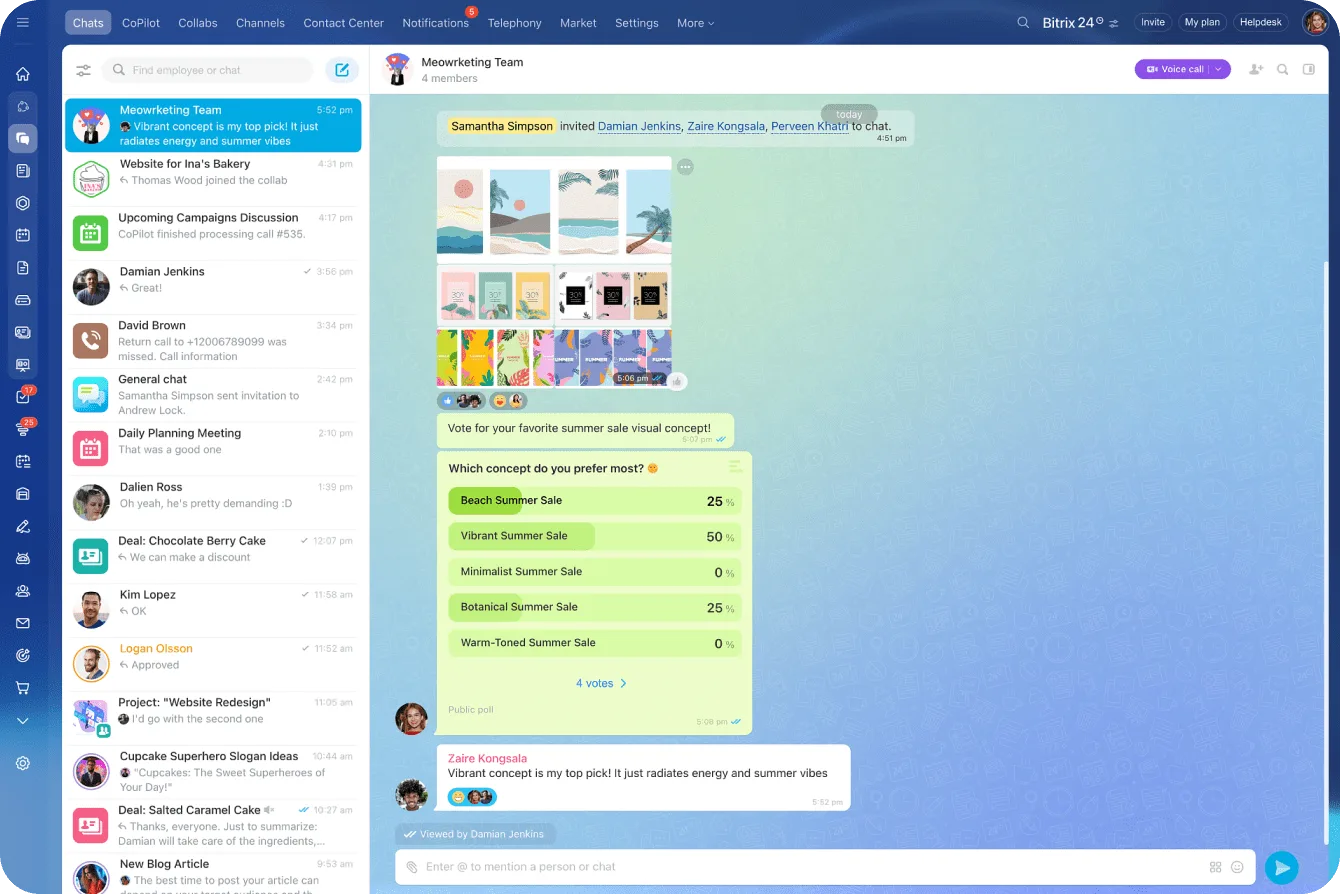
Bitrix24 messenger with a team chat, an image shared in the thread and in-chat poll results

Video conferencing with Bitrix24 Sync

Solving business problems and debating new ideas is always easier face to face. Bitrix24 Sync supports video conferences with more than 100 participants, and the technology delivers clear audio and video even when your connection is slow.

You don't install anything for a meeting; you join from the browser or the mobile app.

  • Video conferences with more than 100 participants
  • Clear HD audio and video even on a slow connection
  • One-click joining from the browser or the mobile app
  • Move from typing in chat to a conference in two minutes
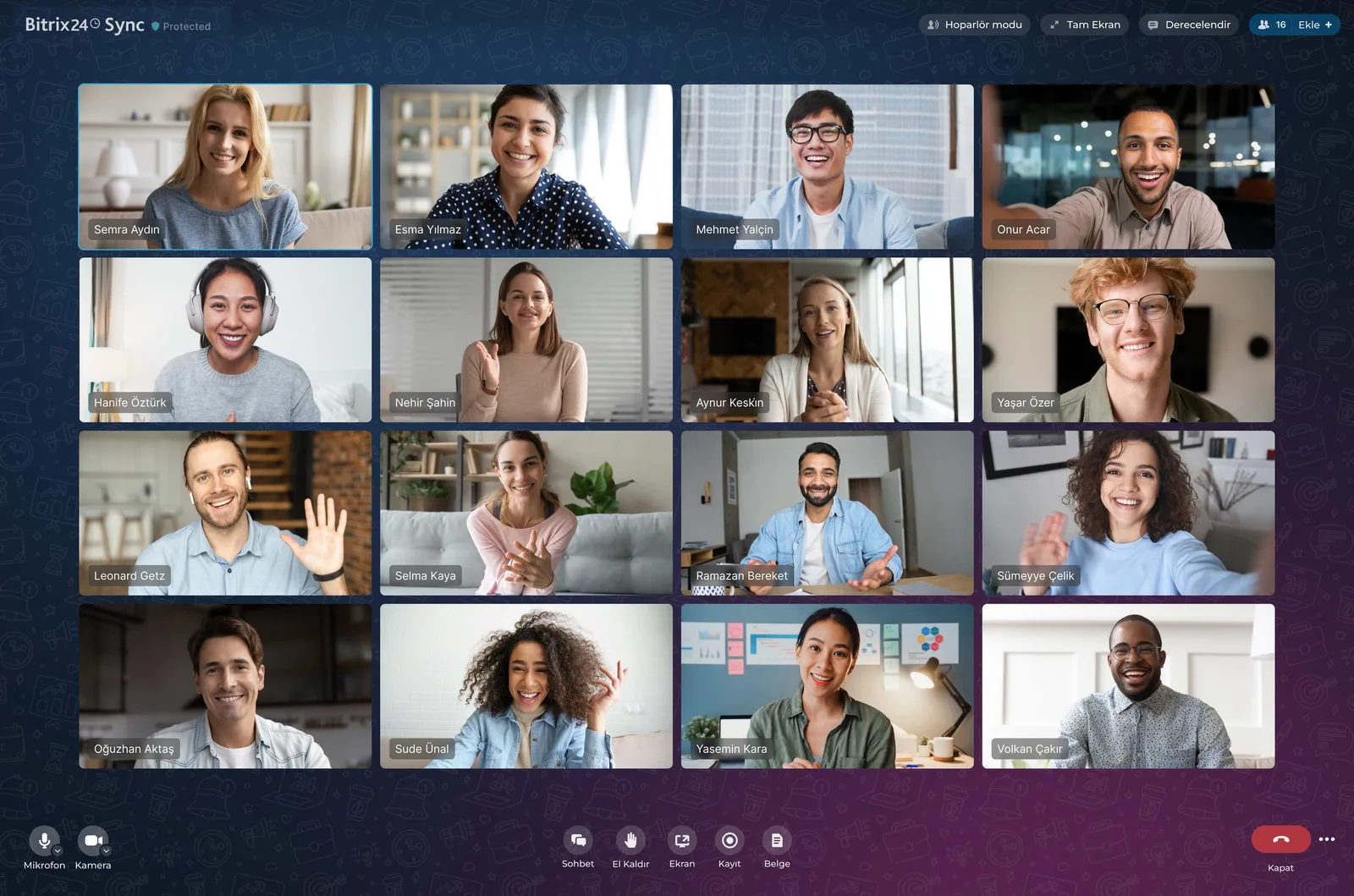
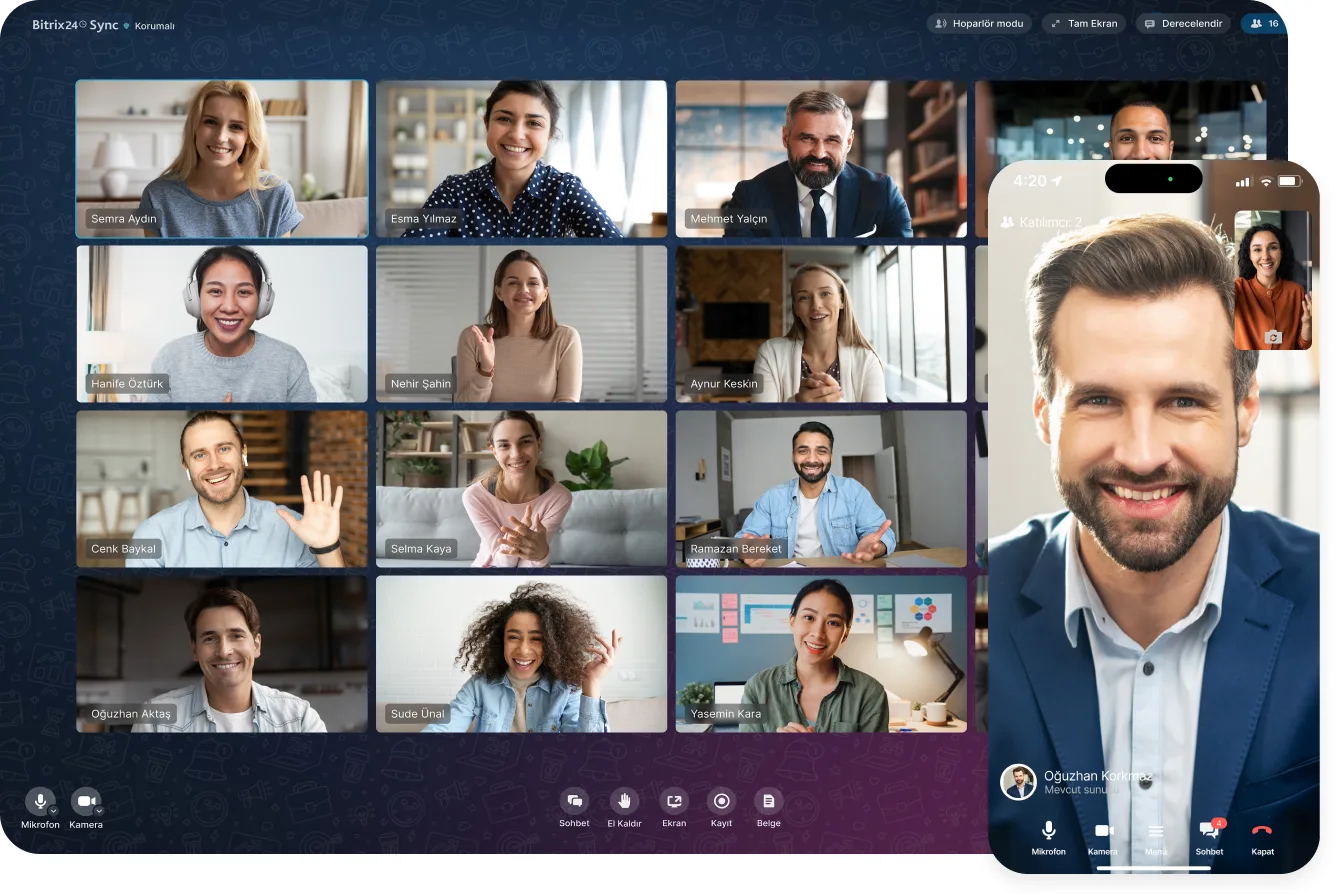
Bitrix24 Sync video conference with sixteen participants in a grid and the meeting toolbar

Secure connection and external guests

The connection runs over data transfer encrypted with an SSL certificate, so your calls stay closed to outsiders.

You can invite partners and colleagues to your meetings even when they aren't Bitrix24 users yet. Sending them a dedicated link is enough for them to join right away.

  • Data transfer encrypted with an SSL certificate
  • External guests join by link, without creating an account
  • Who can join is governed by your permission structure
  • Customer and supplier calls happen in the same environment
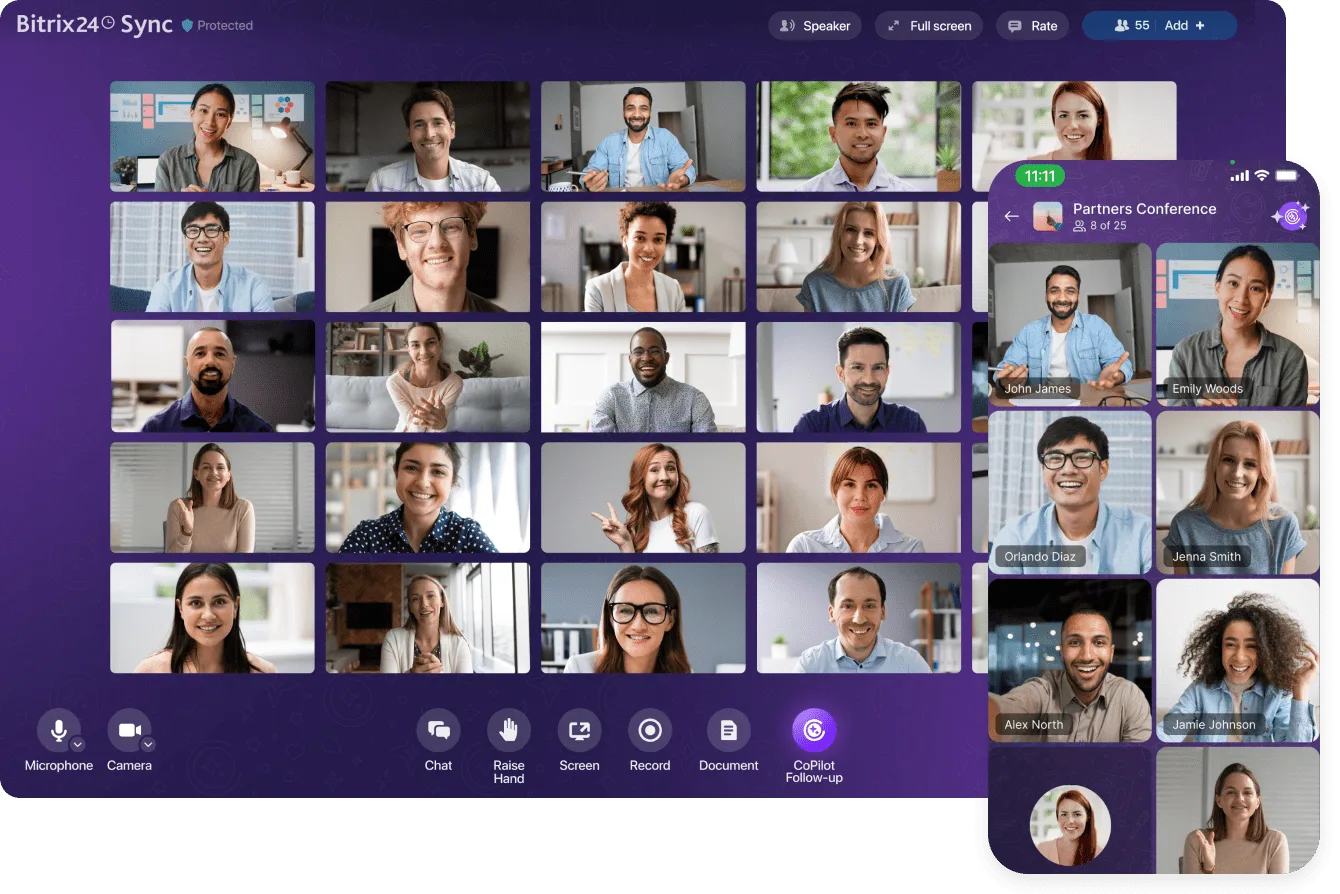
Bitrix24 Sync video conference shown on desktop and mobile

CoPilot Follow-Up: the meeting writes itself

When you start the CoPilot Follow-Up tool during a video call, the AI begins its impartial analysis and produces a word-for-word transcript with timestamps.

It then creates a summary covering the agenda, key outcomes, suggested follow-up actions, a call assessment, and improvement recommendations. You never have to re-listen to a 35-minute customer call.

  • Word-for-word transcript plus a detailed, timestamped summary
  • The summary includes agenda, outcomes, and suggested follow-up actions
  • Suggested actions convert into tasks with a single click
  • A call assessment and productivity improvement tips come with it
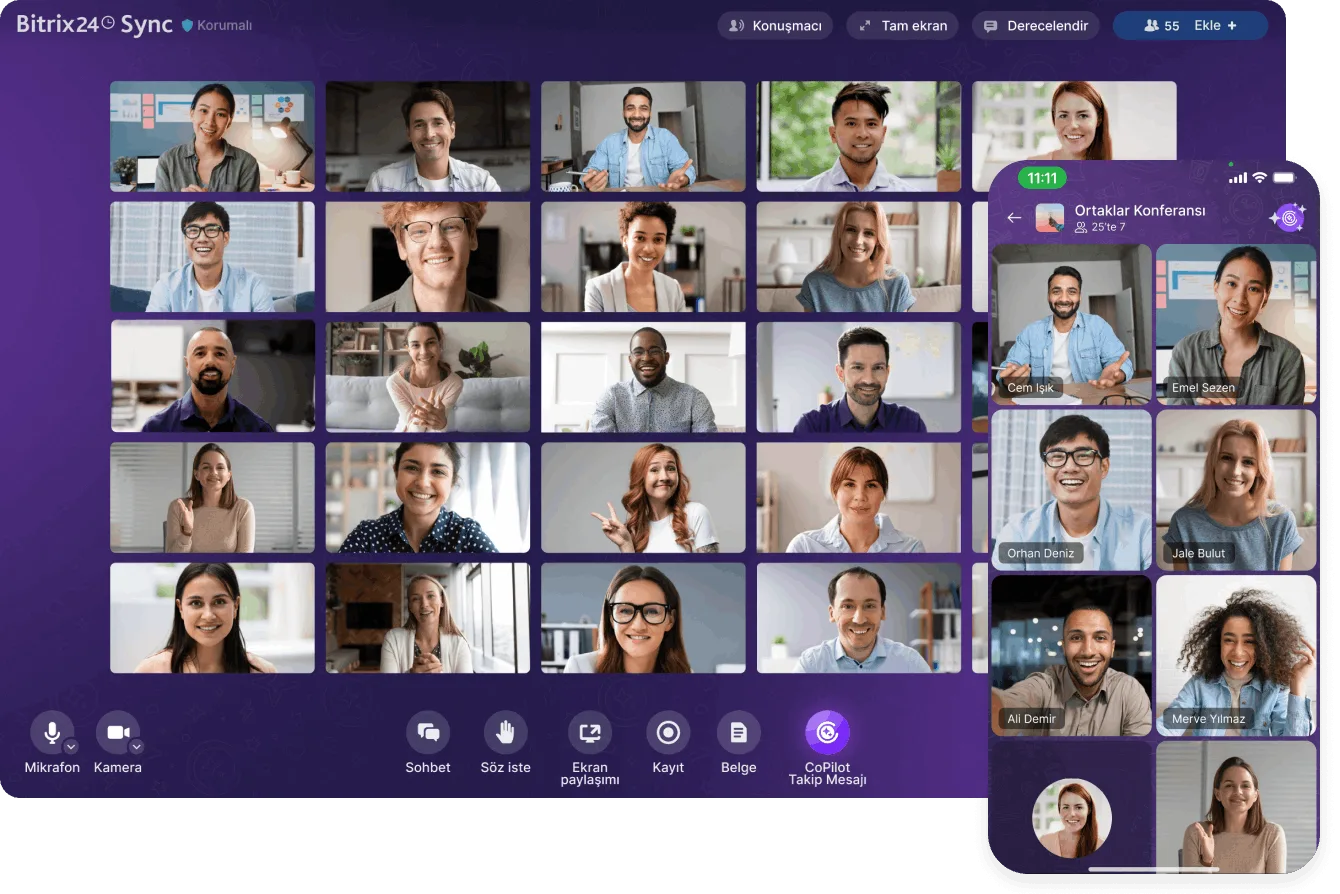
Bitrix24 Sync conference with the CoPilot Follow-Up button and the mobile participant view

Screen sharing, recording, and meeting notes

Share your screen during a call to show participants images, online presentations, spreadsheets, and other documents. Meetings can be recorded and stored on Bitrix24 Drive, which is especially useful for calls with a customer or contractor.

You can also open a text file while the conversation is still going, write a short summary, and have it sent automatically to every participant when the meeting ends.

  • Presentations, spreadsheets, and documents are reviewed together via screen sharing
  • Recordings are stored on Bitrix24 Drive under your permission structure
  • People who missed the call can watch it later
  • The summary goes out to all participants automatically when the meeting ends
Bitrix24 Sync conference on desktop and mobile, with the CoPilot Follow-Up button in the toolbar

When the meeting ends, the work continues on the same screen

Real-time meetings in Bitrix24 are the most efficient form of communication, especially for remote teams.

On top of everything you'd expect from a quality meeting platform, your chats, tasks, projects, calendar, and CRM already live in the same place. Whatever you agreed on becomes a task without switching tools.

  • Chat, tasks, projects, calendar, and CRM inside the same account
  • Comment under tasks and feed posts, reply, and react
  • A mention sends an instant notification to the right person
  • No separate video conferencing subscription or second system to manage
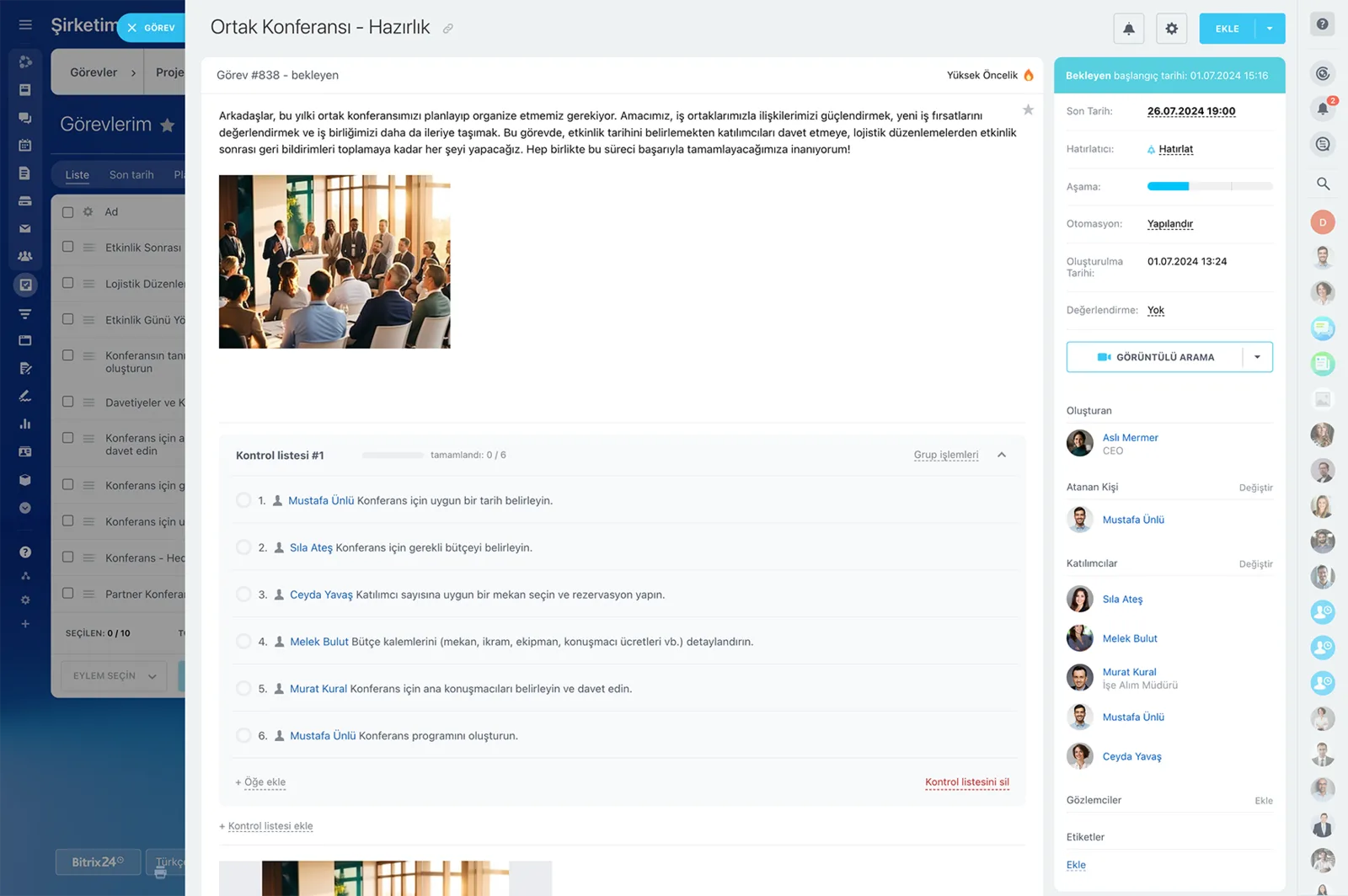
A Bitrix24 task card with description, checklist, participants, deadline and automation fields
CAPABILITIES

What you get

Meetings inside the platform

Chat, tasks, projects, calendar and CRM already live together. There's no second subscription to buy and no second system to administer.

External guests

Customers, suppliers and consultants join from a link even without a Bitrix24 account. No install, no signup, no onboarding step.

Screen sharing and presentations

Share quotes, spreadsheets and online documents live in the call. Decisions get made on the spot instead of across three email rounds.

Recording and archive

Recordings are kept on Bitrix24 Drive and shared according to your permission structure. Anyone who missed the call can watch it later without asking for a recap.

CoPilot meeting summary

AI turns the call into a word-for-word, timestamped transcript. It then writes a summary covering the agenda, key outcomes, and suggested follow-up actions.

From summary to task

Items in the summary become tasks with an owner and a due date in one click. Meeting decisions stay tracked instead of fading out.

BEST FIT

Who is this for?

These are the teams we deploy this module with most often. If your scenario is not listed, let's talk it through anyway.

  • Remote and hybrid teams with heavy day-to-day meeting traffic
  • Sales teams running regular demos and discovery calls
  • Managers coordinating weekly syncs across multiple branches
  • Project teams working closely with external consultants and agencies
  • Companies looking to retire a separate video conferencing subscription

How would this work in your process?

In a free 30-minute call we listen to your workflow and map out how this would run in your company.

Book a free consultation
SETUP

How we roll it out

We handle the setup; you just walk us through your process.

  1. 01

    We define your meeting setup and permissions

    Together we decide which meetings get recorded, where recordings are stored, and who can access them. The rules for inviting external guests are settled at this stage too.

  2. 02

    We connect calendar and CRM

    We tie meetings to shared calendars and customer calls to the relevant CRM card. Call history stays on the record, so whoever takes over never loses context.

  3. 03

    We switch on the CoPilot summary flow

    We enable the Follow-Up tool and show how to read its output and turn actions into tasks. Since audio quality drives accuracy, we also advise on microphones and room setup.

  4. 04

    We train the team and retire the old subscription

    We walk the team through starting a meeting, sharing a screen, recording, and converting the summary into tasks. Once they're comfortable, we plan the wind-down of your separate video conferencing subscription with you.

Works together with

Chat and online workspaceTasks and projectsShared calendarsCRM deals and contactsBitrix24 DriveOnline documentsKnowledge baseCoPilotMobile app

Frequently Asked Questions

Does anyone need to install software?

No. Meetings open in the browser and you can join from the mobile app. External guests only need the link you send them.

How secure are the calls?

Connections are SSL encrypted. During setup we define together who can join and who can access recordings through the permission structure.

Does the AI summary work in Turkish?

CoPilot can transcribe and summarize Turkish calls. Accuracy depends on audio quality, so we also advise on microphone and room setup during implementation.

Where are recordings stored?

On Bitrix24 Drive, inside the folder and permission structure we define. Customer calls can be attached directly to the relevant CRM card.

Let's configure this around your business

Book a free intro call and we'll walk through your process and show which settings fit you.