Features

Requests, approvals and balances in one clean flow

When time off is handled over email and paper forms, both employees and HR lose hours every week. In Bitrix24 leave management is not one packaged module but a combination of company structure, workflows and the shared calendar. We wire those three together so requests, approvals, the calendar and balances all run in a single chain.

At a glance

  • Form-driven requests
  • Structure-based approval chain
  • Shared leave calendar
  • Automatic balance tracking
  • HR reporting
THE PROBLEM

A scattered leave process makes everyone ask twice

  • Requests arrive by chat, approvals are given verbally and nothing is ever recorded.
  • Employees and managers both have to ask HR how many days are left.
  • Three people from the same team book the same week off and the plan collapses.
  • Approvals sit idle while a manager is away because no deputy is defined.
  • Carry-over balances are calculated by hand in a spreadsheet at year end.
THE FIX

The whole process runs inside the system

From the request form to the approval chain, the calendar entry and the balance update, every step is configured as a workflow. Nobody has to chase the status by message.

  • Employees submit a request through a ready form with standard date, type and note fields.
  • The request routes to the right manager based on the company structure, then on to HR.
  • Approved leave appears on the shared team calendar so everyone can see who will be away.
  • Annual leave, personal days and unpaid leave are tracked as separate types with automatic balance deduction.
  • When a manager is away, approval authority passes to a deputy and the process keeps moving.
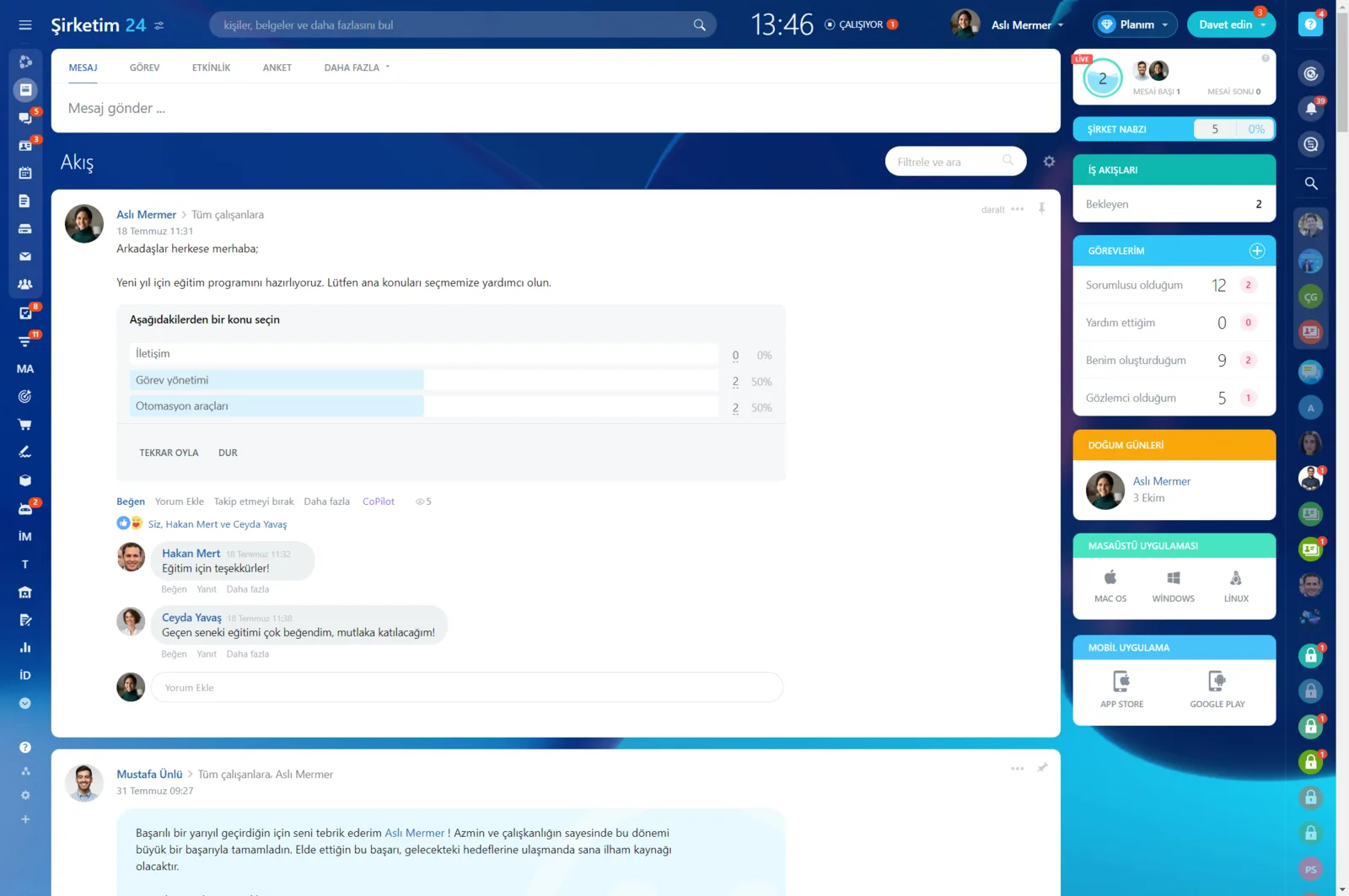
Company feed with a poll post, vote distribution and comments

Leave runs on three Bitrix24 building blocks

Leave management in Bitrix24 is not an out-of-the-box product but a process built on top of the employee management tools. Company structure carries the approval line, a workflow carries the request and approval steps, and the shared calendar carries who will be away and when.

As a Gold Partner we combine those three around your own leave policy, so employees fill in one form and the rest runs by itself.

  • Department and manager definitions in the company structure set the approval steps.
  • The request form is standardized with date, leave type and comment fields.
  • Approved leave appears on the shared calendar and on the employee profile.
  • Accrual and balance rules are configured to match your policy.
Business process designer showing a multi-step workflow built from approval, email and condition steps

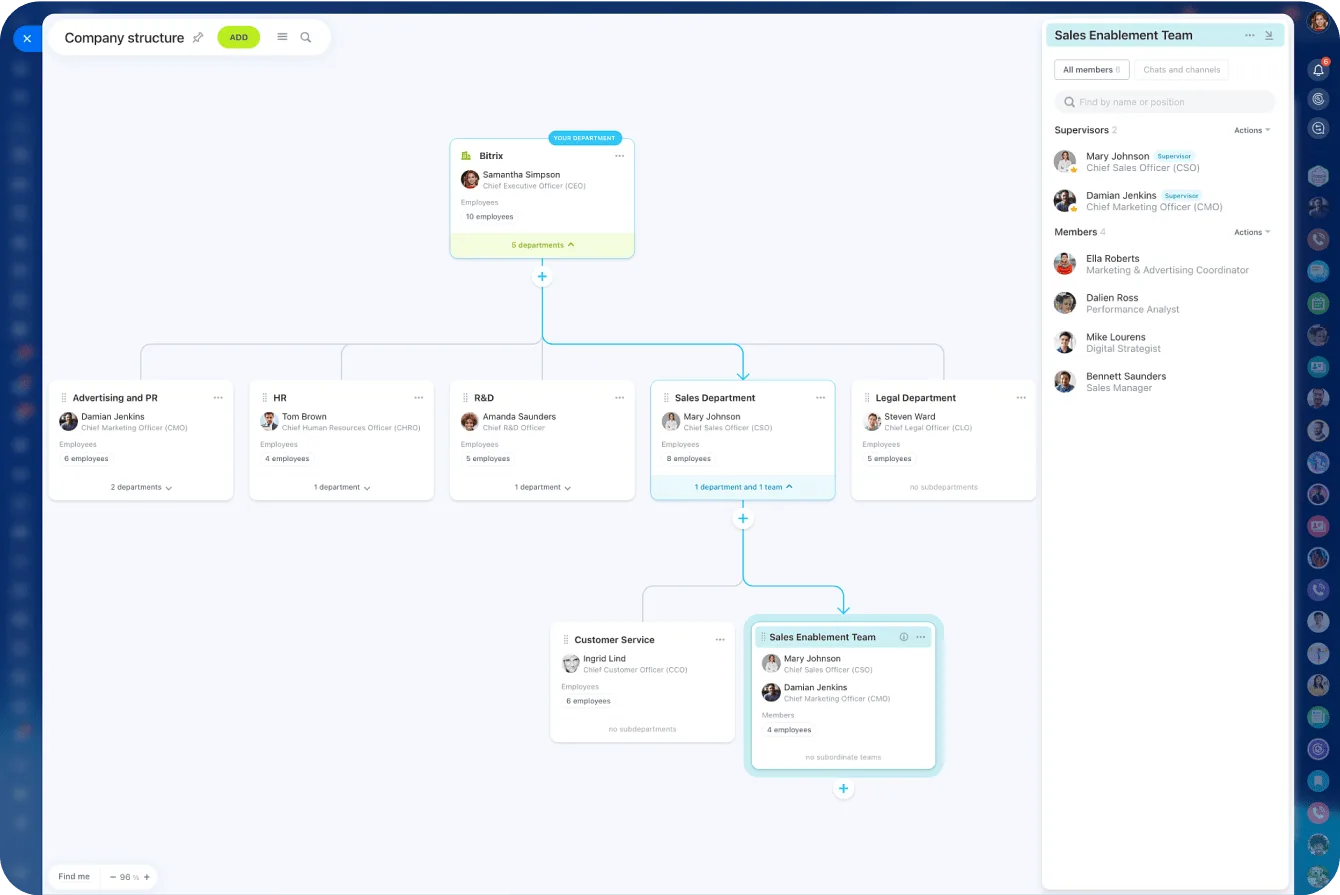
Company structure: the map that routes approvals

The company structure chart is a visual representation of your hierarchy: as a manager you see who belongs to which department and manage access permissions from there.

You create departments and sub-departments, assign supervisors and their deputies, and move people from one position to another. A leave request follows that same map to reach the right manager.

  • Departments, sub-departments, supervisors and deputies are set from one screen.
  • People can hold several roles, and cross-functional teams can be created.
  • Structure changes flow automatically into access permissions and reporting lines.
  • Parts of the hierarchy can be hidden from public view for security reasons.
Company structure chart with departments, managers and the member list of one team

Employee profiles and a searchable directory

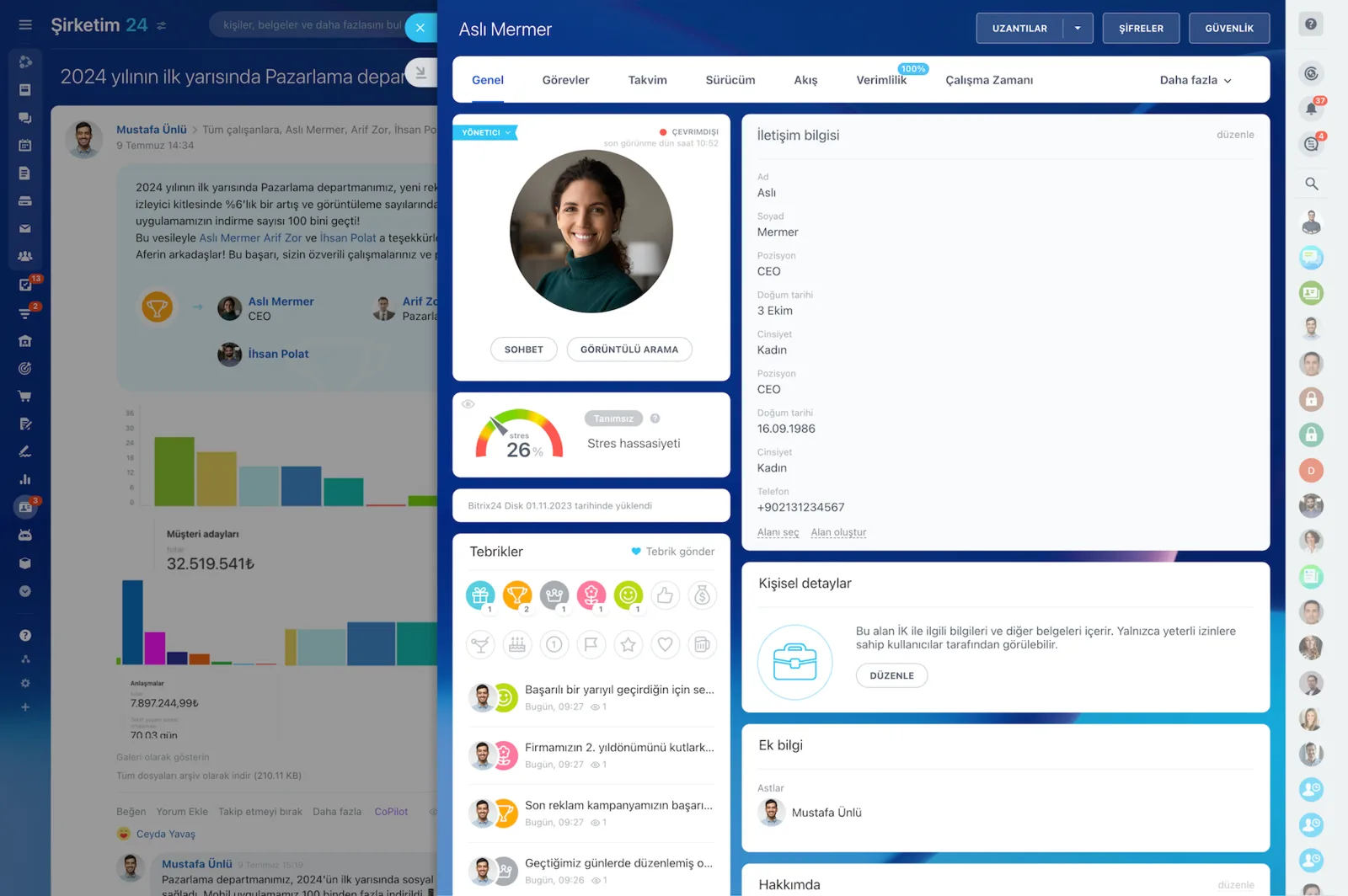
Employee profiles gather the basics along with the person's tasks, calendar, workgroups and the recognition badges they have received. A central, searchable employee directory means HR and managers stop hunting for who is where.

A department manager can open a direct report's profile for a summary of their tasks and scheduled events, or reach them by chat or video call.

  • Contact details, tasks, calendar, workgroups and drive live on the same profile.
  • The searchable directory finds the right person in seconds across locations.
  • Managers see scheduled events and weigh a leave request against the work plan.
  • Chat and video calls start straight from the profile.
Employee profile with photo, contact details, position and recognition badges

Access permissions and offboarding safety

Leave data is personal data, so who can see it has to be decided up front. Access permissions in Bitrix24 are managed through the company structure, and every change there is reflected in permissions automatically.

When someone leaves the company, that same mechanism closes all of their access while the historical records stay with the organization.

  • Leave records can be limited to the relevant manager and HR only.
  • A role change or department move needs no manual rework of the leave flow.
  • A departing employee loses access without the process history being lost.
  • Regulated organizations keep the full approval chain on record.
Access Permissions screen assigning full access, limited access or administrator roles to users and groups

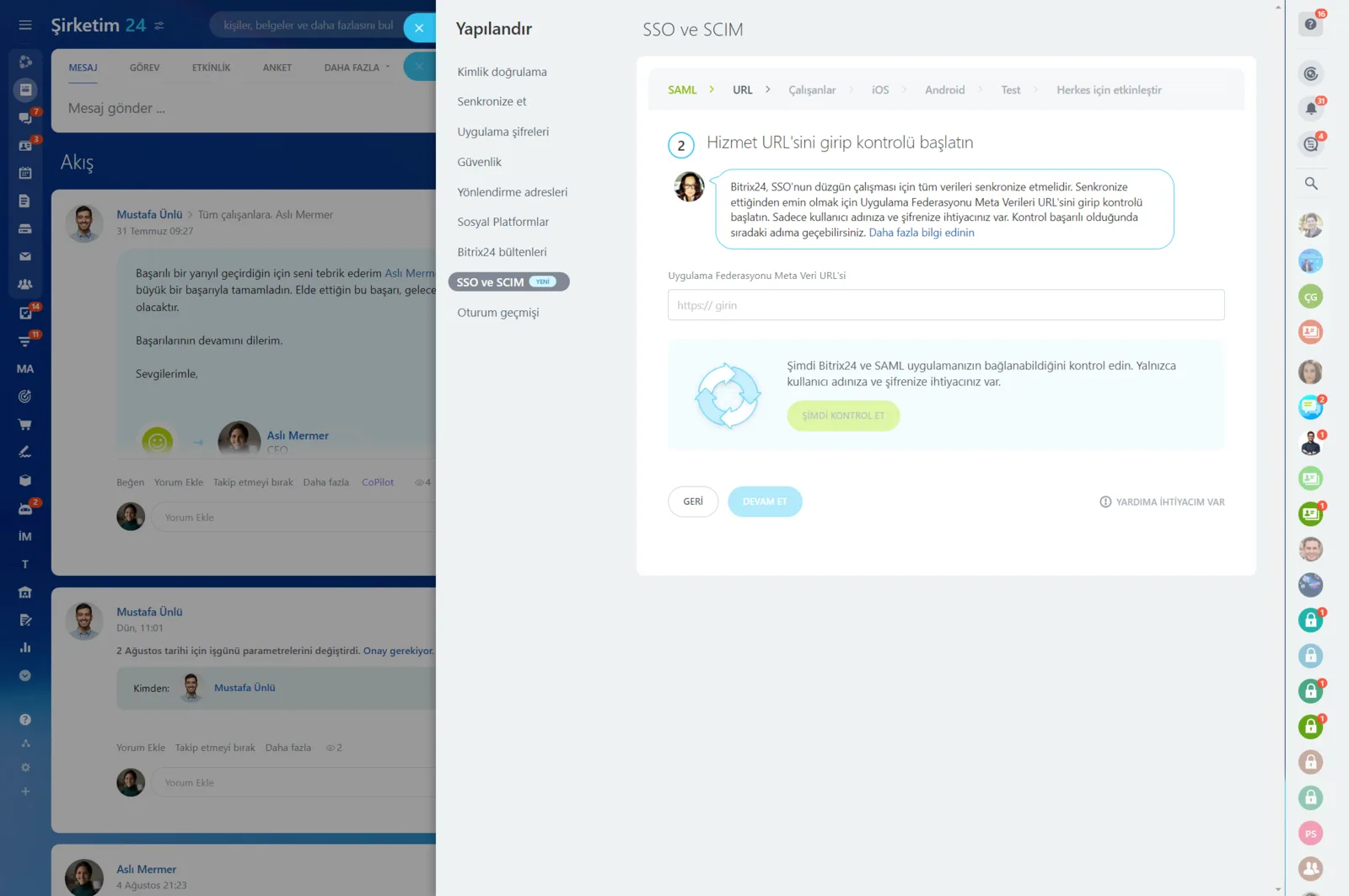
Single Sign-On, directory sync and login history

You can add employees through Microsoft Entra ID and manage their access centrally. With Single Sign-On your team no longer has to remember a password for every application; connecting and configuring it takes minutes and we guide you through the whole process.

Login history gives you detailed logs of where, when and from which device each user signed in.

  • Microsoft Entra ID and SCIM centralize user management.
  • SSO cuts the account admin load in onboarding and offboarding.
  • Detailed logs of user actions are kept for audit purposes.
  • Device and location data give security visibility over remote teams.
Authentication settings showing SAML-based single sign-on and SCIM provisioning steps
CAPABILITIES

What you get

Form-driven requests

Employees file a request from one screen, and required fields prevent incomplete submissions. The current stage is visible at any time.

Structure-based approval chain

Approval steps are read from the departments and managers defined in the company structure, so the flow updates itself when the org chart changes.

Shared leave calendar

Who is off and when is visible on a shared calendar, so overlaps get spotted while there is still time to plan around them.

Automatic balance tracking

Accrued, used and remaining days are kept per employee, and carry-over is calculated at period end according to your rules.

HR reporting

Usage rates by department, peak periods and accumulated balances are all reported, so annual planning runs on evidence.

Mobile approvals

Managers review and approve requests from their phone. The process no longer depends on someone being at their desk.

BEST FIT

Who is this for?

These are the teams we deploy this module with most often. If your scenario is not listed, let's talk it through anyway.

  • HR teams moving time off from paper forms to a digital process
  • Mid-sized companies with several departments and locations
  • Manufacturing and retail teams that plan shifts around the leave calendar
  • Managers who need visibility across remote teams
  • Regulated organizations that must keep an auditable approval trail

How would this work in your process?

In a free 30-minute call we listen to your workflow and map out how this would run in your company.

Book a free consultation
SETUP

How we roll it out

We handle the setup; you just walk us through your process.

  1. 01

    Leave policy session

    We work through your policy to map leave types, seniority-based accrual, carry-over limits and approval steps.

  2. 02

    Company structure build

    We enter departments, managers and deputies into the Bitrix24 company structure so the approval line can be read from it automatically.

  3. 03

    Workflow and calendar design

    We build the request form, approval chain and balance calculation as a workflow, and make approved leave show up on the team calendar.

  4. 04

    Balance import and training

    We load existing accrual and usage data as opening balances, then train HR and managers on the new process.

Works together with

Company structure and employee profilesWorkflows and approval processesShared calendarsAccess permissions and rolesSingle Sign-On (Microsoft Entra, SCIM)Bitrix24 mobile appREST API export to payroll and ERP

Frequently Asked Questions

Can you migrate our current leave balances?

We can. We take accrual and usage data per employee and load it as an opening balance. From there the system maintains the calculation.

Can we define our own leave rules?

You can. Seniority-based accrual, carry-over limits, leave types and approval steps are configured to match your policy, and they are easy to update when it changes.

Can approved leave be pushed to other systems?

Yes. Approved requests can be sent to payroll or ERP through the REST API or a webhook. We plan that integration as part of the implementation.

Let's configure this around your business

Book a free intro call and we'll walk through your process and show which settings fit you.