Features

Move company conversations out of scattered apps and into one place

When team communication drifts into personal messaging apps, company knowledge leaves with it. We set up Bitrix24 messaging, channels and video meetings in the same place as tasks and CRM.

At a glance

  • Corporate messaging
  • Topic-based channels
  • Video meetings
  • AI meeting summaries
  • Auto-delete and privacy
THE PROBLEM

Company knowledge is stuck on personal phones

  • Work conversations happen in personal messaging apps, and the history walks out with the employee.
  • The same topic gets discussed again in email, in a group chat and in a meeting.
  • How a decision was reached is never recorded, so the debate reopens months later.
  • New joiners spend weeks working out where each conversation actually takes place.
  • Nobody holds the meeting notes, so agreed actions are never followed up.
THE FIX

Communication tied to the work it is about

Chats, channels and meetings run in the same system as tasks, projects and CRM records. A conversation turns into a task in one step, and the history stays with the company.

  • One-to-one chats, group conversations, file sharing and search live in a single app.
  • Dedicated channels cover announcements, onboarding, industry news and other recurring topics.
  • Sensitive messages can be sent with an expiry timer, and once deleted they are removed permanently.
  • Online meetings start from the same screen with HD audio and video, screen sharing and recording.
  • CoPilot analyzes the call and reports the key points discussed along with suggested next steps.
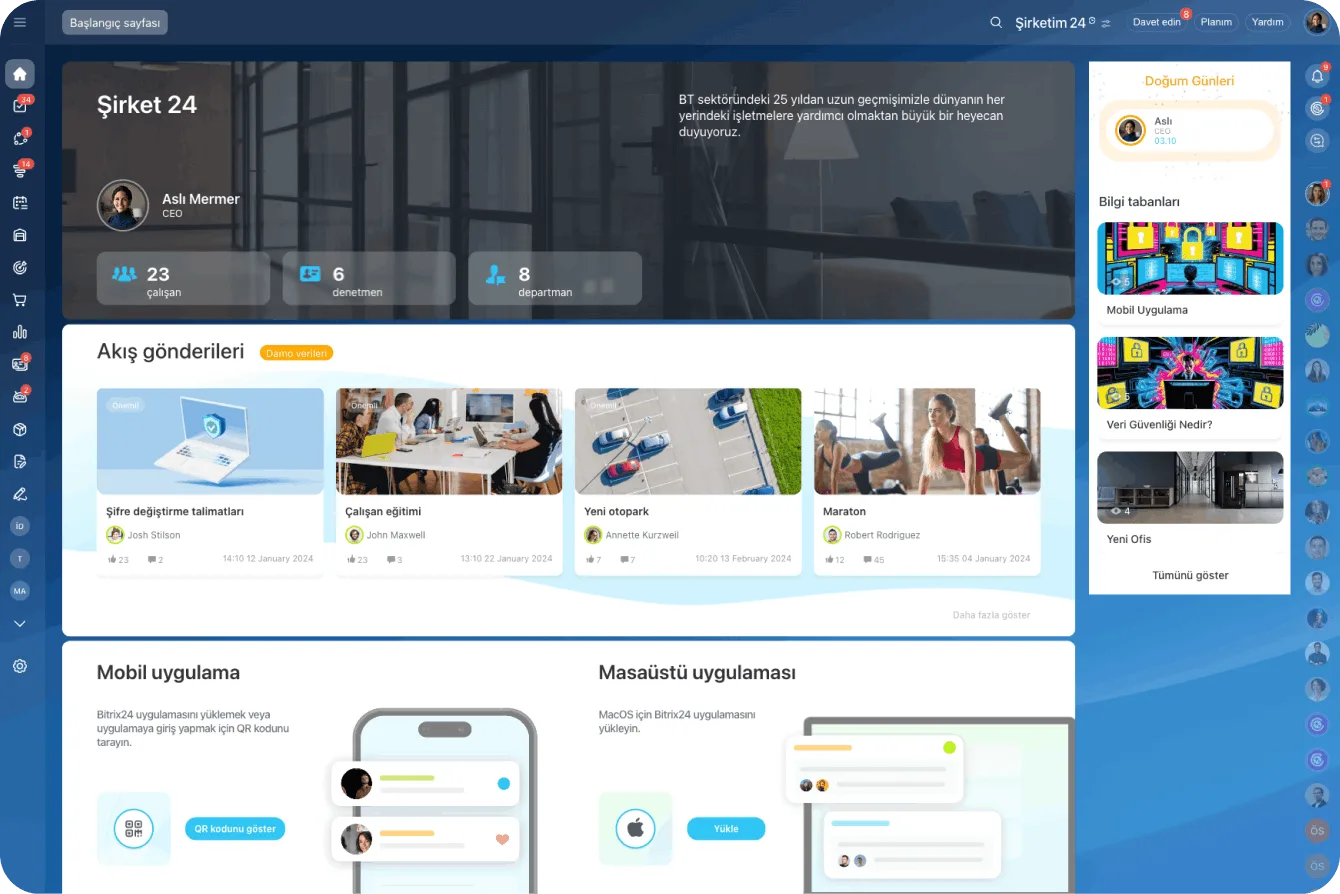
Bitrix24 Vibe start page with company details, feed posts and knowledge base shortcuts

One team, one messenger

The Bitrix24 messenger is a secure way to keep all communication inside the company without turning to a third-party tool. You create chats and channels, launch polls, share files and react to messages, and through Collab you can bring external users such as freelancers or contractors into specific spaces.

Because the messenger is organically connected to the other collaboration tools and to the CRM, a conversation always keeps its context.

  • One-to-one chats, group chats, file sharing and calls live in one app.
  • External users reach only the spaces they were invited to through Collab.
  • A task, file or CRM record opens straight from the conversation.
  • History belongs to the company account, so knowledge stays when people leave.
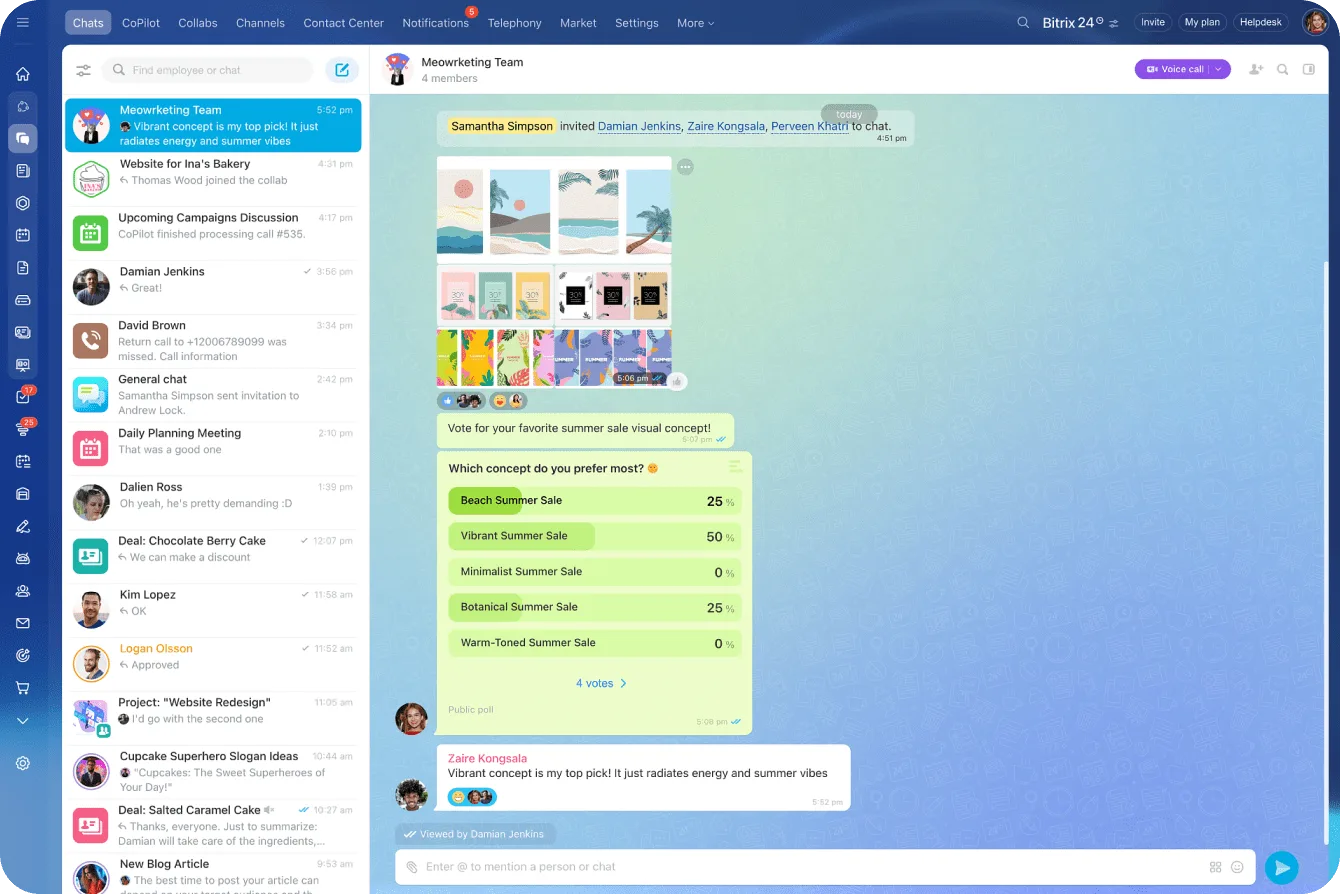
Bitrix24 messenger with a team chat, an image shared in the thread and in-chat poll results

Channels bring order to information

When every topic is discussed in the same group, you multiply noise rather than knowledge.

Creating separate channels for company announcements, employee onboarding or industry news lets you share information in a way that is both organized and engaging. During setup we agree which roles are allowed to publish.

  • Separate channels for announcements, onboarding and product updates.
  • People follow only the streams that concern them, so notification noise drops.
  • Channel membership is planned around departments and workgroups.
  • New joiners can see on day one where each topic is discussed.
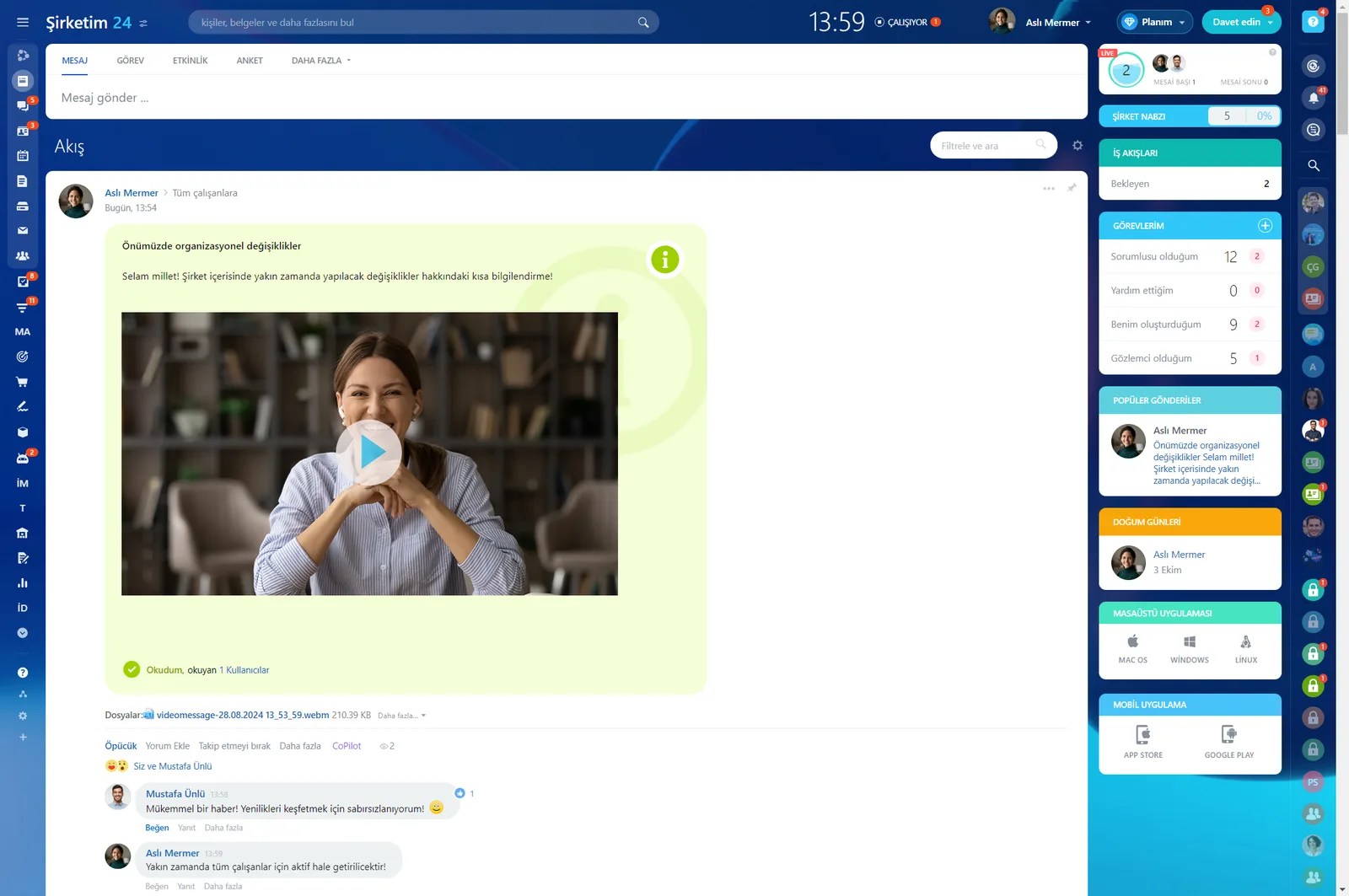
Company feed with a video announcement post, read receipts and comments

Auto-delete for peace of mind

For messages that carry sensitive or time-limited information you can set custom expiration timers.

Once the timer runs out the message does not just disappear from the screen; it is permanently removed from the servers for real privacy. On conversations about salaries, contracts or customer data, that is a concrete security gain.

  • Expiration timers are set per message.
  • Deleted content is permanently removed from the servers.
  • Sensitive topics get their own channel and retention policy.
  • Corporate data stays out of personal messaging apps.

Online meetings in the same window

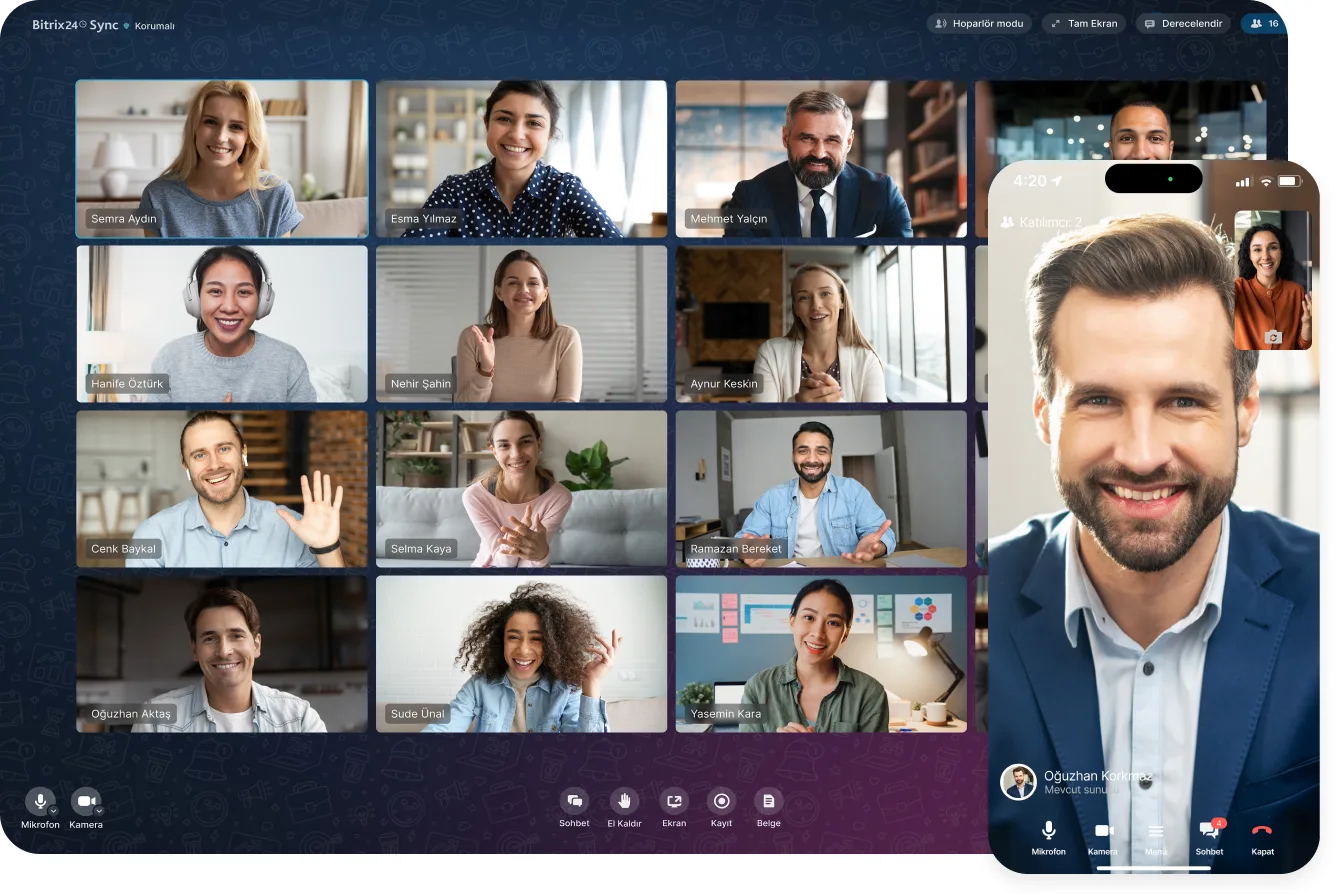
Bitrix24 online meetings have everything you expect from first-class video conferencing software, and they are already integrated with your chats, tasks, projects, calendar and CRM.

The technology keeps audio and video quality stable throughout the call, so conversations stay clear even on a slow connection. You share your screen during a call to show presentations, spreadsheets and other documents.

  • HD audio and video stay stable even on weak connections.
  • Screen sharing puts presentations and documents in front of participants.
  • Meetings start in the context of the calendar, task or CRM record.
  • No separate conferencing subscription is needed.
Bitrix24 Sync video conference shown on desktop and mobile

CoPilot meeting analysis and feed announcements

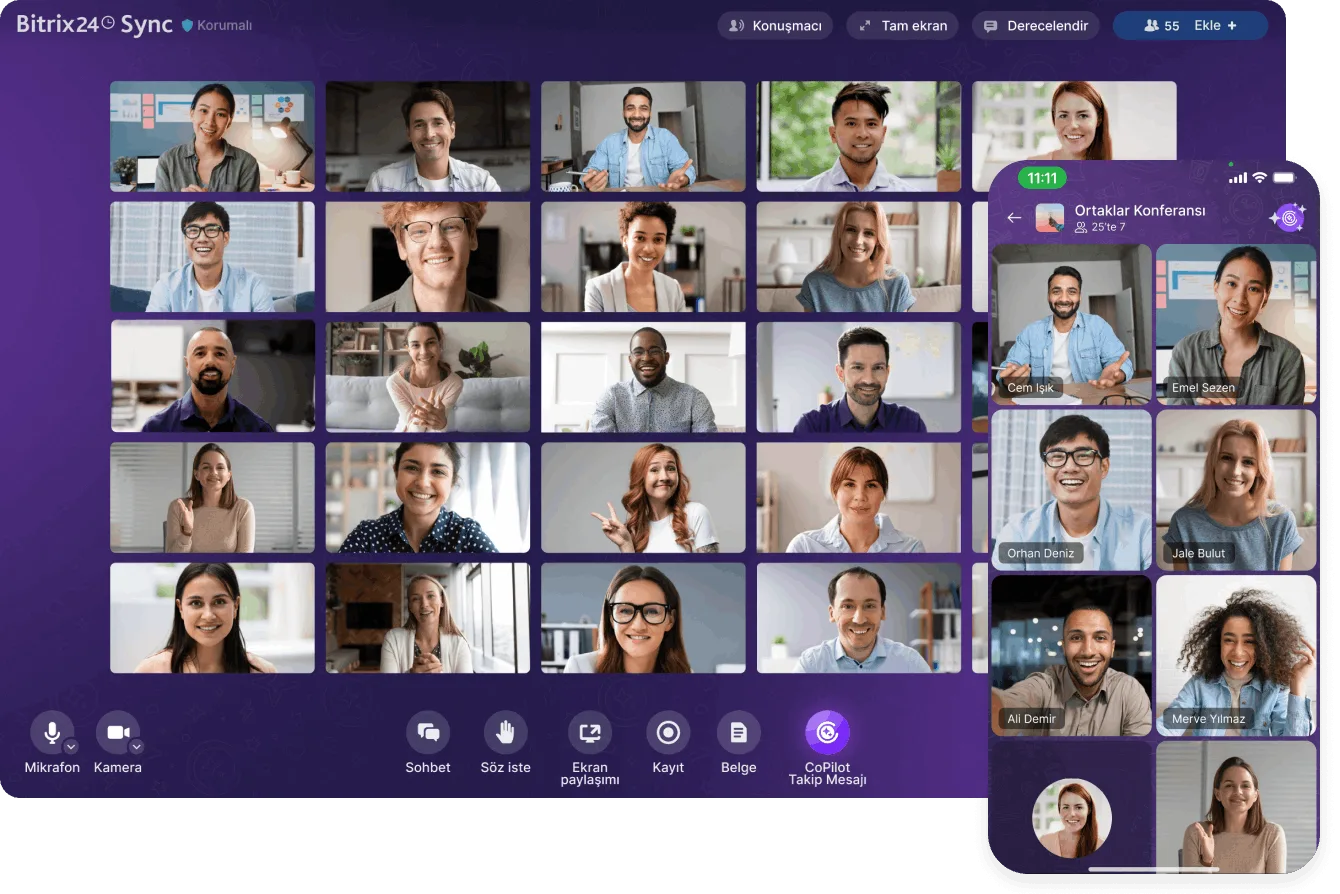
CoPilot, the AI-powered assistant, analyzes your video calls and delivers a detailed report with the key points discussed plus suggestions for making calls more effective.

On the feed side, announcements are personalized and published to the right departments and groups. You can record a short video and post it as an announcement, or launch a poll right inside the feed to gather opinions.

  • The CoPilot report reduces note-taking and the "what did we agree?" debate.
  • The feed is personalized by the groups you joined and the department you are in.
  • A post goes to the whole company or to selected users, groups and departments.
  • Video announcements are watched far more often than long text.
Bitrix24 Sync conference with the CoPilot Follow-Up button and the mobile participant view
CAPABILITIES

What you get

Corporate messaging

Fast, searchable chat that belongs to the company. Tasks, files and CRM records open directly from inside a conversation.

Topic-based channels

We create separate channels for announcements, onboarding and product updates, so each person follows the streams that concern them.

Video meetings

No separate conferencing tool required. Calls hold quality on slow connections and come with screen sharing and recording built in.

AI meeting summaries

CoPilot reviews the call and produces a report with the key points and efficiency suggestions, so nobody has to take exhaustive notes.

Auto-delete and privacy

Messages with confidential content can carry an expiry timer. Once deleted, they are removed permanently from the servers.

From conversation to task

Anything agreed in chat becomes a task in one click, with an owner and a due date, so decisions do not get buried in the thread.

BEST FIT

Who is this for?

These are the teams we deploy this module with most often. If your scenario is not listed, let's talk it through anyway.

  • Companies moving work chat off personal apps onto a corporate platform
  • Remote and hybrid teams spread across several locations
  • HR teams organizing announcement and onboarding flows
  • Agencies and consultancies that must keep project communication on record
  • Organizations limiting external messaging apps for data privacy reasons

How would this work in your process?

In a free 30-minute call we listen to your workflow and map out how this would run in your company.

Book a free consultation
SETUP

How we roll it out

We handle the setup; you just walk us through your process.

  1. 01

    Mapping how you communicate

    We map which conversations happen in which team and which information has to stay on record, then design the channel and group structure around that.

  2. 02

    Channels, permissions and retention

    We open announcement and project channels, define publishing rights, and set auto-delete timers for sensitive content.

  3. 03

    Meetings and CoPilot rollout

    We connect online meetings to the calendar and CRM and decide where CoPilot call analysis adds the most value.

  4. 04

    Migration and user training

    We move internal communication off personal apps step by step and show the team, through real scenarios, how the daily flow works in Bitrix24.

Works together with

Task and project managementCRM records and customer communicationShared calendarsFeed, announcements and pollsCoPilot AI assistantExternal user access through CollabBitrix24 mobile app

Frequently Asked Questions

Do we have to shut down our existing WhatsApp groups?

Not immediately, but we recommend migrating gradually. We usually open announcement and project channels first, and the old groups fade out as habits shift.

Do meetings require a separate license?

No. Video meetings are included in Bitrix24, so you need no extra conferencing subscription. Participant limits vary by plan and we confirm them during the call.

Does chat history stay with the company?

It does. Conversations belong to the company account, and when someone leaves we transfer ownership so corporate knowledge is not lost.

Can external partners join conversations?

They can. We invite customers and suppliers as external users into specific chats and channels, with access limited to those spaces only.

Let's configure this around your business

Book a free intro call and we'll walk through your process and show which settings fit you.