Features

Find out which campaign actually produced revenue

Clicks and open rates don't prove a campaign worked; closed revenue does. We connect your campaigns to CRM data so every lira spent can be matched against the deals it produced.

At a glance

  • Source-to-revenue tracking
  • Email marketing in the CRM
  • Ad audience sync
  • Lookalike audiences
  • SMS and triggered messaging
THE PROBLEM

The budget goes out, the return never shows up

  • The ad platform reports clicks and the CRM reports revenue, and the two never meet.
  • Which channel brought how many customers is largely guesswork.
  • Email and SMS lists are disconnected from the CRM, so segments get built by hand.
  • The same customer gets a campaign blast and a sales call on the same day.
  • A poorly performing campaign burns budget for months before anyone notices.
THE FIX

How we set up measurement

We define source tagging, segments and conversion events up front. That keeps the link between campaign and closed deal intact, so ROI becomes a report rather than an estimate.

  • Google and Meta accounts connect to the CRM and campaigns can launch from inside it.
  • Customer segments push to the ad networks so you only pay to reach relevant audiences.
  • Lookalike audiences built from your best segments grow reach at lower cost.
  • Up to a million bulk emails a month send from the CRM, with reusable templates.
  • SMS goes through local provider integrations and is logged on the contact card.
  • One report compares leads, opportunities and closed revenue per campaign.
Email campaign template gallery previewing ready-made campaign layouts

Email marketing from inside the CRM

You can send up to 1,000,000 bulk emails a month to your CRM contacts without paying for a separate email marketing service. Use one of the built-in templates or design your own and save it as a template for later.

With automation rules and triggers the emails send themselves, whether that's an order confirmation notice or a 15% birthday discount.

  • Up to 1,000,000 bulk emails per month
  • Built-in templates or your own design, saved for reuse
  • Trigger-based automated emails: order confirmations, birthday discounts
  • Data can be exchanged with services such as Mailchimp and SendPulse
Email campaign editor with a drag-and-drop block palette and a campaign preview

Running social ads from the CRM

Connect your Google or Facebook account and launch campaigns straight from your CRM.

Pick a segment from your customer base, push it to your ad network account, and show ads only to audiences that have already engaged with your brand. You can also turn any Facebook or Instagram post into a sales ad.

  • Google and Facebook accounts connect to the CRM and campaigns launch from there
  • CRM segments are pushed directly to your ad network account
  • Lookalike audiences nearly identical to your existing segments are targeted
  • Boosted Facebook and Instagram posts become sales ads
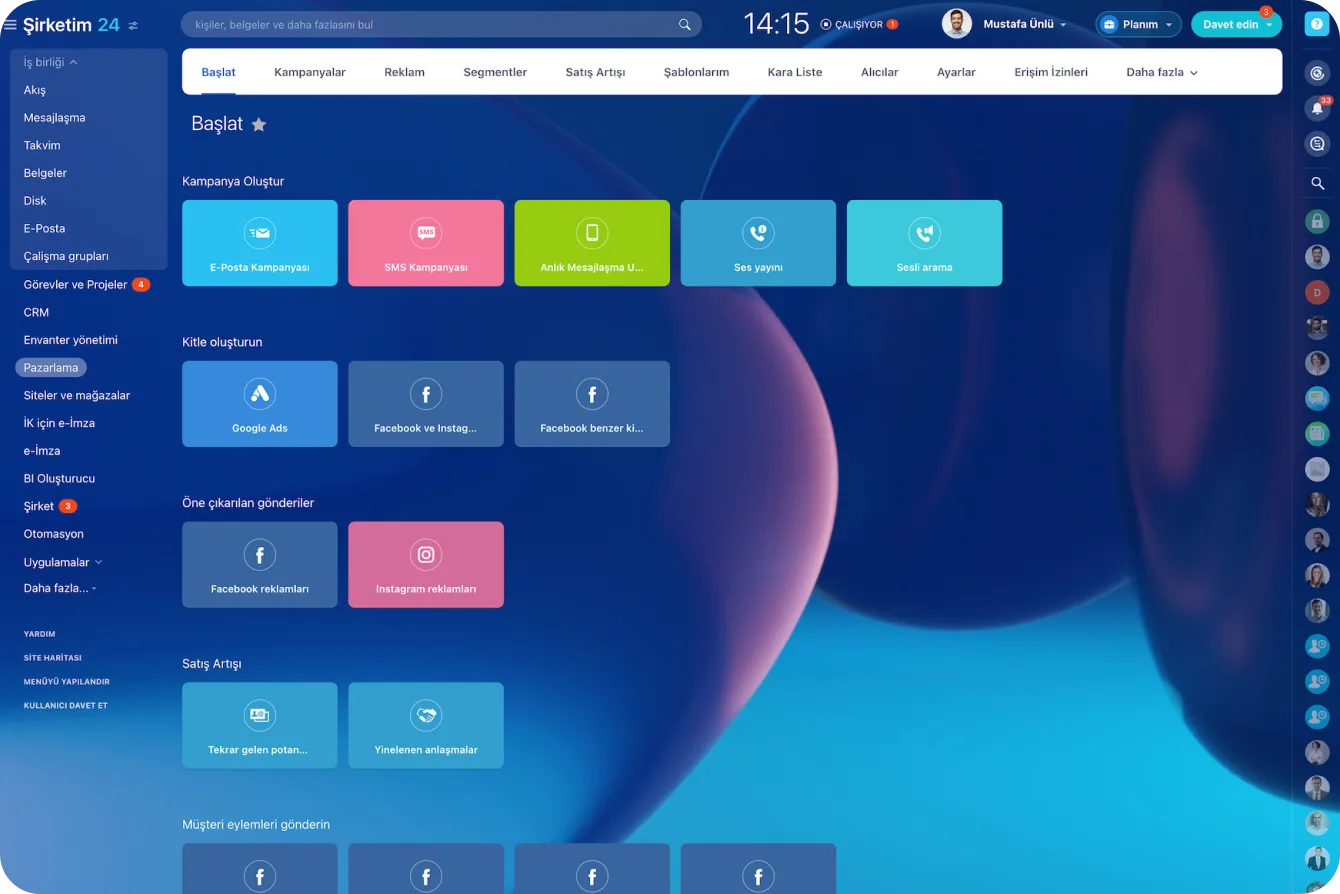
Marketing module start screen with email, SMS, instant messaging, voice broadcast and ad campaign cards

SMS marketing and automatic notifications

Bitrix24 has dozens of integrations with local SMS providers around the world, TextLocal and Plivo among them.

You select recipients individually or by segment, write your message, and send. With automation rules the message goes out on its own when an order is confirmed or a payment is received.

  • Ready-made integrations with local SMS providers
  • Recipients are chosen individually or by segment
  • Every message sent is saved to the customer's CRM profile
  • Order confirmation and payment notices are sent automatically
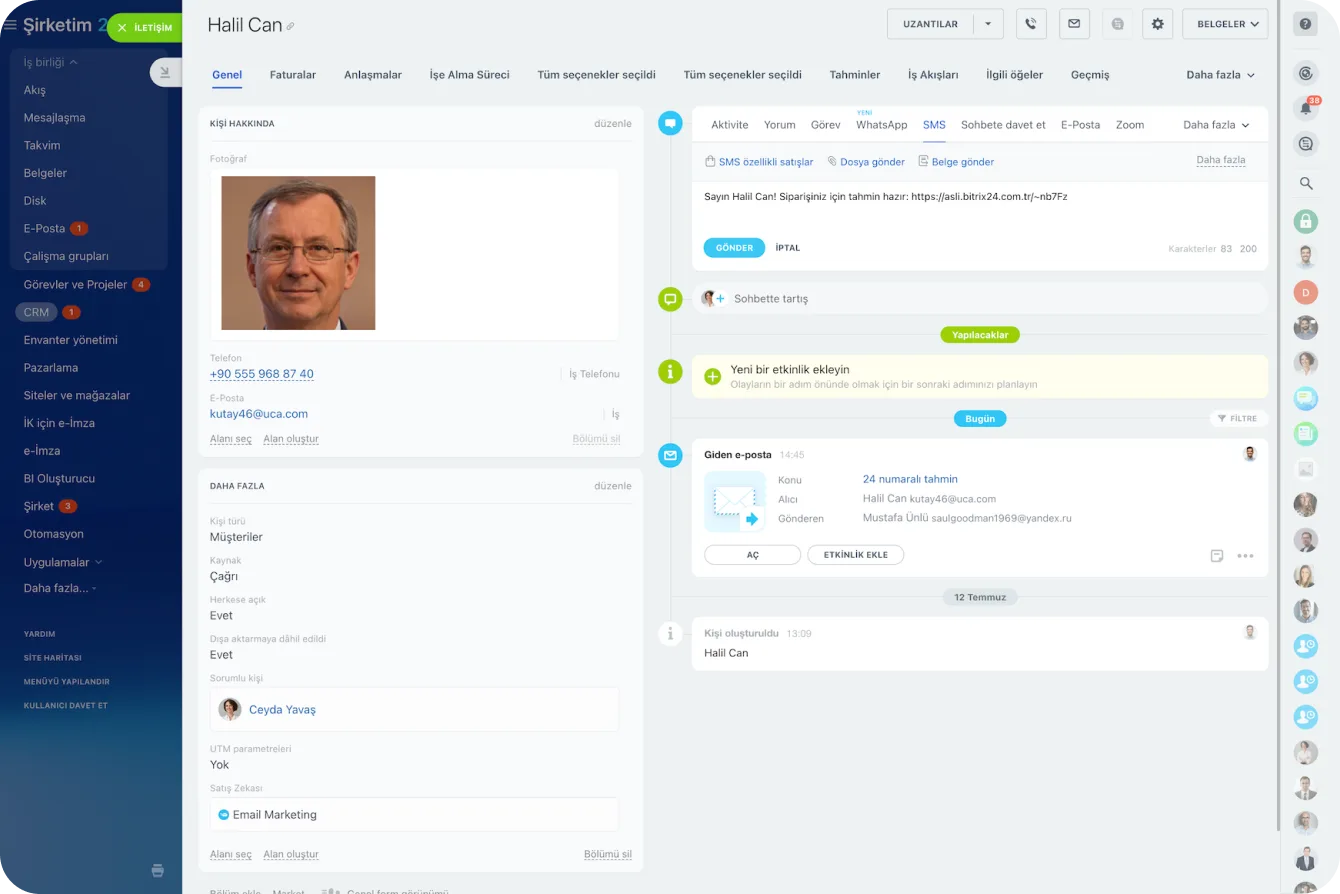
CRM contact card with the SMS tab open, showing an order notification message and link

Telemarketing: calls from the same system

You call customers directly from your CRM with nothing more than a headset and the Bitrix24 telephony integration.

Use the built-in solution or connect your existing PBX through a SIP connector; integrations with systems such as Asterisk and RingCentral are available. Every call can be recorded and attached automatically to the related lead or deal.

  • One-click dialing from the CRM using a local number
  • Your existing PBX connects through a SIP connector and keeps your rates
  • Every call is recorded and attached to the related lead or deal
  • The customer profile is updated on the same screen while you're on the phone
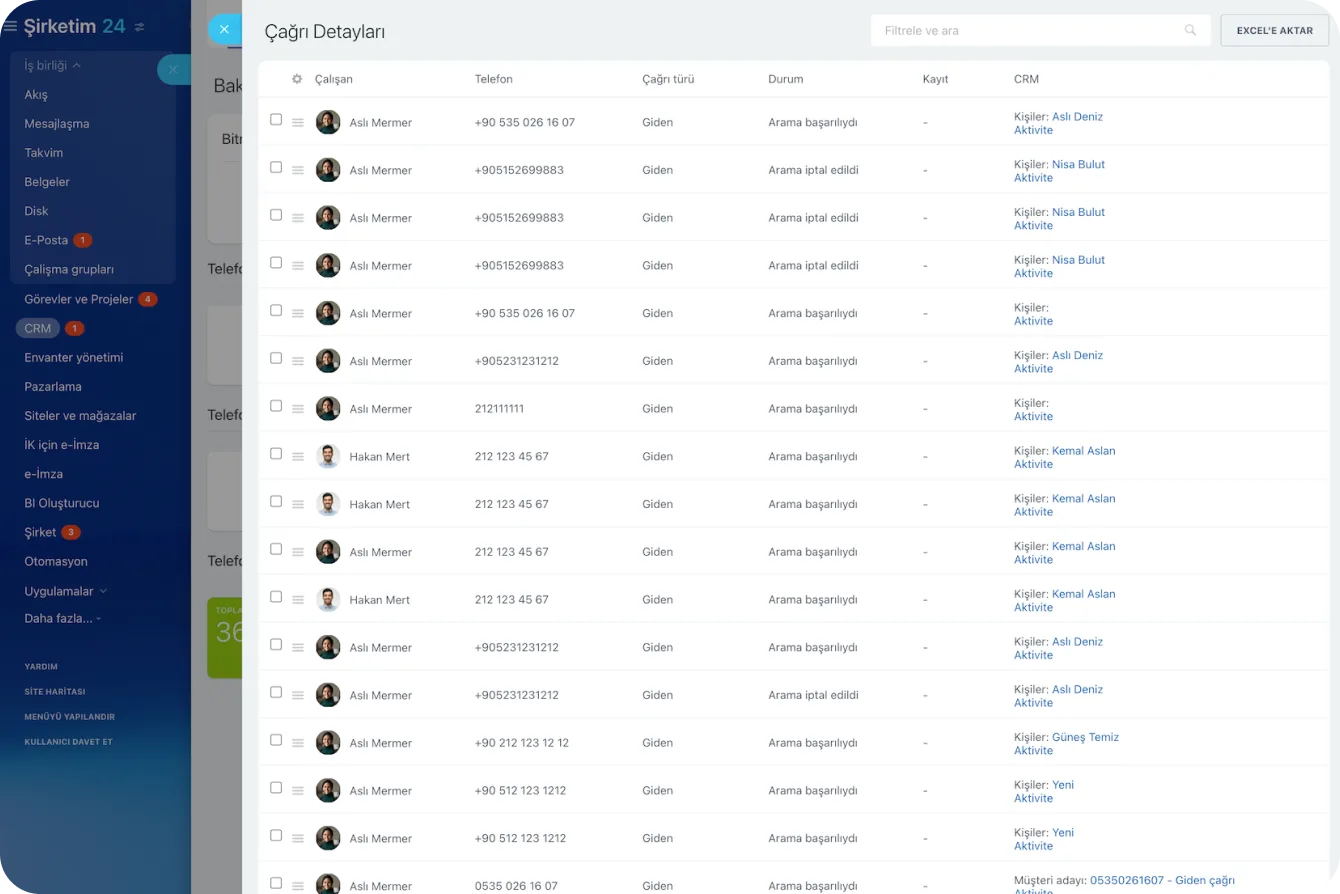
Call Details report listing agent, number, direction, status and the related CRM record for each call

Landing pages and lead capture

With a campaign coming up, you can build a visually appealing landing page in under 30 minutes and start collecting leads through a customizable web form.

CoPilot proposes a fitting design, copy, images, and web forms within minutes from your prompt. Every form submitted on the page creates a new lead or deal in the CRM.

  • A landing page goes live in under 30 minutes
  • CoPilot generates design, copy, image, and form suggestions
  • Every form submission opens a lead or deal in the CRM
  • Live chat messages become dialogs in the Contact Center and can be saved to the CRM
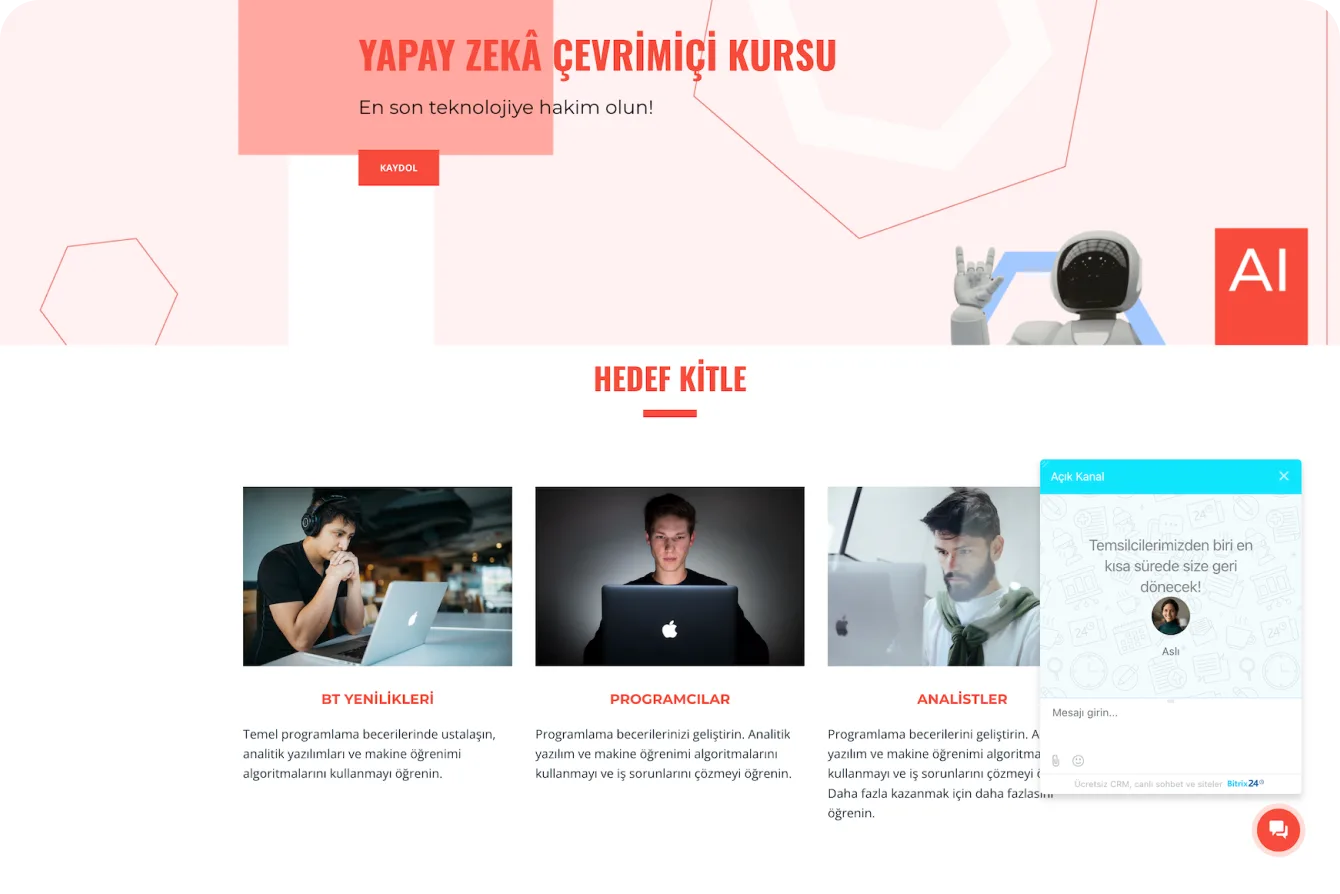
A landing page built with Bitrix24 with the live chat window open in the corner

One chain from campaign to revenue

Running each channel well isn't enough; you have to match the budget spent to the business actually closed. Because every channel runs inside the same CRM, the campaign a lead came from stays on the record all the way to close.

When cost, lead count, conversion rate, and closed revenue sit side by side per campaign, the budget debate ends with data.

  • The source tag is preserved on the record from lead to close
  • Cost, leads, conversion, and revenue per campaign compared in one report
  • The full customer interaction history accumulates on the contact card
  • An underperforming campaign shows up in the first report, not months later
CRM analytics showing the sales funnel with conversion rates and a sales rep performance table below
CAPABILITIES

What you get

Source-to-revenue tracking

The campaign a lead came from is written to the record and carried all the way through to close. The revenue-by-channel table then builds itself.

Email marketing in the CRM

Pick a segment, apply a template and send. No separate email marketing subscription is required, though Mailchimp and SendPulse can be connected if you prefer.

Ad audience sync

We push CRM segments to your Google and Meta accounts. Advertising to audiences that already know your brand cuts cost per acquisition noticeably.

Lookalike audiences

Target new audiences that closely resemble your most profitable segment. You grow reach without giving up conversion quality.

SMS and triggered messaging

Order confirmations, payment receipts, and campaign announcements send automatically. Every message is logged on the customer's CRM profile.

Campaign comparison reports

Cost, lead volume, conversion rate, and closed revenue sit side by side per campaign. The budget argument ends with data rather than opinion.

BEST FIT

Who is this for?

These are the teams we deploy this module with most often. If your scenario is not listed, let's talk it through anyway.

  • Marketing teams splitting a monthly ad budget across several channels
  • Brands running email and SMS campaigns off CRM segments
  • Managers who want to verify agency performance independently
  • E-commerce teams building repeat-purchase and cross-sell campaigns
  • Companies that must report real marketing return to their board

How would this work in your process?

In a free 30-minute call we listen to your workflow and map out how this would run in your company.

Book a free consultation
SETUP

How we roll it out

We handle the setup; you just walk us through your process.

  1. 01

    We clarify source and conversion definitions

    We decide upfront which tag marks which channel and which event counts as a conversion. Without those definitions an ROI report is just an estimate.

  2. 02

    We connect channels and ad accounts

    We link your Google and Meta accounts, SMS provider, phone system, and sending domain to the CRM. Sender authentication (SPF, DKIM, DMARC) is handled at this stage too.

  3. 03

    We build segments and campaign templates

    We derive meaningful segments from your CRM data and prepare email and SMS templates. We make it a rule that contacts without marketing consent stay out of bulk sends.

  4. 04

    We build the ROI report and read it with your team

    We bring the per-campaign comparison of cost, leads, conversion, and revenue onto a dashboard. Through the first sales cycles we read it together and shift budget to the channels that win.

Works together with

Google AdsFacebook and InstagramMailchimpSendPulseTwilioLocal SMS providers (TextLocal, Plivo)Asterisk and RingCentralSIP connectorLanding pages and web formsLive chat and Contact CenterCRM segmentsCoPilot

Frequently Asked Questions

Can you connect our existing ad accounts?

We do. Your Google and Meta accounts connect to the CRM and we standardize source tagging, so the originating campaign stays on the record all the way to close.

Will our emails land in spam?

We configure sender domain authentication (SPF, DKIM and DMARC) during setup and recommend permission-based lists. With the technical side done properly, deliverability improves markedly.

How is consent managed under data protection rules?

Explicit consent is captured through the form with a timestamp and stored on the contact card. Records without marketing consent are excluded from bulk send segments by design.

How soon will we see a usable ROI report?

Once source tagging is in place, the first meaningful comparison usually takes one or two sales cycles. With longer cycles we track opportunity-stage conversion as an interim indicator.

Let's configure this around your business

Book a free intro call and we'll walk through your process and show which settings fit you.