Features

Announcements that actually land and a culture people can see

An announcement sent by email is an announcement nobody can confirm was read. We set up the Bitrix24 feed so news, polls and recognition appear on the screen your team opens every day.

At a glance

  • Personalized feed
  • Announcements with read receipts
  • Video announcements
  • Internal polls
  • Recognition badges
THE PROBLEM

Announcements go out but never arrive

  • Mass emails are deleted unread, and there is no way to measure who saw them.
  • The same information reaches departments in different forms and turns into rumor.
  • Field and production staff are not at a desk, so company news never reaches them at all.
  • Every time leadership wants employee input, someone sets up yet another survey tool.
  • Good work goes unseen, and recognition only comes up at the annual review.
THE FIX

One company feed everybody actually sees

We personalize the feed by department and group so announcements reach the right audience. Read receipts, comments and reactions turn one-way broadcasting into a conversation.

  • Posts go out to the whole company or to selected users, groups and departments.
  • Important announcements can require confirmation, and you see exactly who has read them.
  • Short video announcements can be recorded and posted, and they get far more attention than long text.
  • Polls launch directly from the feed and results are collected in real time.
  • Recognition badges, birthdays and new-joiner posts make culture part of the daily stream.
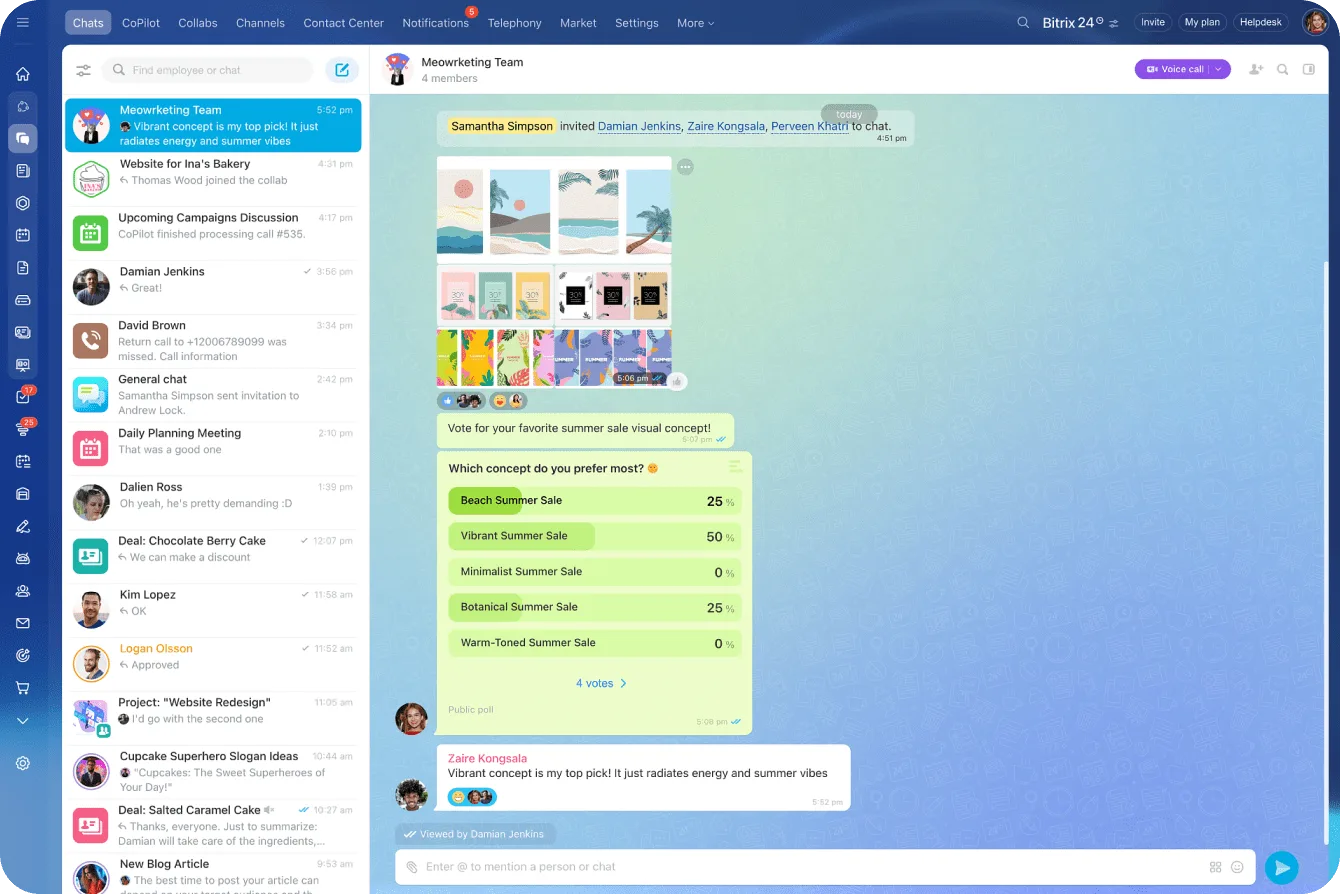
Bitrix24 messenger with a team chat, an image shared in the thread and in-chat poll results

The feed is the company's shared page

The feed is where people read company and team news, follow announcements, join polls and discussions in the comments, and share their own posts with selected colleagues or the whole company.

Because the feed is personalized by the groups you joined and the department you belong to, everyone actually sees content that concerns them. That is what turns a broadcast into something people read.

  • A post goes to all employees or to selected users, groups and departments.
  • Group and department membership filters the feed automatically.
  • Comments keep the discussion under the announcement instead of in an email chain.
  • Publishing rights can be limited to specific roles.
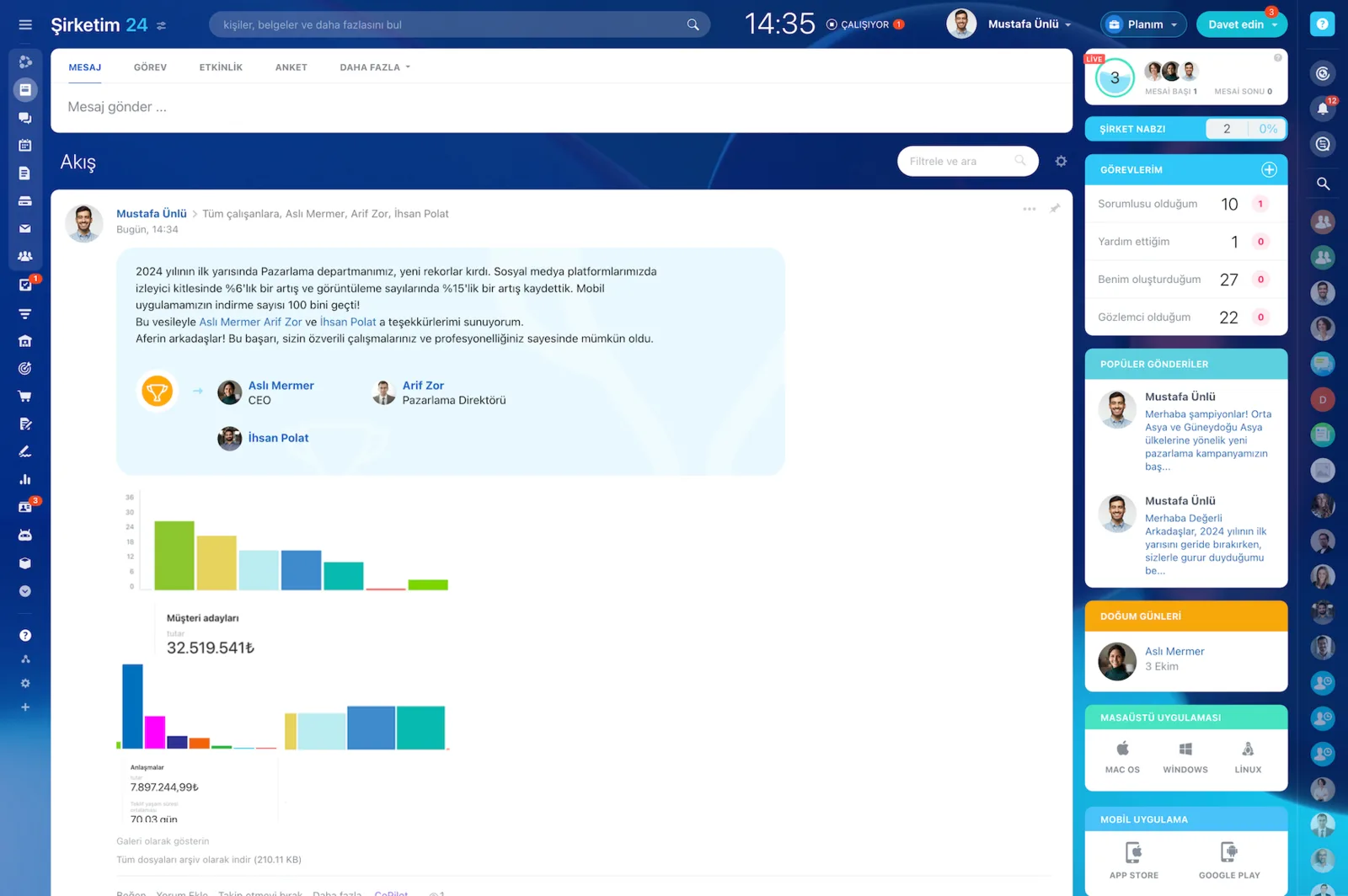
Company feed with a performance announcement containing charts and employee shout-outs

Video announcements and read confirmation

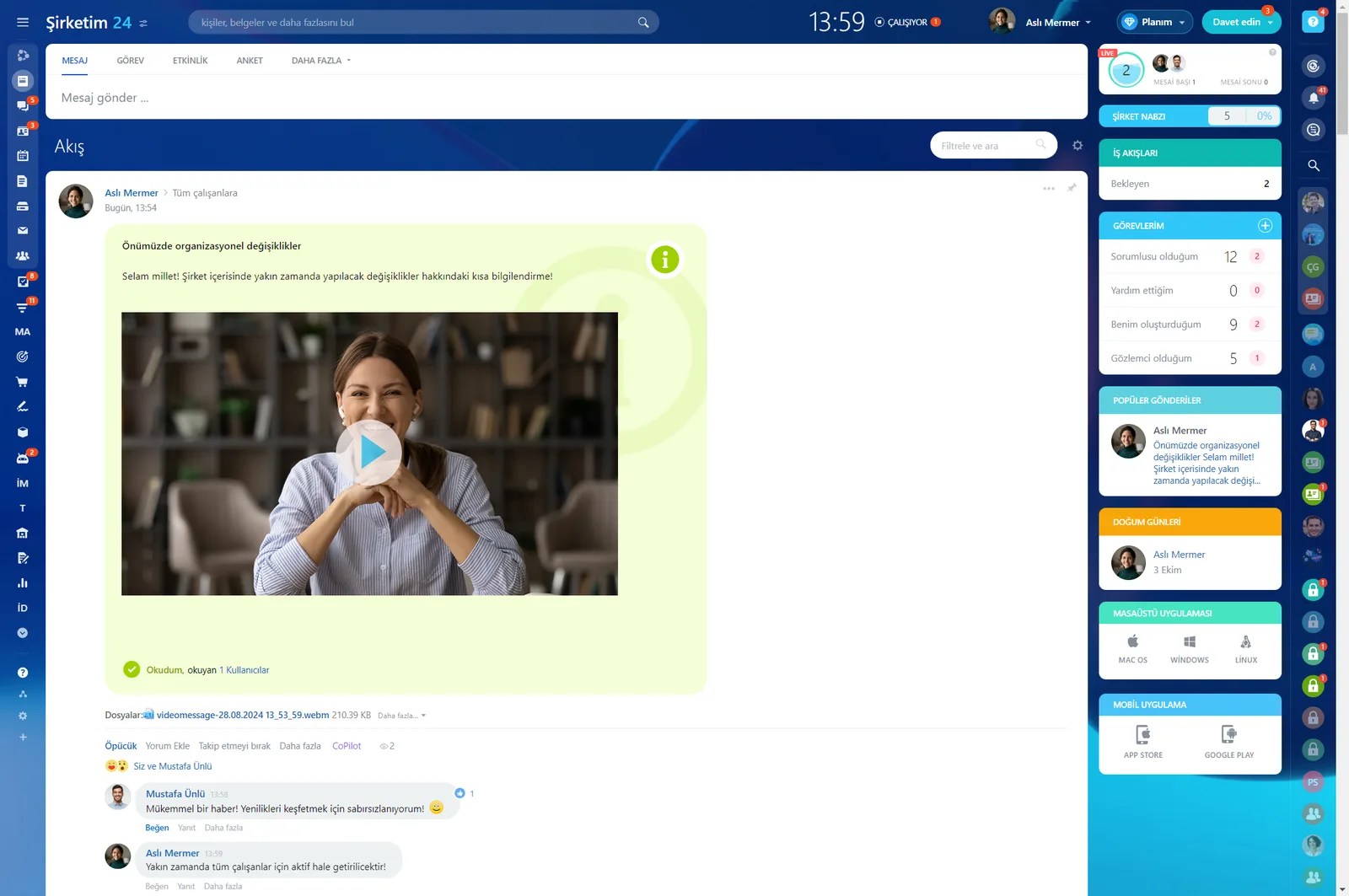
You can record a short video and publish it as an announcement to share important news with the team. Optionally you can request confirmation to be sure everyone has seen the message.

The question you could never answer with a mass email; did it reach anyone; becomes a list you can read.

  • Video carries tone and intent that plain text loses.
  • Critical announcements ask for read confirmation and list who has seen them.
  • A reminder can be re-sent to the people who have not read it.
  • Field and production staff see announcements in the mobile app.
Company feed with a video announcement post, read receipts and comments

Polls inside the feed

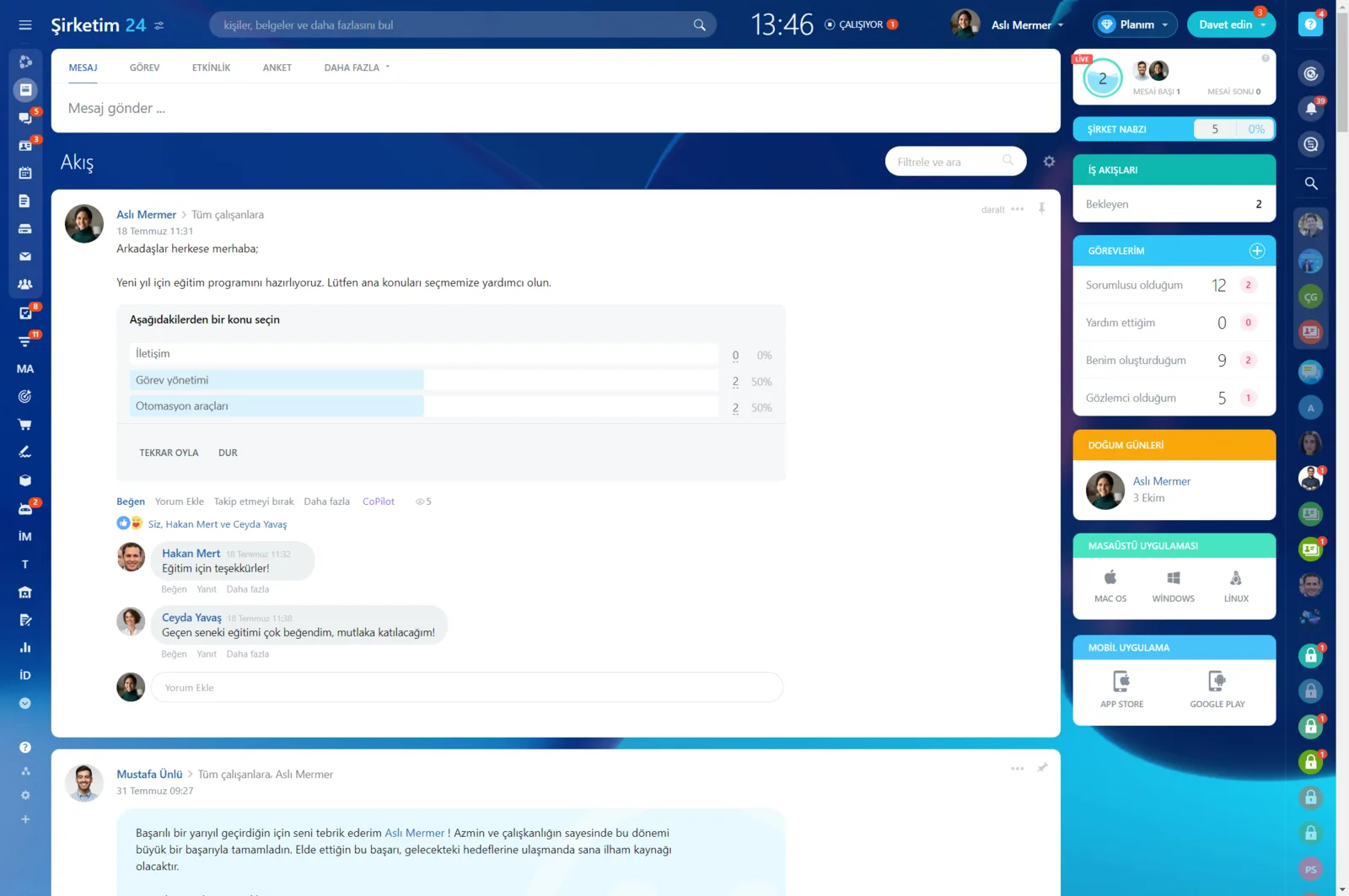
From a new logo design to where the team event should be held, you learn what colleagues think by launching a poll directly in the feed.

There is no separate survey tool to set up and no link to distribute. Results appear in the same feed as they come in.

  • Because the poll opens where announcements live, participation stays high.
  • Satisfaction, suggestion and preference surveys use the same structure.
  • Results are followed live and read together with the comments.
  • Polls can be targeted at a department or a workgroup.
Company feed with a poll post, vote distribution and comments

A personalized start page with Bitrix24 Vibe

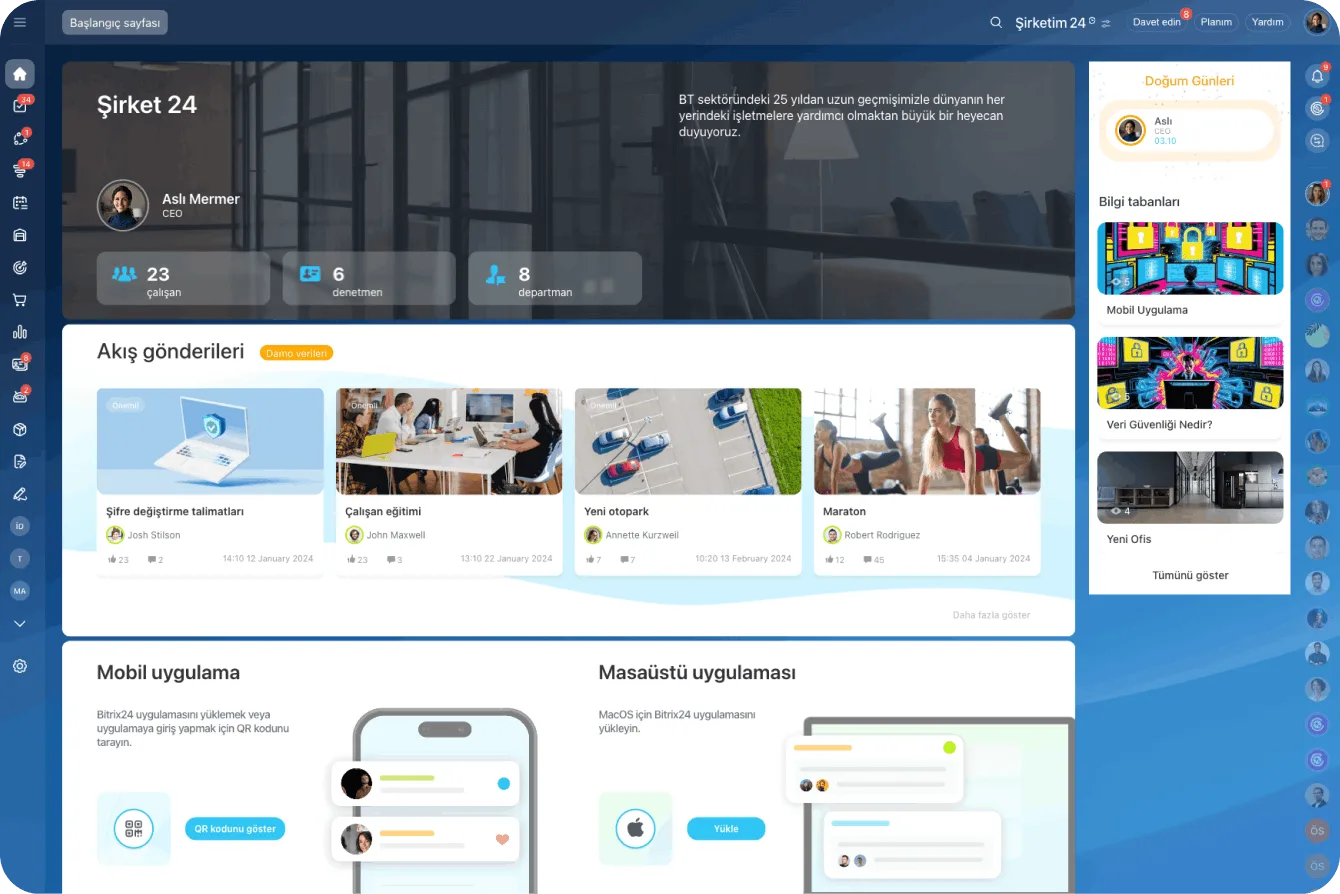
Bitrix24 Vibe lets you personalize your start page so important team and company information is one click away. You choose from three default start pages and add, remove, move and edit dozens of widgets.

You can create shortcuts to elements such as the feed and workflows, and highlight information that updates in real time.

  • We pick the widgets that suit your company from dozens of options.
  • Data such as employee activity is highlighted in real time.
  • Birthday and new-joiner widgets create a warmer environment.
  • A fully custom template can be built for deeper personalization.
Bitrix24 Vibe start page with company details, feed posts and knowledge base shortcuts

Engagement: badges, tags, reactions and mentions

Bitrix24 encourages social interaction so company culture develops naturally alongside the work itself. Recognition badges let you celebrate a birthday or thank a colleague for a job well done, while tags help people with shared interests find each other.

If you are too busy to write a comment, a like or a reaction is the fastest way to say you have seen the message.

  • Recognition badges keep motivation from waiting for the annual review.
  • Likes, reactions and quotes add a human touch to office communication.
  • A mentioned colleague gets a notification and can reply from desktop or mobile.
  • The presence indicator shows who is online and who has finished their day.
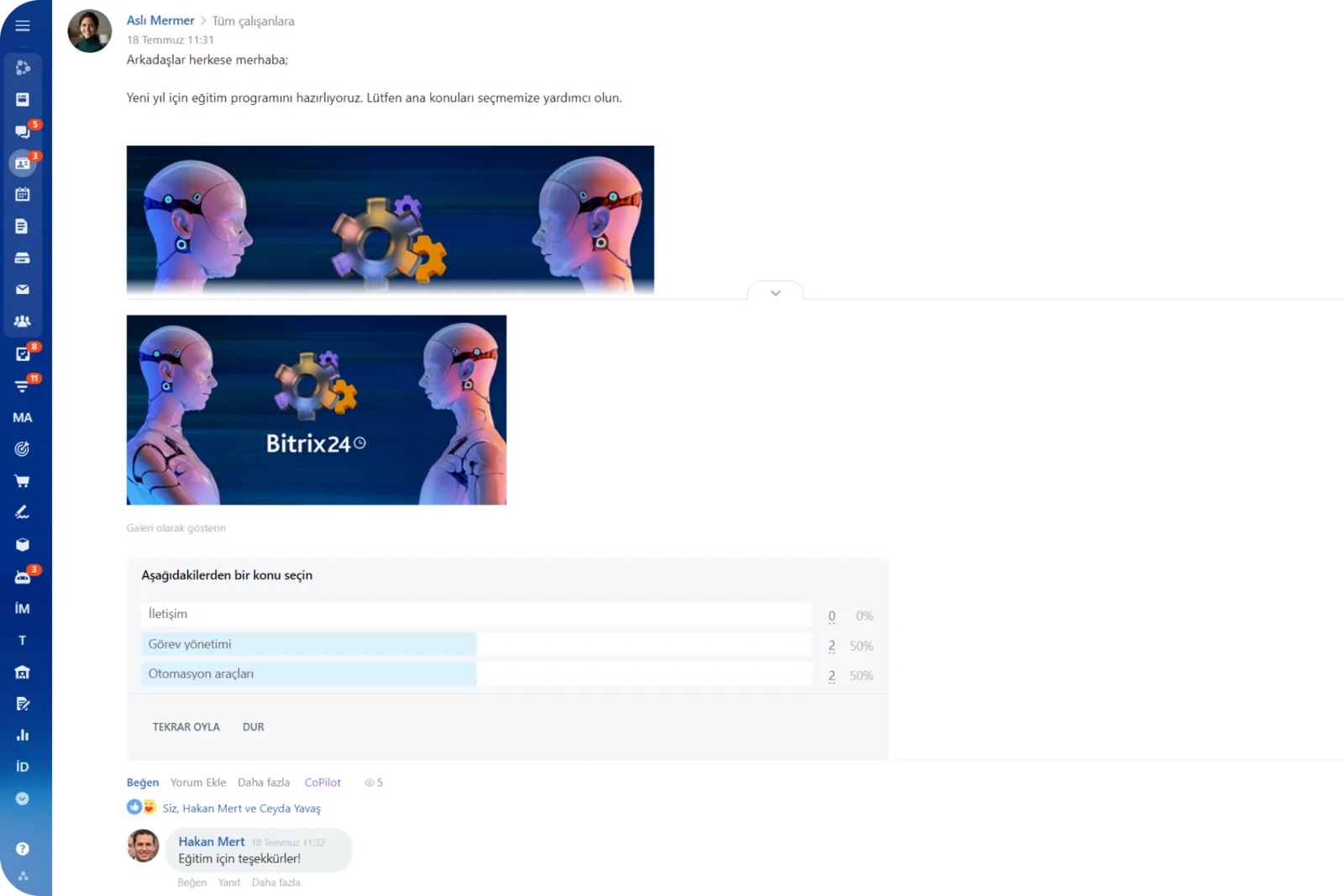
Company feed announcement with a poll and comments
CAPABILITIES

What you get

Personalized feed

Each person sees content relevant to their department and groups. Without a wall of irrelevant posts, the feed actually gets read.

Announcements with read receipts

For critical information you can request confirmation. Who has and has not read it is reported, and a reminder goes out in one click.

Video announcements

Leaders record a short video and publish it. Tone and intent survive the trip, which rarely happens with a long memo.

Internal polls

Satisfaction checks, event preferences and suggestion boxes run inside the feed. No separate tool and no link to distribute.

Recognition badges

Good work gets acknowledged immediately, in a feed everyone can see. Motivation does not have to wait for year end.

Customizable start page

With Bitrix24 Vibe we place widgets on the start page, so birthdays, new joiners and current announcements are visible at a glance.

BEST FIT

Who is this for?

These are the teams we deploy this module with most often. If your scenario is not listed, let's talk it through anyway.

  • Mid-sized and large companies looking for a corporate intranet across locations
  • HR and internal comms teams that need to measure reach
  • Organizations that must reach field and production staff on mobile
  • Companies running an employee engagement program
  • Fast-growing teams standardizing their onboarding experience

How would this work in your process?

In a free 30-minute call we listen to your workflow and map out how this would run in your company.

Book a free consultation
SETUP

How we roll it out

We handle the setup; you just walk us through your process.

  1. 01

    Communication and culture plan

    With your internal communications and HR teams we plan which announcements go to which audience, how often, and who owns each channel.

  2. 02

    Feed and permission design

    We reflect your department and group structure in the feed, set publishing rights and, where needed, add a pre-publication approval step.

  3. 03

    Vibe start page design

    We choose and arrange the widget set for your start page so birthdays, new joiners and current announcements are visible at a glance.

  4. 04

    Launch and team training

    We publish the first series of announcements with you and demonstrate polls and badges, with separate mobile training for field teams.

Works together with

Feed and announcementsBitrix24 Vibe start page widgetsPolls and feedbackEmployee profiles and company structureChat, notifications and mentionsBitrix24 mobile app

Frequently Asked Questions

Can we post to a single department only?

You can. The audience is chosen as users, workgroups or departments. We can also restrict which roles are allowed to publish at all.

How will field staff see announcements?

Through the mobile app. The feed and its notifications work identically on a phone, and read receipts can be confirmed from there too.

Can we require approval before publishing?

We can configure that. Posts go to internal comms or HR for approval before they reach the feed, and drafts land with the right reviewer automatically.

Let's configure this around your business

Book a free intro call and we'll walk through your process and show which settings fit you.