Features

One flow from closed deal to collected cash

When quoting, invoicing, terms and collection live in separate tools, cash slows down. In Bitrix24 we keep all of those steps on the same customer record.

At a glance

  • Invoices generated from deals
  • Terms and reminder rules
  • Online payment links
  • Receivables aging view
  • Permissions and audit trail
THE PROBLEM

Switching apps burns time and data

  • The moment a deal closes, the same details are retyped into a different program.
  • Tax numbers and addresses entered by hand produce recurring invoice errors.
  • Chasing overdue invoices depends on who remembers; customers pay late as a result.
  • Sales books new orders without knowing the customer already owes money.
  • Collection status is only visible when someone asks finance for a report.
THE FIX

Marking a deal won starts the rest by itself

Winning a deal produces a draft invoice with line items, totals, discounts and tax already filled in. You review rather than re-enter.

  • Payment terms are assigned by customer segment, with different rules for new, regular and enterprise accounts.
  • Automated reminders go out before and after the due date, and a task lands with finance.
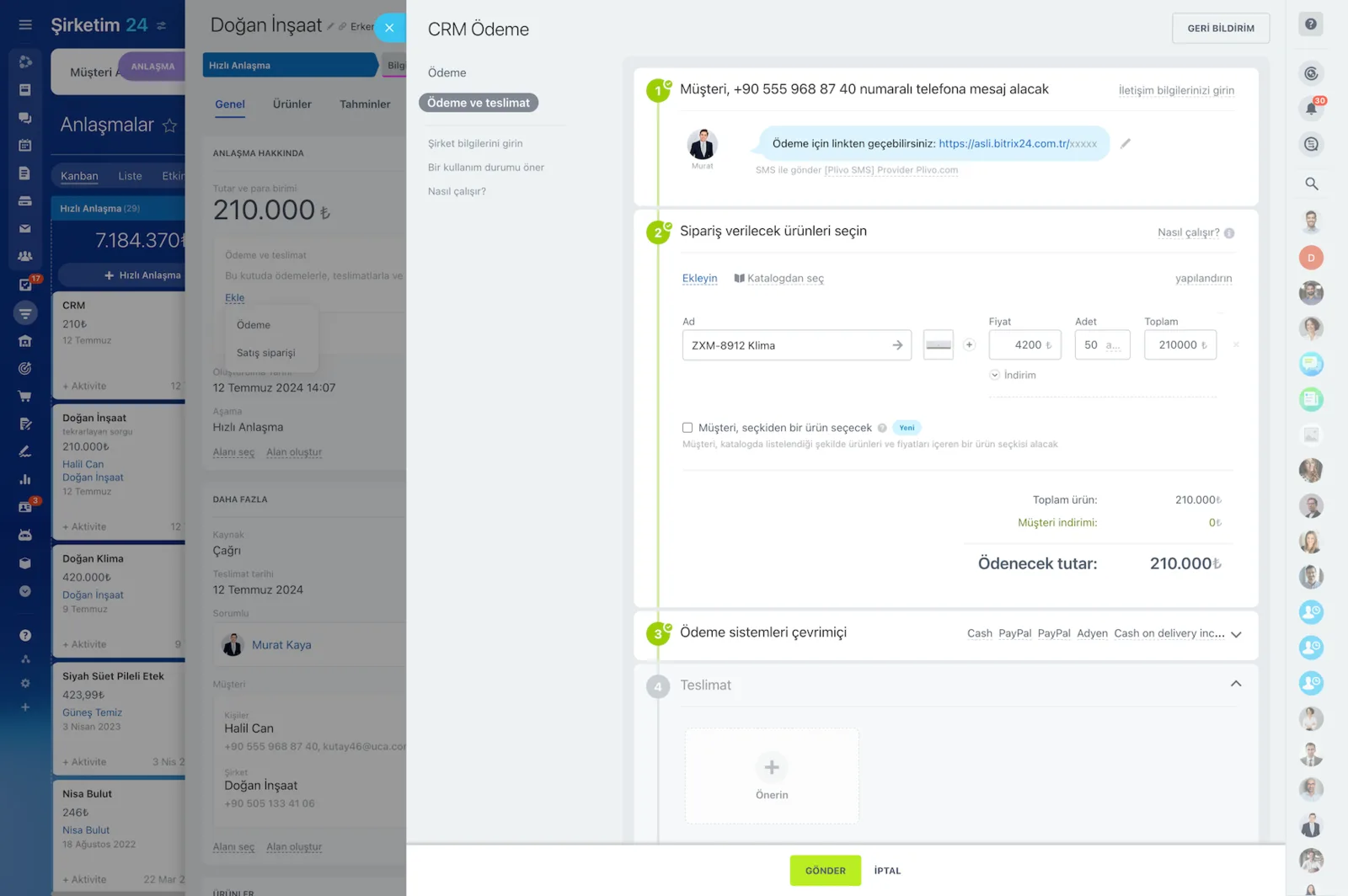
  • A payment link lets customers pay by card, and confirmation flows straight back into the CRM.
  • Partial payments, refunds and cancellations are tracked on the record, so the balance is always current.
  • We integrate your accounting or ERP system so nothing is entered twice.
Preview of a prepared quote document with SMS, email and Open Channel delivery options on the right

The moment you mark a deal Won, the invoice is ready

As soon as you mark the deal as Won, the process moves to invoicing on its own. The related quote, product and service lines, quantities, unit prices, discounts, and tax rates flow straight into the invoice draft. You review and send instead of re-entering data.

  • Product and service lines match the quote exactly.
  • Quantity, unit price, discount, and tax rate carry over automatically.
  • Pick an existing template or build your own invoice with custom fields.
  • The invoice stays linked to its deal, keeping the interaction history in one place.
  • The invoice can be sent automatically when the deal reaches a given stage.
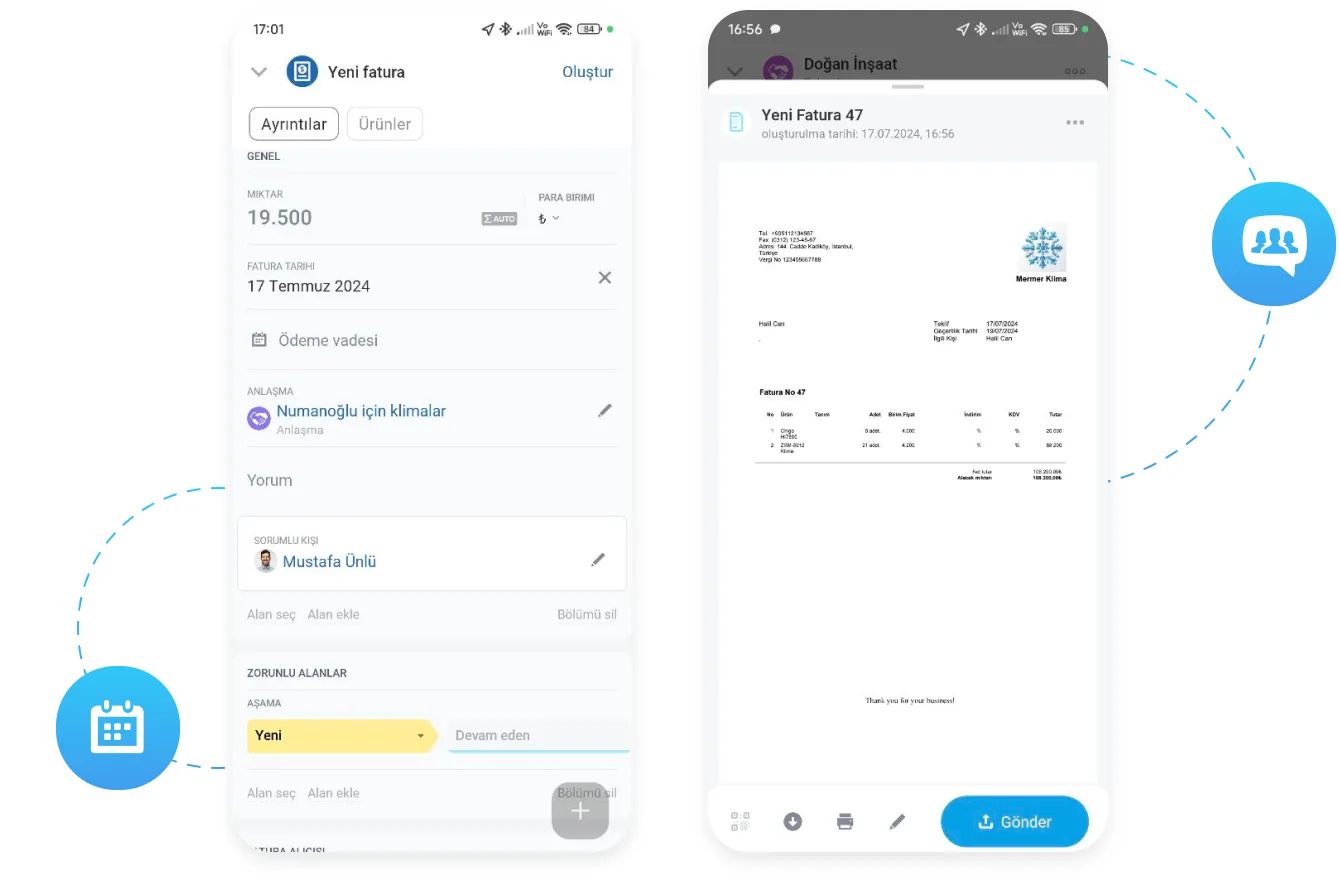
Creating a new invoice in the mobile app and a preview of the resulting invoice

Due dates, reminders, and collection flow

Automation does more than produce the invoice; it manages the due date and the collection too. We assign due dates automatically based on deal stage or customer segment. For example, 7 days for new customers, 14 days for regulars, and 30 days for enterprise accounts.

  • Separate payment terms for new, recurring, and enterprise customers.
  • Automatic reminder emails before and after the due date.
  • The longer the delay, the higher the alert escalates.
  • A collection task opens for the finance team automatically.
  • Partial payments, refunds, and cancellations are tracked, so the balance stays current.
Sales automation screen with automation rules and triggers attached to each pipeline stage

The real cost of switching applications

Losses should be measured in numbers, not impressions. Switching context between applications costs 15 to 20 minutes per transaction on average. If an eight-person team issues five invoices a day, the monthly time lost approaches a full-time employee's workload.

  • Every copy-paste round trip burns 15 to 20 minutes.
  • Retyping company names, tax numbers, and addresses reproduces invoice errors.
  • Correcting a faulty invoice delays collection and disrupts cash flow.
  • Data mismatches between two systems stretch month-end reconciliation.
  • In a single flow, the sales team sees a customer's balance instantly.

Why a separate invoicing tool is no longer needed

Most mid-market CRMs handle opportunity management, activity tracking, and quoting well, but send you to another application for invoicing. That means a separate invoicing product, extra licenses, integration projects, and ongoing maintenance. In Bitrix24 invoicing lives inside the CRM, with no extra license.

  • Extra invoicing licenses and per-user fees disappear.
  • No integration project or ongoing maintenance cost.
  • No data loss when a field mapping breaks.
  • Training time shrinks for a team working in one system.
  • When you need bookkeeping or ERP, we build the connection over the REST API.
CRM Payment wizard covering the payment link, product selection, payment systems and delivery steps

Financial compliance, permissions, and audit trail

Invoicing is not only about producing documents; it demands compliance, an audit trail, and visibility. Role and permission management makes it clear who can perform which step. We define separate permission levels for critical actions such as creating, sending, canceling, and refunding an invoice.

  • Separate permissions for creating, sending, canceling, and refunding invoices.
  • Every action is logged with who did it and when.
  • The aging view lists overdue amounts by day bracket.
  • Open balance and collection performance are tracked on the manager dashboard.
  • Sales is warned before opening a new order for an at-risk customer.
Access Permissions screen assigning full access, limited access or administrator roles to users and groups
CAPABILITIES

What you get

Invoices generated from deals

Quote lines carry over unchanged, and every document issued to a customer stays on their record in date order.

Terms and reminder rules

Each customer group gets its own payment terms and reminder schedule, with escalation as the delay grows.

Online payment links

Send a payment link by email, SMS or WhatsApp. When payment completes, the customer gets a receipt and the record updates itself.

Receivables aging view

Overdue balances grouped by age bracket, so you can see at a glance who owes what and for how long.

Permissions and audit trail

Creating, sending, cancelling and refunding each carry their own permission level, and every action is logged with user and timestamp.

Accounting integration

We connect your accounting or ERP platform over the REST API and plan the e-invoicing flow together with your finance team.

BEST FIT

Who is this for?

These are the teams we deploy this module with most often. If your scenario is not listed, let's talk it through anyway.

  • Service and subscription businesses issuing high invoice volumes
  • Companies where late payment directly affects cash flow
  • Organizations with constant handoffs between sales and finance
  • Clinics, schools and consultancies collecting payment up front

How would this work in your process?

In a free 30-minute call we listen to your workflow and map out how this would run in your company.

Book a free consultation
SETUP

How we roll it out

We handle the setup; you just walk us through your process.

  1. 01

    Import the catalog and customer data

    The first step is importing your product and service catalogs. We define prices, currencies, and tax rates and standardize customer names and tax details.

  2. 02

    Build invoice templates and due-date rules

    We prepare an invoice template that matches your corporate identity and define payment terms and reminder schedules per customer segment.

  3. 03

    Connect payments and accounting

    We connect your payment gateway and set up data exchange with your bookkeeping system or ERP over the REST API. We plan the e-invoicing flow with your provider together.

  4. 04

    Training and go-live

    We train sales and finance along with their permission levels. We read the first period's collection reports together.

Works together with

CRMProduct CatalogQuotesPayment ProvidersAutomation RulesReports and DashboardsBitrix24 SignBookkeeping and ERP via REST API

Frequently Asked Questions

Does Bitrix24 handle legal e-invoicing?

Bitrix24 creates and tracks the invoice, while statutory e-invoice submission runs through a certified provider. We connect the two so data is entered only once.

Which payment providers are supported?

Common payment gateways can be integrated. We review your existing merchant agreement and help you pick the option with the lowest effective cost.

Can sales reps see customer balances?

Yes. We configure the customer card to show open balance and overdue warnings, so reps are alerted before opening a new order for a risky account.

Let's configure this around your business

Book a free intro call and we'll walk through your process and show which settings fit you.