Features

Decide exactly who can see which data, with clear rules

Access management is more than a password policy: permissions, audit trails and retention are designed together. We map Bitrix24's role-based model onto how your company actually works.

At a glance

  • Roles and access levels
  • Per-entity permissions
  • Export and download control
  • Audit trail and change history
  • Integration and app scopes
THE PROBLEM

A CRM where everyone sees everything is a CRM out of control

  • The whole sales team can see the entire portfolio, so a departing rep walks out with the data.
  • Nobody can tell who changed which record and when, so when something breaks the source is unfindable.
  • Integration tokens carry broad permissions and nobody knows what a given app can reach.
  • When a deletion or access request arrives under GDPR, nobody knows where to look.
  • Enterprise customers send security questionnaires and the answers are written from scratch every time.
THE FIX

We build the permission matrix around reality

First we map who needs which data and why, then we translate that into Bitrix24's role model. Secure defaults and the least-privilege principle are the starting point.

  • Role-based access: exactly who reaches which CRM entities, and in what scope, is defined explicitly.
  • Visibility is tiered as own records, department, subordinate departments and the whole company.
  • Read, write, delete, export and import rights are granted separately.
  • A department hierarchy is built so managers automatically see their teams' records.
  • Audit trails are kept through action logs and per-record change history.
  • REST API integrations receive only the scopes they need through OAuth2.
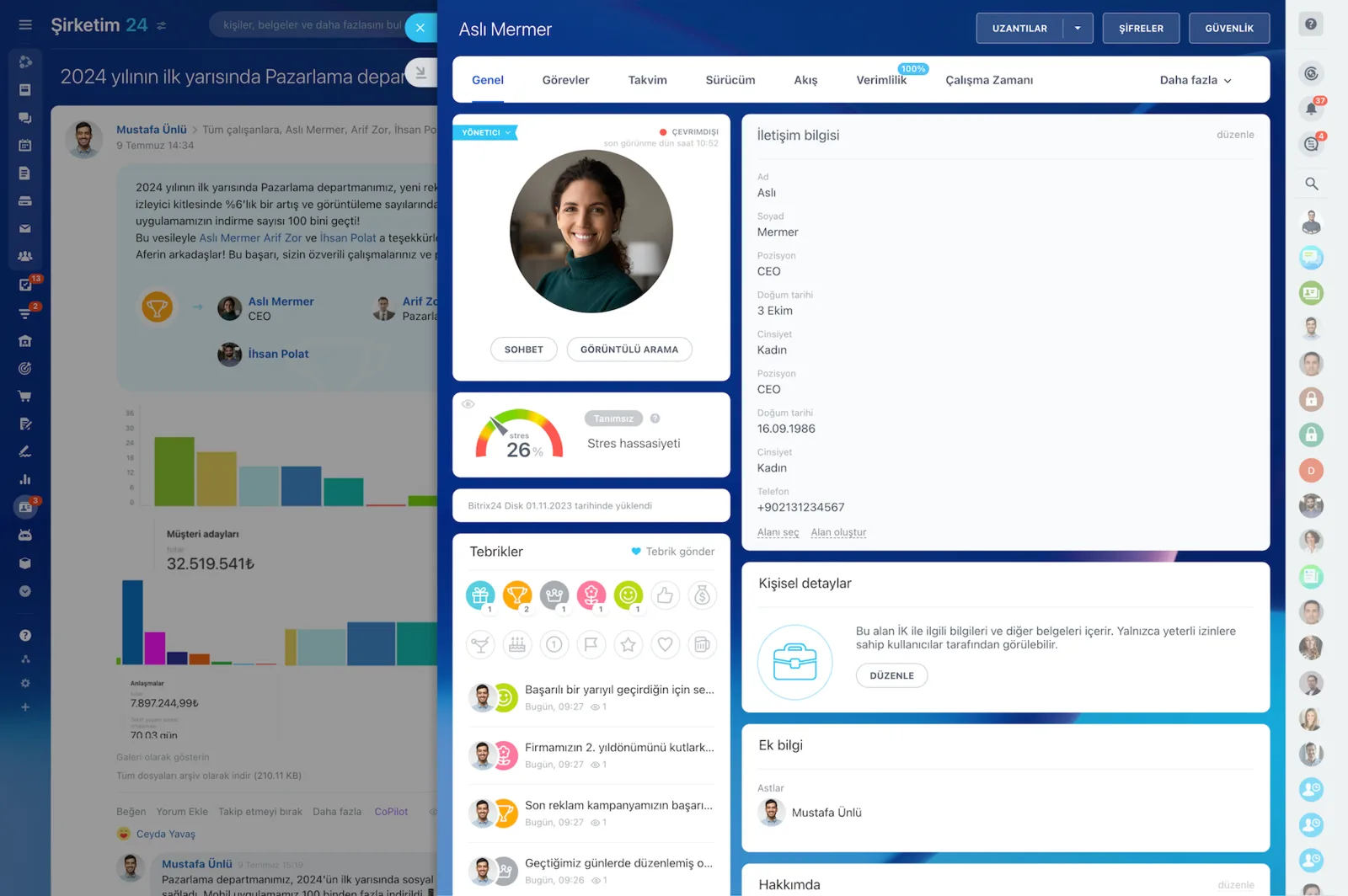
Employee profile with photo, contact details, position and recognition badges

Access control, identity and session security

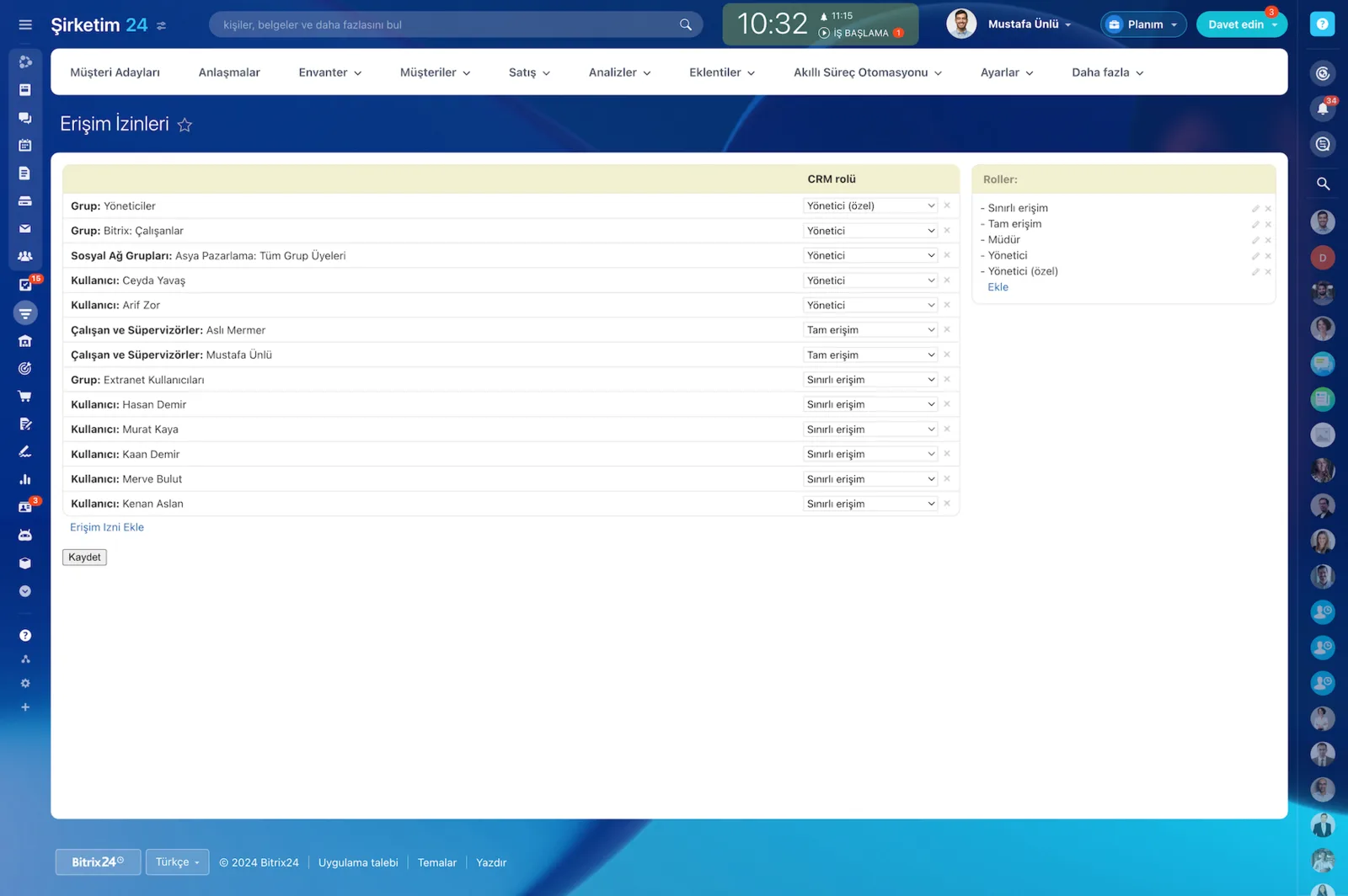
Access control is the weak link in most data leaks. Bitrix24's role-based access model lets you define precisely who reaches which CRM entities and at what scope.

Combined with the department hierarchy, a manager automatically sees their team's records while a rep stays inside their own portfolio.

  • Access levels step through own records, department, sub-departments and the whole company.
  • Read, write, delete, export and import rights are granted separately.
  • Separate rules apply to leads, deals, contacts, companies, quotes and invoices.
  • Multi-factor authentication strengthens session security.
Access Permissions screen assigning full access, limited access or administrator roles to users and groups

Security by design and least privilege

Security and privacy sit at the center of the Bitrix24 architecture, which matches the privacy-by-design principle in data protection law.

Secure defaults, least privilege and role-based access mean users only reach the data they need to do their job. We build the permission matrix from the requirement first and the screen second.

  • Defaults start on the safe side; permissions open only as far as needed.
  • Visibility scope is defined role by role.
  • Bulk export of the portfolio stays open only for authorized roles.
  • Permission changes are made from the admin screen without code.
Access Permissions screen assigning a CRM role to users and groups, with the role list on the right

Turning GDPR and KVKK into a process

Compliance is an end-to-end process, not a document; GDPR breaches carry fines of up to 20 million euros or 4 percent of global turnover.

In Bitrix24 every step of the customer data lifecycle becomes manageable. Consent or another legal basis is recorded at the first touchpoint, together with the version and link of the privacy notice shown.

  • Consent records are stored with a timestamp and the notice version.
  • Retention periods and deletion request flows are defined.
  • Access and portability requests get a named owner and a defined path.
  • When audits get more frequent in regulated sectors, the answers are already prepared.
Illustration of data security made up of a shield, padlocks and server icons

Encryption, auditability and data residency

Data security needs enforceable controls both in transit and at rest. In Bitrix24 data transfer is encrypted over TLS and HTTPS; in self-hosted deployments you position disk and database encryption to your own corporate standards and keep key management in your own vault.

On cloud, region selection supports your data sovereignty requirements.

  • TLS and HTTPS in transit, disk and database encryption on self-hosted installs.
  • Per-record change history records who changed what and when.
  • Sign-ins, application authorizations and exports are traceable.
  • Cloud deployments allow region selection, including an EU option.
  • Regulated sectors can run self-hosted with full infrastructure control.
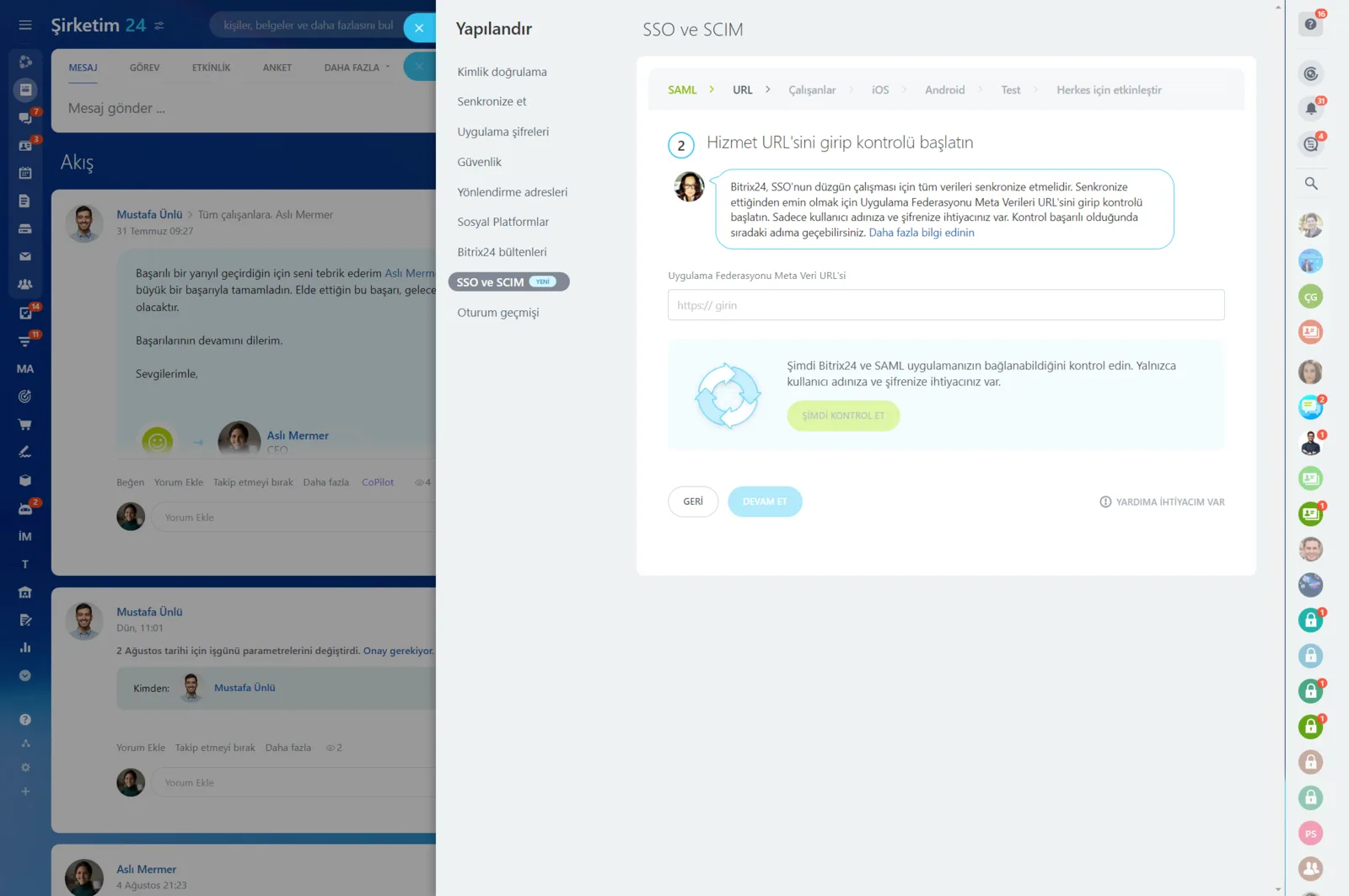
Authentication settings showing SAML-based single sign-on and SCIM provisioning steps

Security questionnaires and procurement

Enterprise procurement rewards whoever came prepared. If your security and privacy documents are not ready, every new customer asks the same questions again, the cycle stretches and deals wait.

With Bitrix24 you can quickly assemble data flow descriptions, architecture summaries, the access model and your logging and retention policies, then answer security questionnaires consistently.

  • Data flow descriptions and architecture summaries live in one place.
  • The access model, logging and retention policy are documented.
  • A standard answer set covers recurring security questions.
  • Audit and procurement cycles shorten, so sales stops waiting.
CAPABILITIES

What you get

Roles and access levels

We create distinct roles for reps, team leads, department managers and executives. For each role the visibility scope; own records, department or company-wide; is set explicitly.

Per-entity permissions

Separate rules apply to leads, deals, contacts, companies, quotes and invoices. A role may see deals but not invoices, and export rights are controlled on their own.

Export and download control

Downloading the portfolio to Excel is how most data leaks start. We restrict export rights and log who exported what and when.

Audit trail and change history

Record changes are stored with who, when and what changed. Instead of arguing about why a field moved, you read it from the history.

Integration and app scopes

REST API applications are authorized by scope through OAuth2. Every component, including apps installed from Market, receives only the access it genuinely requires.

Compliance tooling

Consent records, privacy notice versions, retention periods and deletion request flows are configured. Transport is encrypted with TLS, and self-hosted adds disk and database encryption.

BEST FIT

Who is this for?

These are the teams we deploy this module with most often. If your scenario is not listed, let's talk it through anyway.

  • Larger sales organizations that need portfolios separated rep by rep
  • Brands with dealer or branch networks where each party sees only its own data
  • Finance, healthcare and legal firms preparing for a compliance audit
  • B2B suppliers who must answer enterprise security questionnaires regularly
  • IT managers evaluating self-hosted deployment because of data residency requirements

How would this work in your process?

In a free 30-minute call we listen to your workflow and map out how this would run in your company.

Book a free consultation
SETUP

How we roll it out

We handle the setup; you just walk us through your process.

  1. 01

    Permission matrix workshop

    We map department by department who needs which data and why. Nothing changes in the portal until the matrix is approved.

  2. 02

    Roles and hierarchy

    We build the department structure, the roles and each role's visibility scope, defining read, write, delete and export rights separately.

  3. 03

    Limiting integration scopes

    We reduce OAuth2 scopes for REST API applications and Market components to the minimum and revoke authorizations nobody uses.

  4. 04

    Compliance and audit trail

    We set up consent records, retention periods and deletion request flows, then enable notifications and audit trail reports for critical field changes.

  5. 05

    Training and periodic review

    We train managers on the permission screens, prepare onboarding and offboarding checklists, and review permissions on a regular cycle.

Works together with

CRM entities and sales pipelinesCompany structure and department hierarchyREST API and OAuth 2.0 scopesBitrix24 Market applicationsDocument management and file sharingAudit trail and change historySelf-hosted (Bitrix24 On-Premise) deployment

Frequently Asked Questions

Can a rep be limited to seeing only their own customers?

Yes. We set the access level to own records only, then build the hierarchy so team leads see their department and managers see the departments below them. Records waiting in a shared pool get a separate rule.

What happens to a departing employee's data?

We disable the account and reassign their records in bulk to the new owner. History, conversations and files all stay in the portal. We also add revoking export rights to the offboarding checklist.

How detailed is the audit trail?

Per-record change history keeps who changed what and when. Sign-ins, application authorizations and exports are traceable as well. For critical fields we add notifications on top of the log.

Where is our data stored?

The cloud edition lets you choose a region, and the EU option supports data sovereignty requirements. For regulated sectors or data that must stay inside your network we deploy self-hosted and leave key management in your own vault.

Let's configure this around your business

Book a free intro call and we'll walk through your process and show which settings fit you.