
Features

Move your old CRM data across with its relationships intact

Changing CRM is not a file upload. You have to preserve context, relationships and history. Bitrix24's migration tooling turns that into a planned, verifiable process.

At a glance

  • Broad source support
  • Entities and relationships
  • Activity and document history
  • Field mapping and custom fields
  • Validation and reconciliation report
THE PROBLEM

Data that looks migrated can still be unusable

  • A wrong field mapping lands "Deal Owner" as plain text instead of an actual user.
  • Break one link in the contact-company-deal chain and timelines and quote history lose their meaning.
  • Date formats, currencies and phone formats do not line up with the source, so reports come out wrong.
  • Attachments, email logs and call logs fall out of scope, and institutional memory is erased.
  • New records created during the cutover are missed, leaving two systems with two versions of the truth.
THE FIX

We run the migration step by step, verifiably

We combine Bitrix24's import tools, ready-made Market apps and the REST API. The guiding principle is simple: fix the data while moving it rather than moving bad data. If you want the whole project handled for you, see our data migration service.

  • Discovery: which entities move, which custom fields and relationship rules exist; we inventory all of it.
  • Field mapping: source and target fields are matched one to one, including every dropdown value.
  • Cleanup and normalization: country codes, casing, and email and phone formats are standardized.
  • Validation: date, currency and required-field checks run during the import itself.
  • Phased cutover: the bulk loads first, then delta sync captures records created since.
  • Conflict rules: newest record wins, or richest record wins, so consistency is preserved.
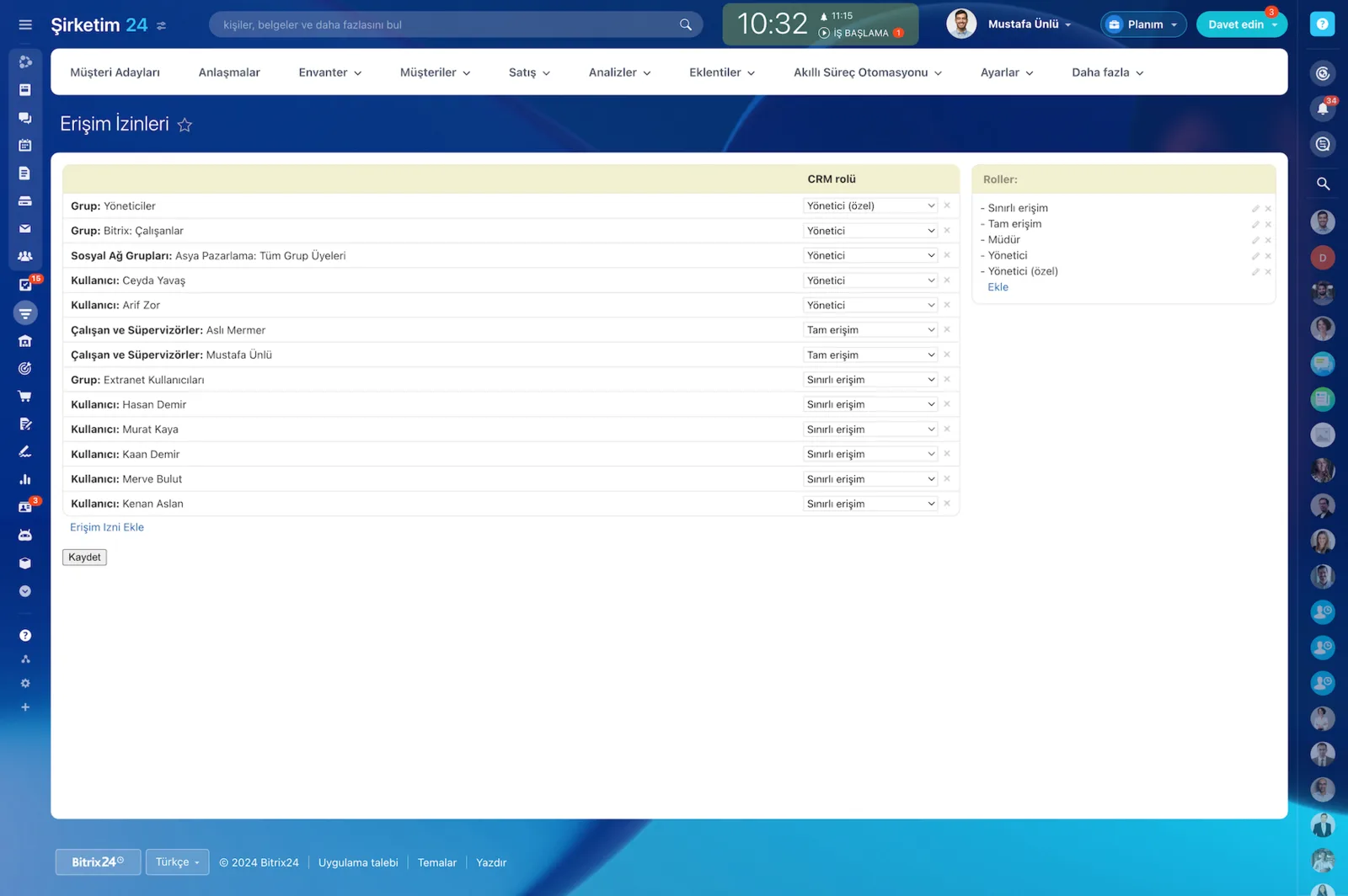
Access Permissions screen assigning a CRM role to users and groups, with the role list on the right

What moves, and how relationships survive

A migration carries not only the data but the way records connect to each other, so your sales and customer history arrives with its meaning intact.

Contacts, companies, leads, deals, pipelines and stages form the core of what moves. On top of that come notes, activities, documents, file attachments, tags, custom fields and user permissions.

  • Contacts, companies, leads, deals, pipelines and stages.
  • Notes, activities (calls, meetings, tasks), email and call logs.
  • Product catalog, quote and order documents, prices and currencies.
  • File attachments (PDFs, images, contracts) and shared links.
  • Tags, custom fields, dropdown values, user accounts and permission roles.
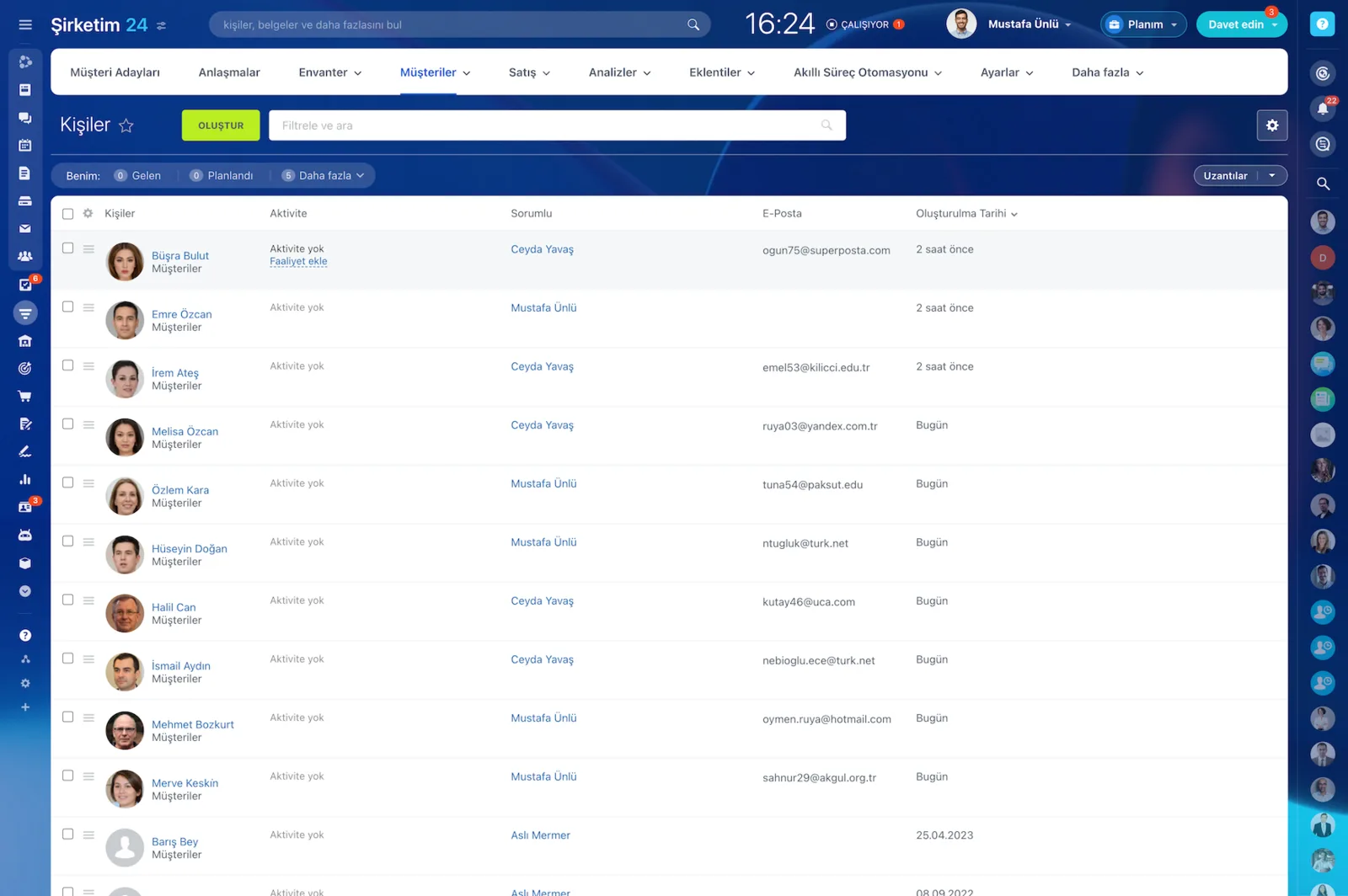
CRM contacts list with responsible rep, email and creation date columns

Data quality: clean, map, validate

A successful migration is won long before anyone uploads a file. The principle is simple: fix the data while moving it rather than carrying bad data across.

That is why we embed quality checks in the process and define validation rules that run during the transfer itself.

  • Field type validation: date and time, currency, email and phone formats.
  • Normalization: adding country codes, standardizing case, stripping stray characters.
  • Required field checks: rule-based defaults or flags for missing critical values.
  • Duplicate detection with an explicit merge rule.
CRM contacts list showing the responsible rep, email address and creation date on every row

Phased cutover and delta sync

The hidden cost of a migration is a stalled operation. So we work in phases: the first load carries the bulk of the volume, and new or updated records created during the cutover window are caught by a delta sync.

Conflict rules keep one version of the truth between the two systems.

  • The first load transfers the majority of record volume.
  • New and updated records in the cutover window are captured by delta sync.
  • Conflict rules are agreed: newest wins, richest record wins and so on.
  • Sales and support keep working with minimal interruption.

Security and traceability

Security is not the part of a migration you trade away for speed. Transfers run over encrypted TLS channels, access keys are stored securely, and only the permissions actually needed are granted under the least-privilege principle.

Intermediate files are kept encrypted and securely destroyed when the process ends.

  • API and transfer traffic is encrypted over TLS.
  • Least privilege applies, and multi-factor authentication is supported.
  • Temporary intermediate files stay encrypted and are destroyed afterwards.
  • Who moved what and when is answerable from the logs.
Access Permissions screen assigning full access, limited access or administrator roles to users and groups

What drives timeline and cost

Uncertainty is expensive, so we quantify every step from discovery to reporting before we start.

Three things drive the schedule: record volume, level of customization and transformation requirements. Once scope is settled, we put the timeline and the cost in writing.

  • Record volume: number of contacts, companies and deals plus activities and attachments.
  • Customization level: number of custom fields, custom objects and complex relations.
  • Transformation needs: status maps, currency and date format differences.
  • Cutover window and team availability are part of the plan.
CAPABILITIES

What you get

Broad source support

We migrate from systems like Salesforce, HubSpot, Zoho, Pipedrive and Dynamics, as well as from Excel, CSV and your own database, using Market apps and the REST API together.

Entities and relationships

Contacts, companies, leads, deals, pipelines and stages all move. The contact-company-deal chain is preserved so timelines keep their meaning.

Activity and document history

Notes, calls, meetings, tasks and email logs travel with the record. Product catalogs, quote and order documents, prices and currencies are included in scope too.

Field mapping and custom fields

Custom fields, dropdown values and required-field rules get their counterparts on the Bitrix24 side. Unmatched fields get a rule-based default or a flag for review.

Validation and reconciliation report

After the load we report record counts, empty required fields and rejected rows. You read what moved from a list instead of assuming it did.

Secure transfer

Data moves over TLS, access keys are stored securely and least-privilege applies throughout. Intermediate files stay encrypted and are destroyed when the project ends.

BEST FIT

Who is this for?

These are the teams we deploy this module with most often. If your scenario is not listed, let's talk it through anyway.

  • Companies leaving an expensive international CRM for Bitrix24 on cost grounds
  • Teams that have managed customers in Excel for years and are systematizing for the first time
  • Organizations consolidating two CRMs into one portal after a merger or acquisition
  • Sales organizations that refuse to lose their historical activity in the move
  • Enterprise CRM users with many custom fields and complex relationship structures

How would this work in your process?

In a free 30-minute call we listen to your workflow and map out how this would run in your company.

Book a free consultation
SETUP

How we roll it out

We handle the setup; you just walk us through your process.

  1. 01

    Free pre-analysis

    In a 30-60 minute session we go through your current CRM, what you want to move and what constrains you. Access details and a small data sample (CSV or Excel) are enough.

  2. 02

    Discovery and inventory

    We inventory which entities move, along with custom fields, dropdown values, required fields and relationship rules. Attachments, logs, users and permissions are in scope too.

  3. 03

    Field mapping table

    We deliver the source-to-target field mapping, the transformation rules and the recommended technical approach (CSV, API or a mix) in writing.

  4. 04

    Trial import and validation

    We import a limited sample first and check record counts, relationships and required fields. We do not run the full load without your sign-off.

  5. 05

    Full load, delta and go-live

    We run the full import, keep the delta sync going through the cutover window, and train your team on the new portal alongside the reconciliation report.

Works together with

Salesforce, HubSpot, Zoho, Pipedrive and DynamicsExcel and CSV filesBitrix24 REST API and webhooksBitrix24 Market migration applicationsProduct catalog and quote/invoice documentsUser accounts and permission roles

Frequently Asked Questions

Which systems can you migrate from?

Common CRMs such as Salesforce, HubSpot, Zoho, Pipedrive and Dynamics, plus Excel, CSV and your own database. If the source offers an export or an API, migration is feasible; we confirm it on a small sample file during the first call.

How is this page different from your data migration service?

This page describes what Bitrix24 itself can migrate: supported entities, field mapping and validation. Our data migration service is the engagement where we run it for you, covering discovery, the mapping sheet, a trial load and the go-live plan.

Can our team keep working during the cutover?

Yes. We use a phased approach: the bulk of the volume loads first, and records created or updated during the cutover window are captured with delta sync. The actual freeze window is usually measured in hours.

How long does a migration take?

Two things drive it: record volume (contacts, companies, deals plus activity and attachment counts) and customization depth (number of custom fields, custom objects, relationship complexity). Once scope is clear we give you the schedule and cost in writing.

Let's configure this around your business

Book a free intro call and we'll walk through your process and show which settings fit you.