Features

If your team is not at a desk, the system should be in their pocket

If a large part of your team is not at a desk, the system has to travel with them. We set up the Bitrix24 mobile app as shared working ground for field staff and everyone supporting them.

At a glance

  • Full-featured mobile CRM
  • Offline mode
  • Mobile tasks and approvals
  • Chat and video calls
  • Time tracking and location
THE PROBLEM

Nothing gets recorded until someone is back at a desk

  • Notes from a meeting wait until the evening to be written up, and often never are.
  • Field staff wait for a manager in the office to pick up the phone for a simple approval.
  • Where there is no connection people cannot log in, so records end up on paper.
  • Managers on the road have no view of what the team is doing.
  • Task notifications reach nobody, so work sits idle for days.
THE FIX

Whatever you do at the office, you can do on a phone

We configure the mobile app as a working environment rather than a viewer. Creating records, approving requests, logging time and communicating all happen from the same screen.

  • CRM records, deal updates and notes are entered the moment a meeting ends.
  • Changes made offline are queued securely on the device and sync automatically on reconnect.
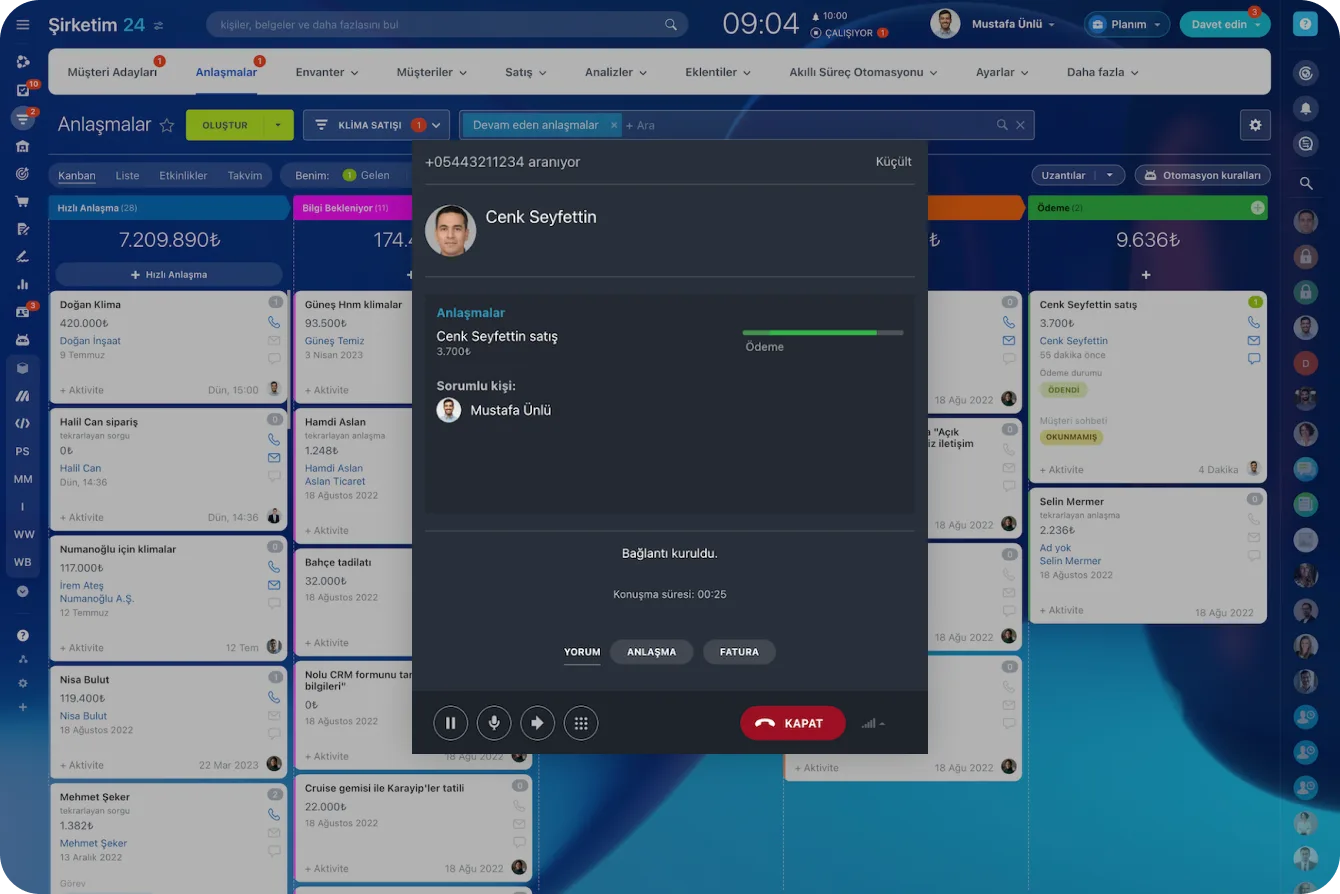
  • Incoming and outgoing calls are matched to the right contact, company and deal automatically.
  • Tasks are created with an owner, due date and checklist in a single tap.
  • Voice notes are transcribed as you speak and attached to the correct record.
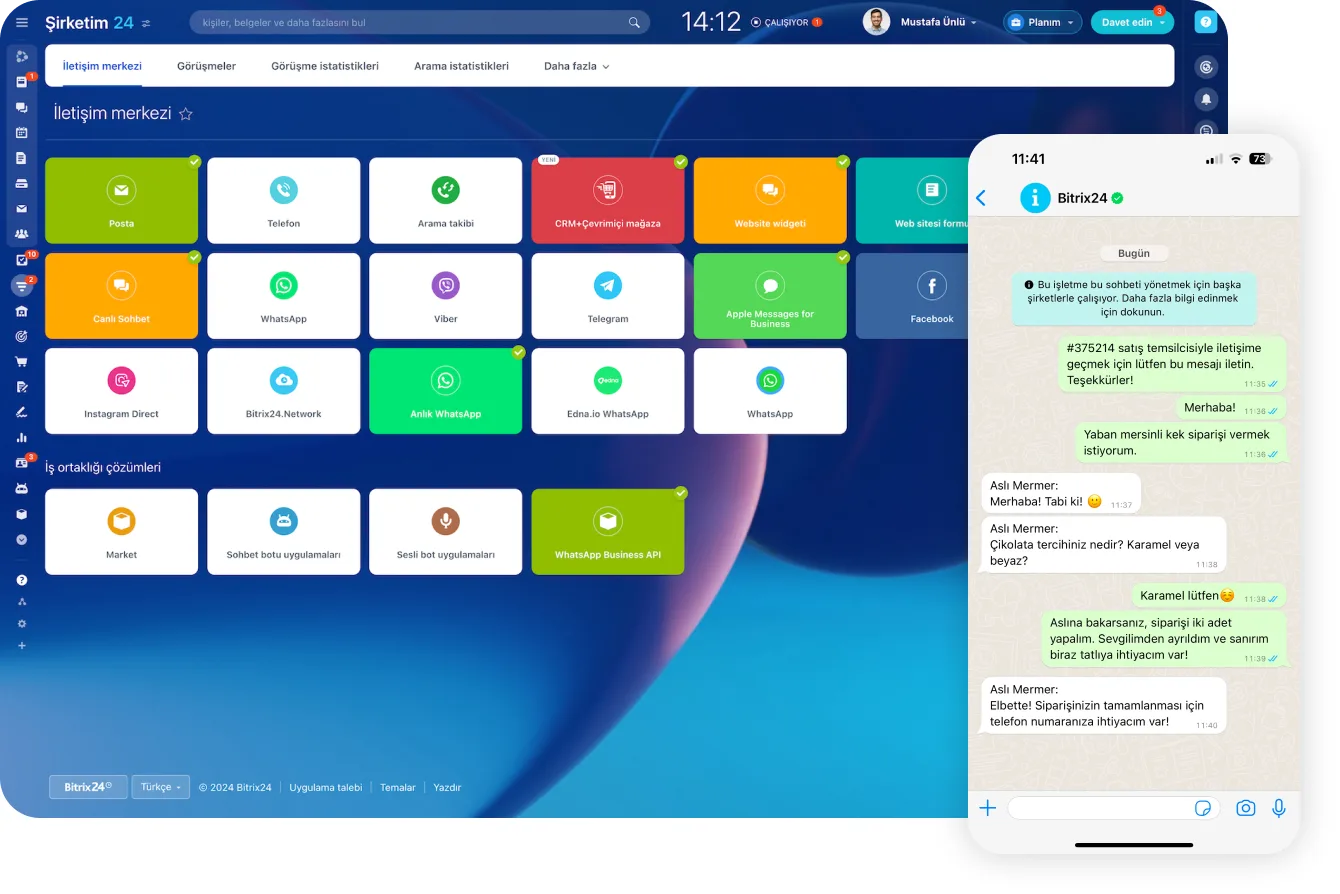
Contact Center channels next to a WhatsApp order conversation with a customer

The day starts with a map: location and routing

A field day begins with knowing who to visit. The Bitrix24 mobile app shows nearby customers on a map with color codes: green for a last contact under seven days, yellow for seven to thirty days, red for over thirty.

You plan more visits into the same day and see neglected accounts instead of guessing at them.

  • Nearby customers are colored on the map by last contact date.
  • The day's planned visits are ordered along a sensible route.
  • Neglected accounts stand out in red.
  • The post-visit note is entered before you leave the customer.

Update a deal in 30 seconds between meetings

If a busy field schedule keeps people out of the CRM, the problem is the flow, not the person.

Mobile CRM brings every critical field onto one screen and keeps deals current through actions as simple as a swipe. Stage changes, amount updates and notes are done the moment a meeting ends.

  • Critical fields sit on one screen, with no menu hunting.
  • Stage, amount and next step update in a few taps.
  • Adoption starts with low-risk habits and settles quickly.
  • Because data is updated before people get back to a desk, reports reflect reality.
CRM Deals Kanban board with deal cards arranged by stage and per-stage totals

Work offline, sync the moment you reconnect

The field reality is clear: elevator shafts, warehouses, rural areas, metro tunnels. The Bitrix24 mobile app puts that reality at the center of its design, and every change you make offline is queued securely and encrypted on your device.

Stage changes, amount updates, notes, tasks and document attachments are written to the system automatically once you are back online.

  • Records can be created and updated with no connection at all.
  • Pending changes are held encrypted on the device.
  • Synchronization completes without any user action once you reconnect.
  • The habit of scribbling notes on paper disappears.

Calls, voice notes and business cards land in the record

Getting phone calls into the CRM should never be manual work. The mobile app automatically matches your inbound and outbound customer calls to the right contact, company and deal.

When typing is impossible, you open a voice note and speak; the speech is transcribed and added to the related deal or contact, and a scanned business card becomes a record the same way.

  • Inbound and outbound calls are linked to the correct record automatically.
  • Voice notes are transcribed and attached to the deal or contact.
  • A scanned business card turns straight into a new contact.
  • Call history stays visible to the team, so nobody repeats the same conversation.
Incoming call window opening over the deals board with caller, duration and quick action buttons

Mobile quotes, tasks and team alignment

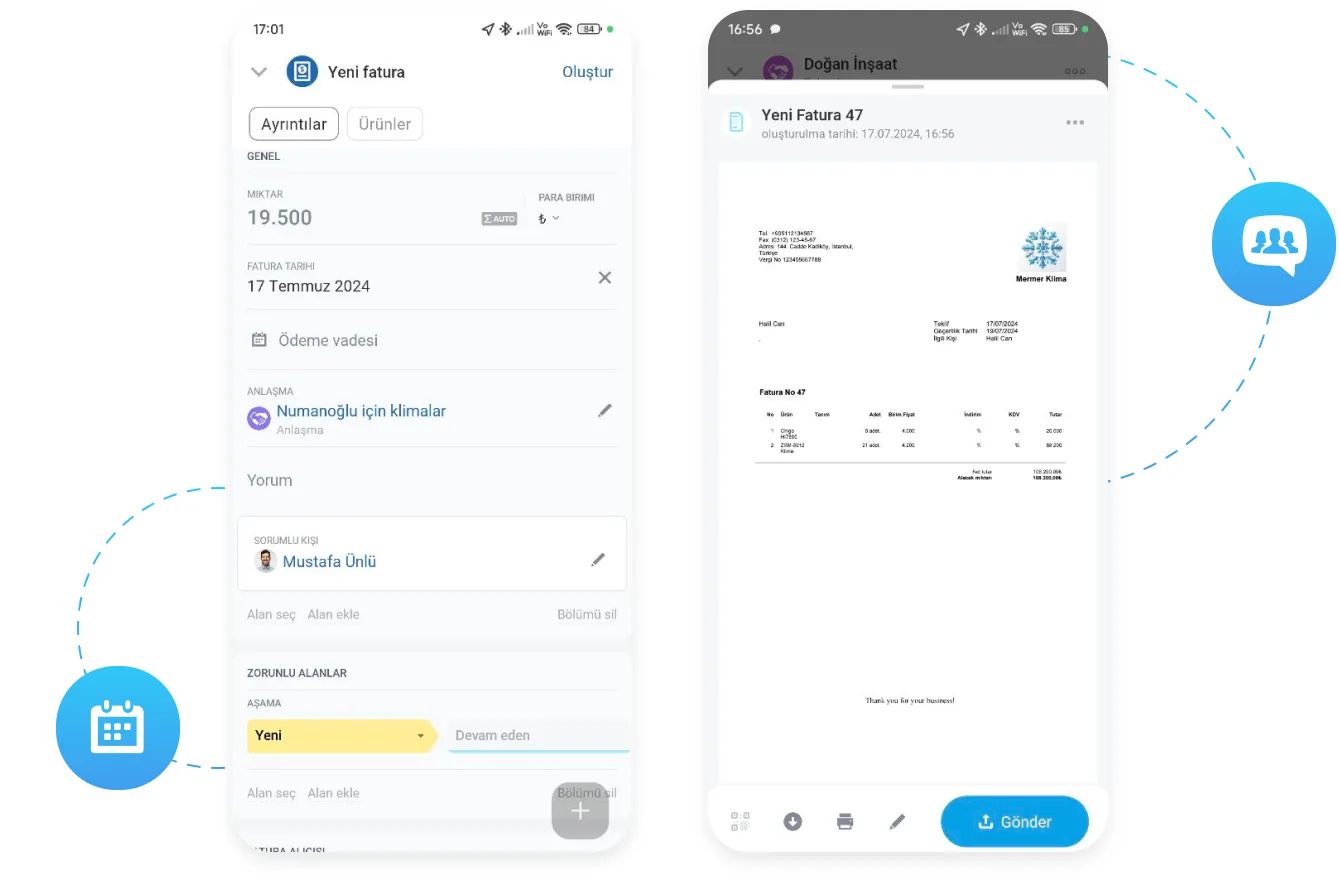
When an opportunity is hot in the field, you should not have to wait until you are back at a desk: you prepare a quote without leaving the deal, with the product catalog, stock levels, discount rules and tax rates all available on mobile.

The moment a meeting ends you start a task from the same screen, adding the owner, due date, subtasks and a checklist in one tap. Push notifications and mentions bring the office team in at the same moment.

  • Quote, invoice and payment steps run from the phone.
  • Tasks, owners and checklists open on the same screen as the record.
  • A mention plus a push notification pulls in the expert at the office instantly.
  • Managers approve leave, quotes or expenses from their phone.
Creating a new invoice in the mobile app and a preview of the resulting invoice

Manager visibility and enterprise security

You want to support the field team at the right moment without micromanaging them, and the mobile app gives managers live pipeline views, win rate, activity volume and the day's planned visits on their phone.

Speed only matters while the data is safe: enterprise SSO (SAML/OAuth), two-factor authentication, device-level PIN or biometric lock and MDM/EMM policy compliance are standard. If a device is lost, the session is terminated remotely.

  • Pipeline, win rate and activity volume in the manager's pocket.
  • Enterprise SSO and two-factor authentication secure sign-in.
  • A device-level PIN or biometric lock can be enforced by policy.
  • The iOS and Android apps are installed and in use within minutes.
Access Permissions screen assigning full access, limited access or administrator roles to users and groups
CAPABILITIES

What you get

Full-featured mobile CRM

Customer record, deal stage, conversation history and the next step on one screen. The field version is as complete as the desktop one.

Offline mode

A warehouse, a basement or a rural site does not stop the work. Changes queue in encrypted form on the device and upload once you reconnect.

Mobile tasks and approvals

Notifications arrive instantly, and managers approve leave requests, quotes or expenses from a phone. Nothing waits on a desk.

Chat and video calls

Team chat, channels and video meetings all work on mobile, so someone in the field can pull in an expert at the office immediately.

Time tracking and location

Clock-in, breaks and end of day all happen on the phone. Planned visits appear on a map so the route is clear from the start of the day.

Enterprise-grade security

SSO, two-factor authentication and device-level PIN or biometric locks are supported, and access can be revoked remotely if a device is lost.

BEST FIT

Who is this for?

These are the teams we deploy this module with most often. If your scenario is not listed, let's talk it through anyway.

  • Field sales teams running customer visits
  • Service, maintenance and installation crews
  • Managers who need to approve requests while traveling
  • Store, site and production staff who are never at a desk
  • Remote and hybrid companies not tied to an office

How would this work in your process?

In a free 30-minute call we listen to your workflow and map out how this would run in your company.

Book a free consultation
SETUP

How we roll it out

We handle the setup; you just walk us through your process.

  1. 01

    Mapping the field scenario

    We walk through the daily flow of your field and deskless teams step by step and decide exactly which work happens on mobile.

  2. 02

    Mobile views and permissions

    We configure which modules, card fields and role-based rights appear on mobile, so each person sees only the screen they need.

  3. 03

    Security policy

    Together with your IT team we roll out SSO, two-factor authentication, device locks and MDM/EMM compliance.

  4. 04

    Field training and adoption follow-up

    We run short, scenario-driven training for field teams and review usage data in the first weeks to fix whatever is not sticking.

Works together with

CRM records, deals and sales pipelinesTasks, projects and approval flowsChat, channels and video callsCalendar and time trackingKnowledge baseEnterprise SSO (SAML/OAuth) and MDM/EMM policies

Frequently Asked Questions

Which platforms does the app support?

There are official Bitrix24 apps for iOS and Android. After installation people sign in with email and password or through your corporate SSO.

What happens if an employee loses their device?

The session is terminated from the admin panel and the device loses access. We also reduce the risk up front by enforcing a PIN or biometric lock policy.

Which modules are available on mobile?

CRM, tasks, chat, calendar, the knowledge base, leave requests and approval flows all work on mobile. Which modules each role sees is set by the permission model.

Do you train the team on mobile usage?

We do. Field teams get a separate short, scenario-based session that walks through exactly how their daily work runs on a phone.

Let's configure this around your business

Book a free intro call and we'll walk through your process and show which settings fit you.