
Selling the software is the easy part. The hard part is getting a company to use it
Gold Partner status is exactly what that second part is about. Buying the licence through a partner does not raise the price; in return you get one point of contact for implementation, training and support.
We have been implementing, teaching and supporting Bitrix24 since 2018.
What buying through a partner gives you
The same list price
The licence fee does not change
Local invoicing
No foreign currency, no exchange differences
Turkish support
Same time zone, SLA-backed
One point of contact
Licence, implementation and support together
- 2018
- doing this since
- 40+
- corporate clients
- Gold
- partner level
- Same team
- who sells it also builds it
Why implementations stall after two or three months
Most Bitrix24 projects stop after implementation rather than during it. The reasons cluster in the same few places:
- The company was fitted to the software rather than the other way round
- Without training, the team falls back on old habits
- The person who implemented it is not the person who supports it later
- Responsibility is left unassigned between the vendor and the company
- Reports were built before data accumulated, so they mean nothing
- Every small change requires opening a new project
What partner level means in practice
Bitrix24 grades partners by training, certification and completed projects. The level reflects implementation capability rather than sales volume.
Going through a partner does not make the licence more expensive
Bitrix24 sets the licence price and it does not change when bought through a partner. The partner's revenue comes from Bitrix24; you pay the same list price and gain a point of contact for implementation and support. The difference shows up in payment and accountability: a direct purchase means a foreign invoice in foreign currency, bringing exchange differences and extra accounting work.
- The licence price is the same either way
- Local currency and invoicing reduce the accounting workload
- User additions, upgrades and renewals run through one point
- An existing licence can be transferred to our partner account

Opening an account takes five minutes; placing the process takes the work
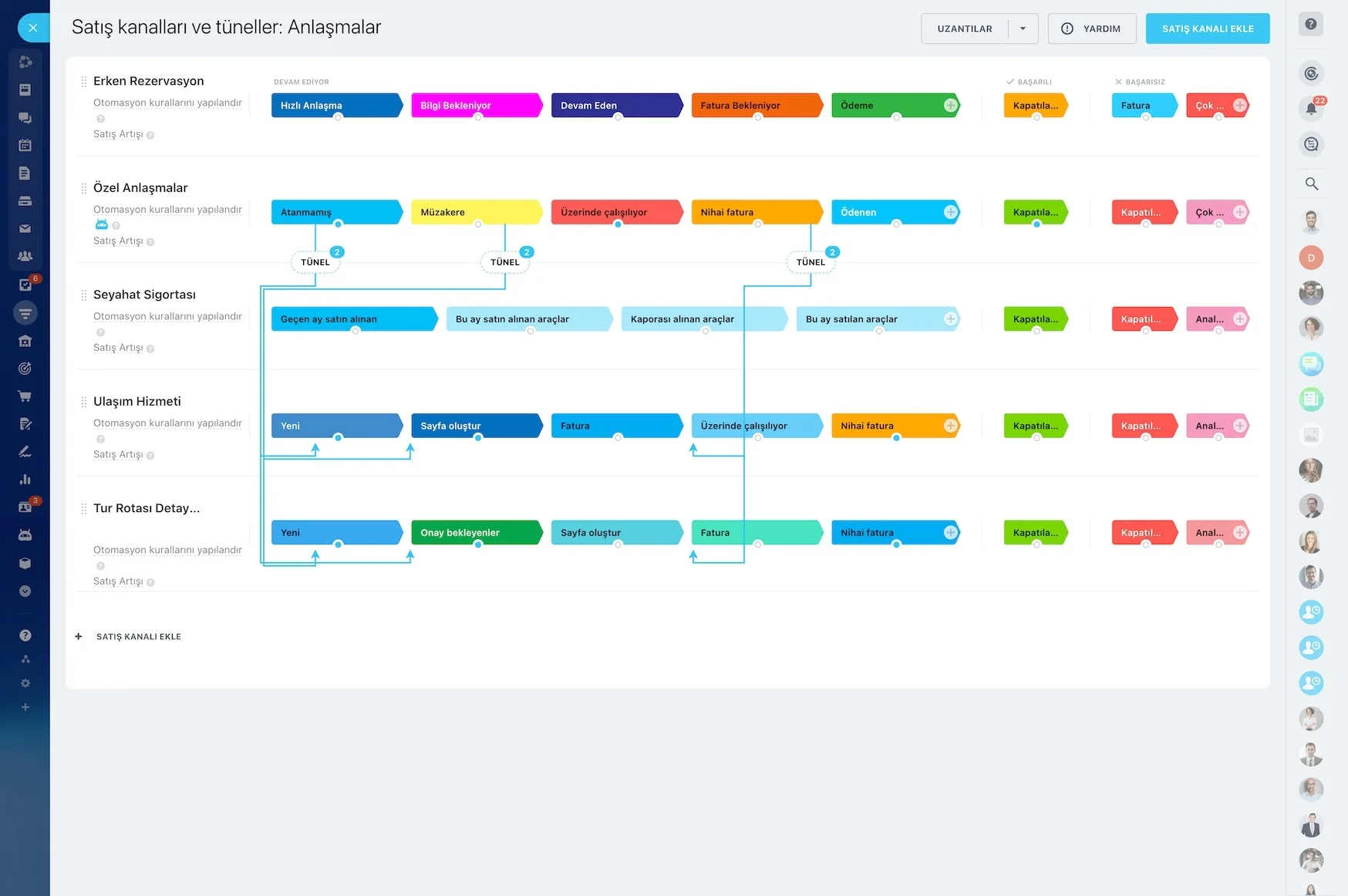
Creating a Bitrix24 account takes five minutes. The real work is placing your sales process correctly inside that account. Process analysis, pipeline design, channel connections, permission structure and data migration: all of that is what we mean by implementation. We map the flow from the moment an enquiry arrives to payment, and answer who is involved at each step and where decisions are made.
- Process analysis and pipeline design
- Connecting WhatsApp, telephony and email channels
- Defining the permission and visibility structure
- Migrating data from the old system while cleaning it
Implementation does not end at handover
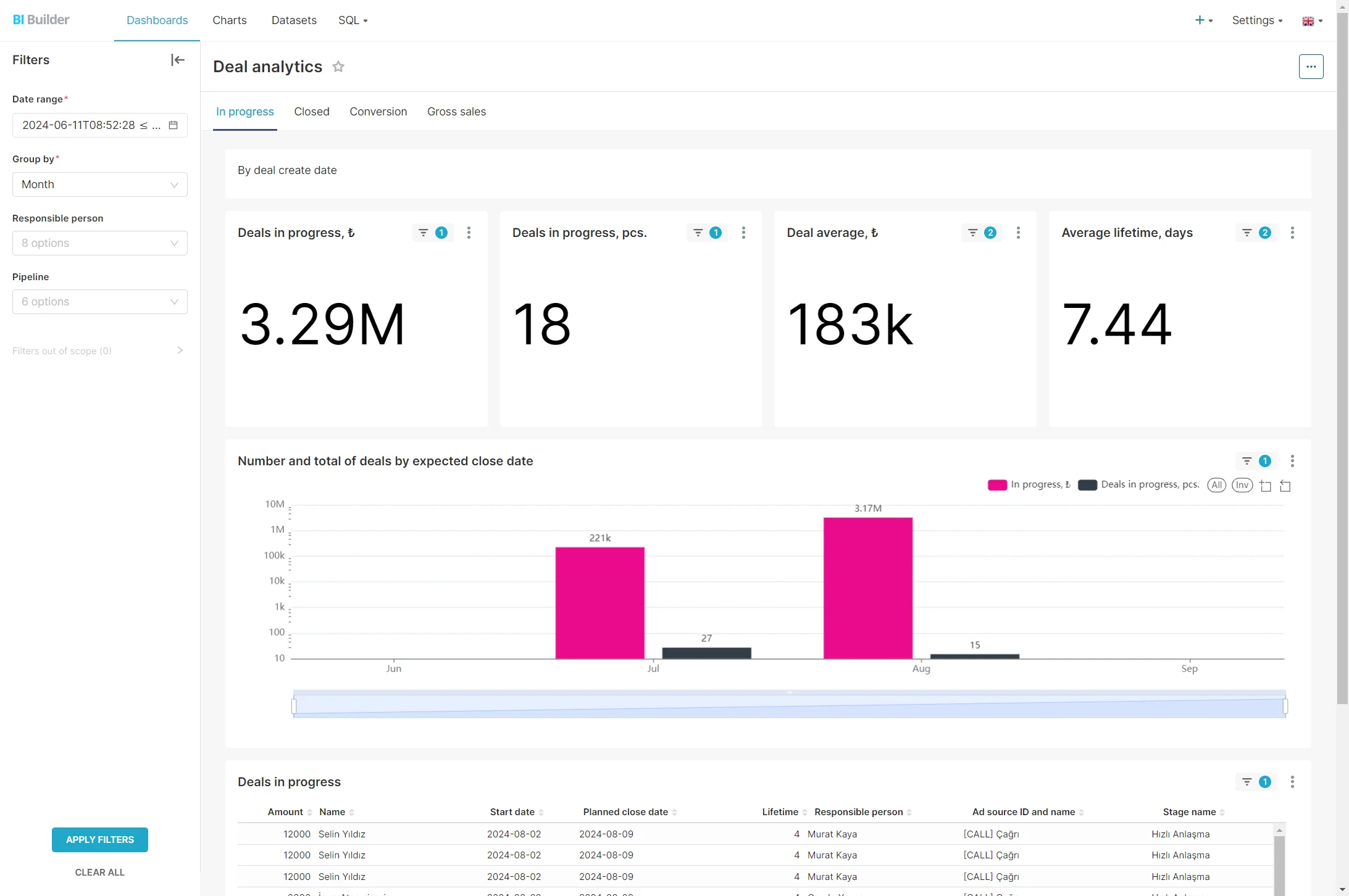
After implementation, things keep changing: new products, new teams, new processes. A support package lets you make those changes without opening a new project every time. We stay with you until the team starts using the system; if adoption stays low we look for the reason together. Support requests are opened from the channel in your Bitrix24 portal and an SLA clock runs.
- Role-based live training, separate for managers and end users
- SLA-backed support through an in-portal request channel
- Regular portal reviews and improvement suggestions
- No new project needed for small changes
What we do
Each of the following can be taken separately or together.
Implementation and configuration
Process analysis, pipeline design, field and permission structure, channel connections.
Data migration
Field-mapped transfer from spreadsheets or an existing CRM, preserving relationships.
Training
Role-based live training with separate content for managers and end users, recorded.
Customization
App development over the REST API, custom fields and screen layouts.
Integration
Connections to ERP, accounting, e-invoicing, payments and your own systems.
Support
SLA-backed support and regular improvement after go-live.
We are a small team, and that is deliberate
The person who sells the project is the person who builds it, so nothing is lost in between. That limits how much work we can take on, but it is exactly what determines implementation quality.
We understand the process first
We fit the software to the process, not the other way round. We do not implement without process analysis.
Scope and price in writing
If the work grows we talk about it first. No surprise line items appear later.
No oversized plans
The wrong plan is a problem for both of us; if you need Basic we do not sell Professional.
We say so if it does not fit
If Bitrix24 is not right for you we say so in the call. A wrong implementation benefits nobody.
How we work
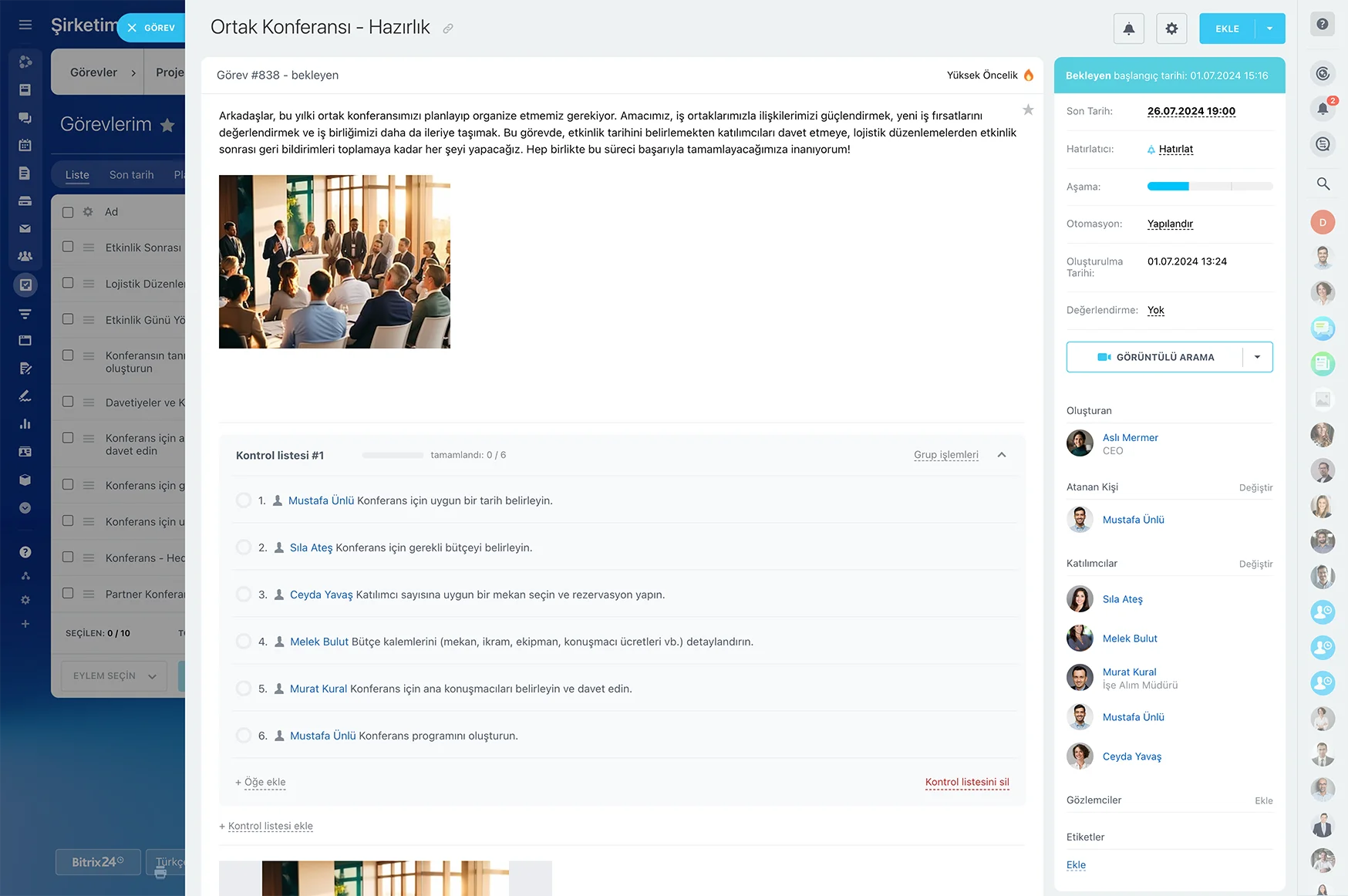
From the first call to go-live, the process runs in four steps.
- 1
Free introductory call
Thirty minutes, online. We listen to your workflow and discuss whether Bitrix24 fits you.
- 2
Scope and quote
Which modules, which channels, how many users and which plan; scope and price given in writing.
- 3
Implementation and migration
Process analysis, pipeline design, channel connections and data transfer from the old system.
- 4
Training and go-live
The team is trained, adoption is followed until the habit sticks, and the support process is defined.
What you end up with
The licence is the software; the following is what makes it work.
- A Bitrix24 portal configured around your processes
- Locally invoiced licensing with single-point management
- Channel connections: WhatsApp, telephony, email, social media
- Data migrated and cleaned from your old system
- Role-based, recorded team training
- SLA-backed support and a regular improvement plan
Direct purchase versus going through a partner
The licence price is the same either way; the difference is operational.
| Topic | Direct purchase | Through a Gold Partner |
|---|---|---|
| Licence price | List price | Same list price |
| Invoice | Foreign, in foreign currency | Local invoice, local currency |
| Implementation | Your own team | Delivered with process analysis |
| Training | Documentation | Live training for the team |
| Support | Bitrix24 general support | Same time zone, in Turkish |
| Customization | Your own resources | REST API and app development |
| Plan choice | Your own decision | Chosen together against need |
Frequently Asked Questions
Does buying through a Gold Partner make the licence more expensive?
No. Bitrix24 sets the licence price and it does not change when bought through a partner. The partner's revenue comes from Bitrix24; you pay the same list price and gain a point of contact for implementation and support.
We already use Bitrix24. Can we change partner?
You can. An existing licence can be transferred to our partner account, and the transfer does not affect the data in your portal. Before the transfer we review your current setup and share in writing what should be fixed.
How long does implementation take?
A setup limited to one pipeline and basic channels usually goes live within a week. Multi-user, multi-channel implementations with data migration span four to eight weeks. What drives the timeline is not the software but process decisions and training.
What does Gold Partner status give us?
The level is a grade Bitrix24 assigns based on training, certification and completed projects; it reflects implementation capability rather than sales volume. In practice it means the team in front of you has built this product many times before.
What if Bitrix24 is not right for us?
We say so in the call. A wrong implementation benefits neither side; we would rather not trade a few months of licence revenue for three years of dissatisfaction. If you need a different tool, we tell you.
How does support work after implementation?
Requests are opened from the support channel in your Bitrix24 portal, assigned to our team automatically, and the SLA clock starts. A phone line is open for urgent failures. Within the support package we review your portal regularly and suggest improvements.
Let's spend thirty minutes on whether Bitrix24 fits you
In a free introductory call we listen to your workflow. If it does not fit, we say so; this is an assessment, not a sales call.